• Selecting Do not use power control disables all settings of the power control and scheduling.
Using Duplex Printing
Follow the procedure below to use duplex printing.
1. Check that printer is turned on.
2. Select (Setup) on the HOME screen.
Using Touch Screen
3. Select ECO.
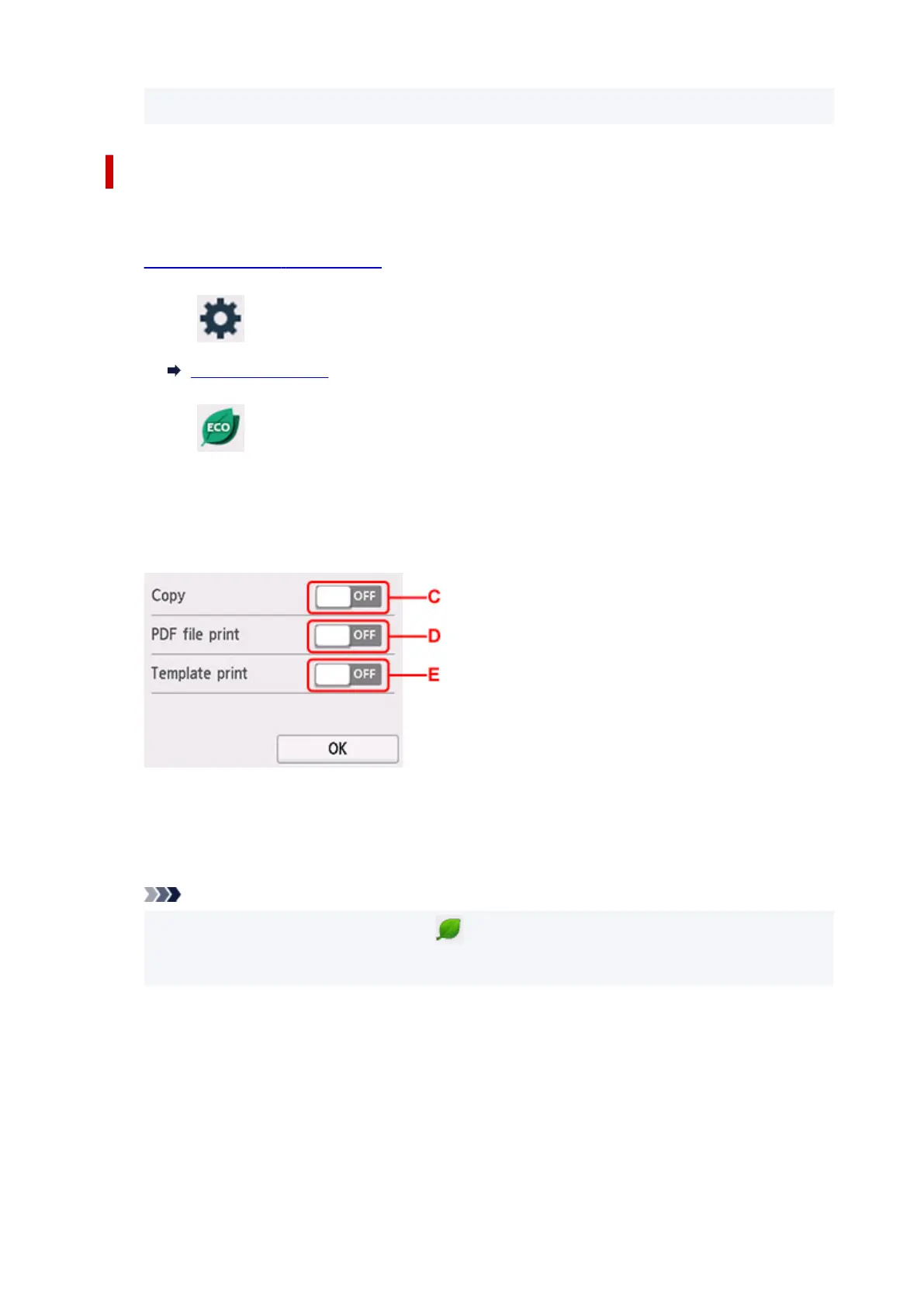
4. Select Two-sided print settings.
5. Specify settings as necessary.
C: Select two-sided copying as a default.
D: Select two-sided printing of PDF files saved on a
USB Flash Drive as a default.
E: Select two-sided printing of template forms on the printer as a default.
Note
• When duplex printing is selected, the
icon is displayed on the setting items for duplex
printing on each print settings screen.
208










 To Next Page