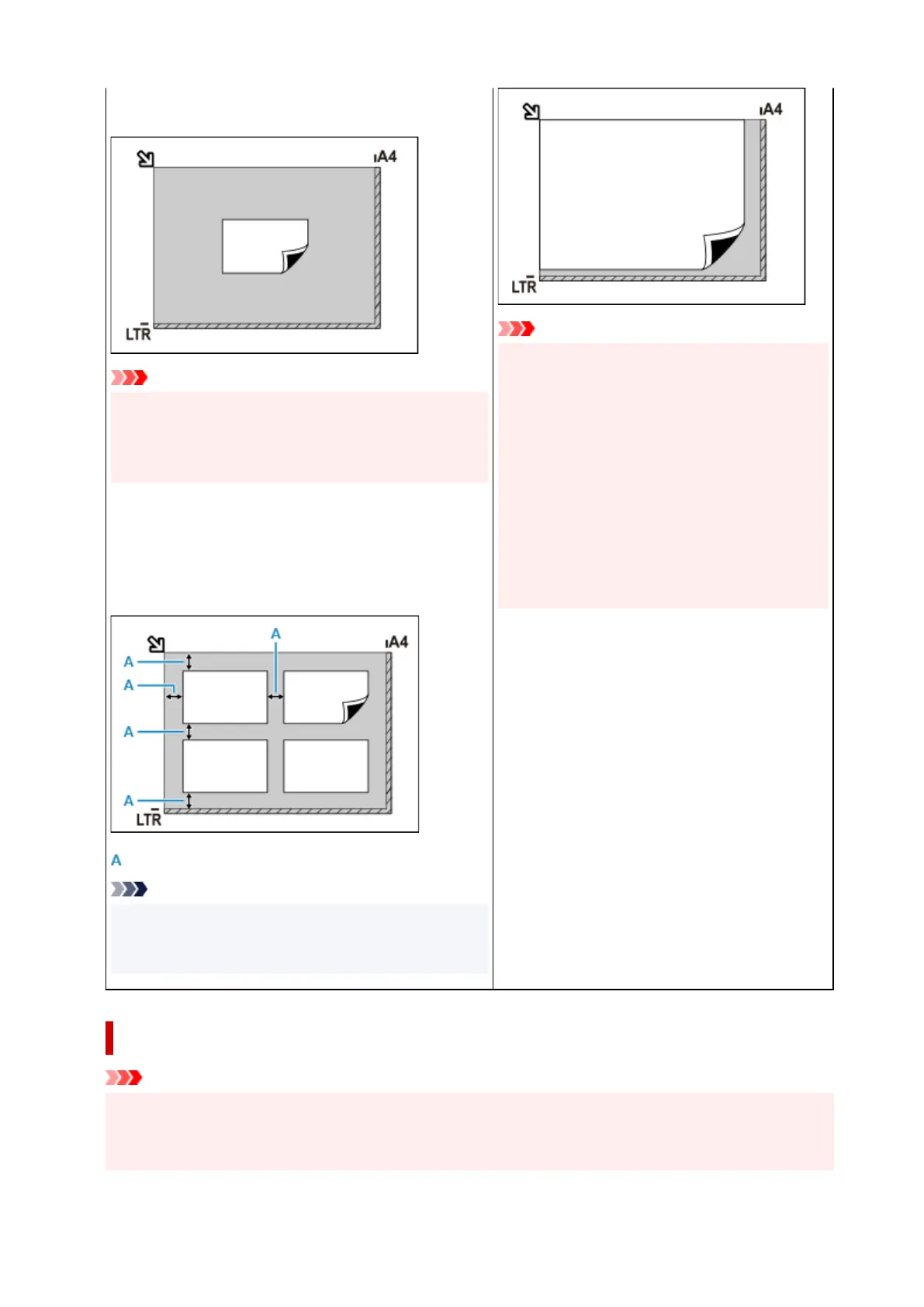
of the platen and the item. Portions placed on the diagonally
striped area cannot be scanned.
Important
• Large items (such as A4 size photos) that cannot be
placed away from the edges/arrow (alignment mark
) of
the platen may be saved as PDF files. To save in a for-
mat other than PDF, scan by specifying the data format.
Multiple items:
Allow 0.4 inch (1 cm) or more space between the edges (di-
agonally striped area) of the platen and items, and between
items. Portions placed on the diagonally striped area cannot
be scanned.
: 0.4 inch (1 cm) or more
Note
• In IJ Scan Utility Lite, place up to 12 items.
• Positions of slanted items (10 degrees or less) are cor-
rected automatically.
Important
• Inkjet All-In-One printer:
For the portions in which items cannot be scan-
ned, click Home to return to the top page of the
Online Manual for your model and search for
"Loading Originals."
• Personal scanner:
For the portions in which items cannot be scan-
ned, click Home to return to the top page of the
Online Manual for your model and search for
"Items You Can Place & How to Place Items."
Placing Documents (
ADF (Auto Document Feeder))
Important
• Place and align documents of the same size when scanning two or more documents.
• For supported document sizes when scanning from the ADF, click Home to return to the top page of
the Online Manual for your model and search for "Supported Originals."
272










 To Next Page