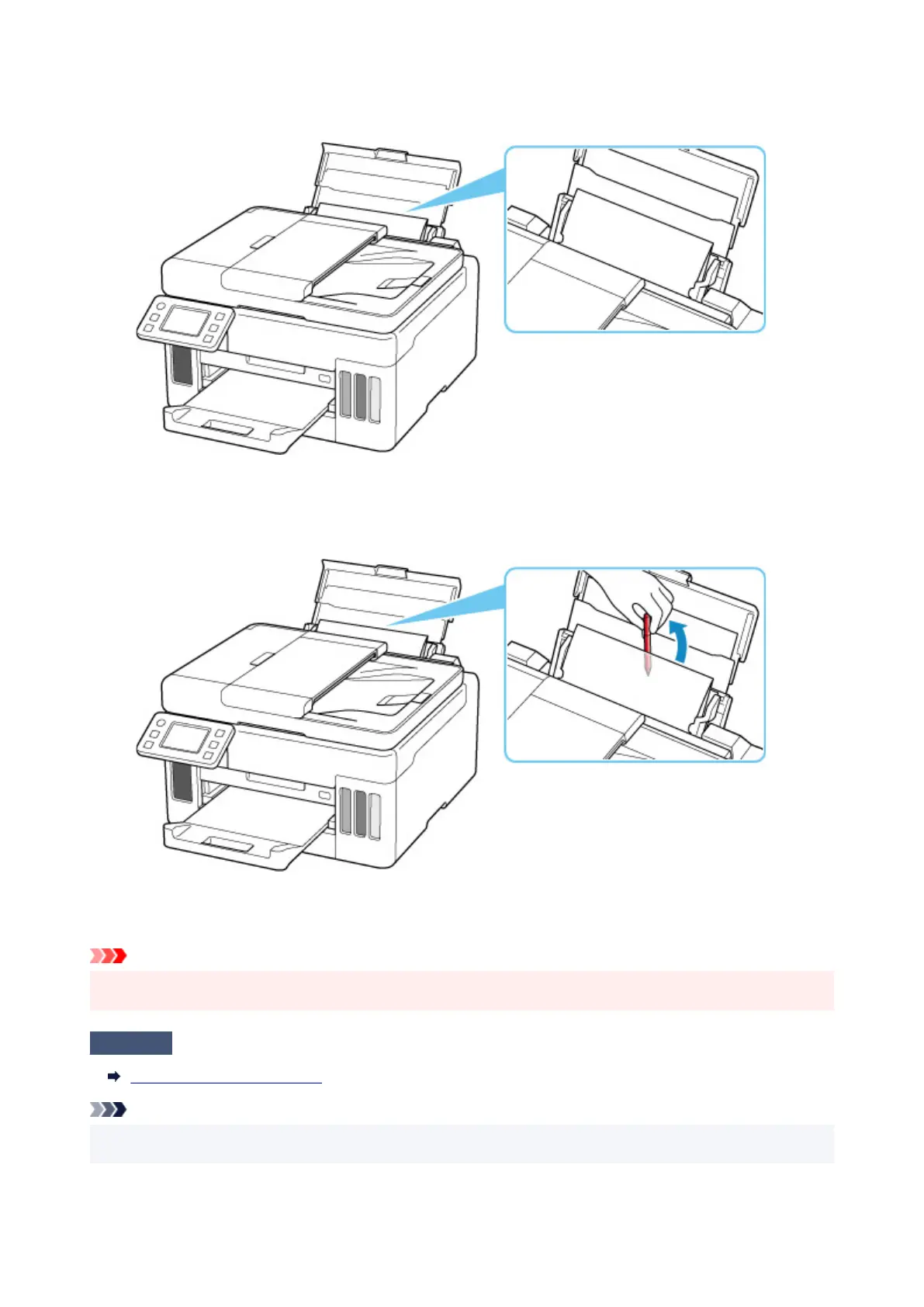
Insert the paper so that your hand does not directly touch the part in the center of the rear tray when
removing the foreign object.
3. Remove foreign object by hand with paper inserted.
Put your hand between the paper you inserted and the rear tray to remove the foreign object.
4. Remove the folded paper inserted in step 2.
Important
• Do not tilt the printer or do not it upside down. Doing so may cause the ink to leak.
Check7
Clean Paper Feed Roller.
Cleaning Paper Feed Rollers
Note
• Cleaning the paper feed roller abrades it, so do this only when necessary.
320










 To Next Page