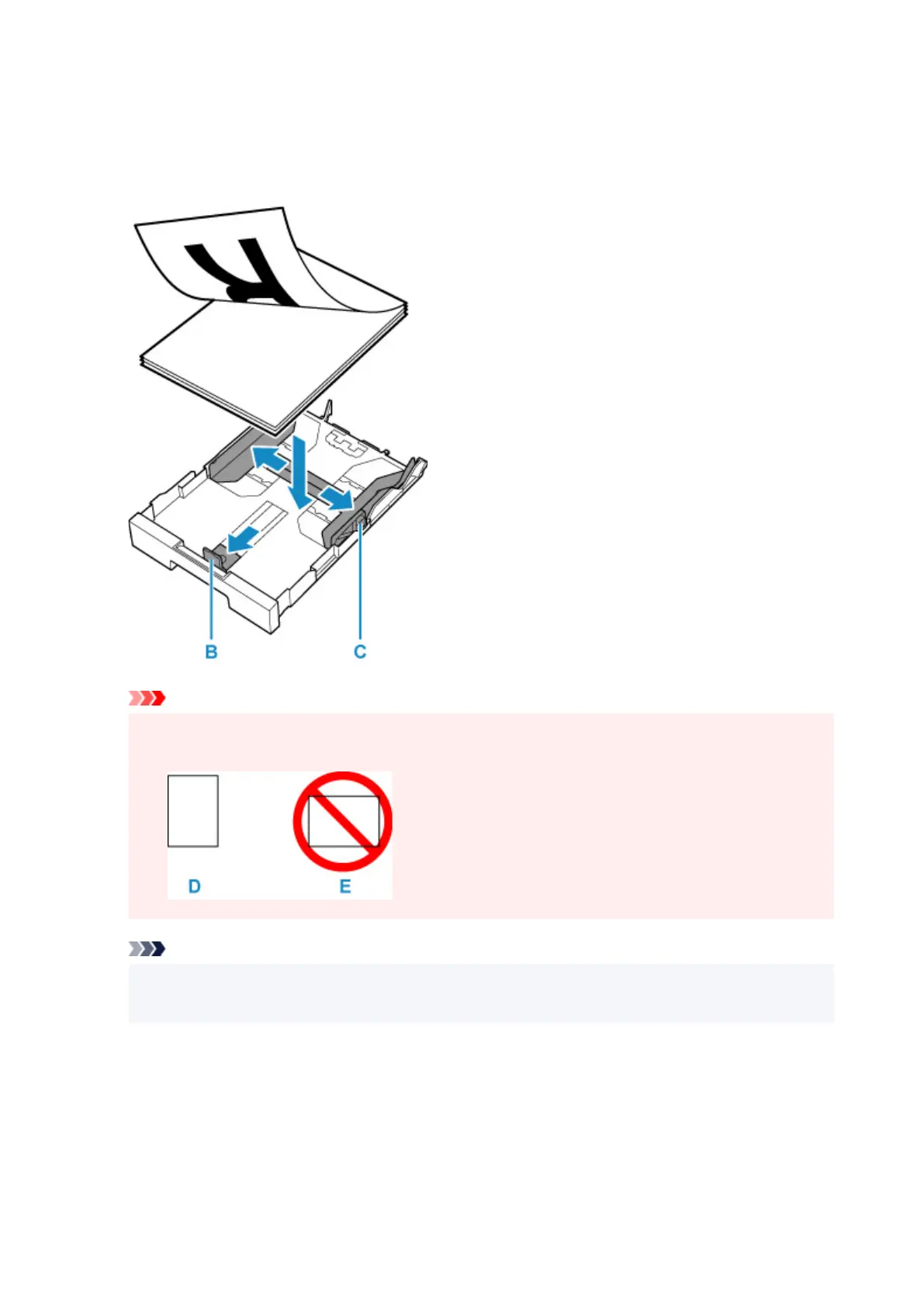
3. Slide paper guides (B) in front and (C) on right to open guides.
4. Load paper stack in portrait orientation WITH PRINT SIDE FACING DOWN, and place it in
center of cassette.
Important
• Always load paper in portrait orientation (D). Loading paper in landscape orientation (E) can
cause paper jams.
Note
• Align the paper stack with the edge of the cassette as shown in the figure below.
If the paper stack is in contact with the protrusion (F), the paper may not be fed properly.
66










 To Next Page