CHAPTER 9 INSTALLATION
COPYRIGHT
©
1999 CANON INC. CANON NP6512/6612/7120/7130/7130F REV.0 AUG. 1999 PRINTED IN JAPAN (IMPRIME AU JAPON)
9-3
Work Checks and remarksStep
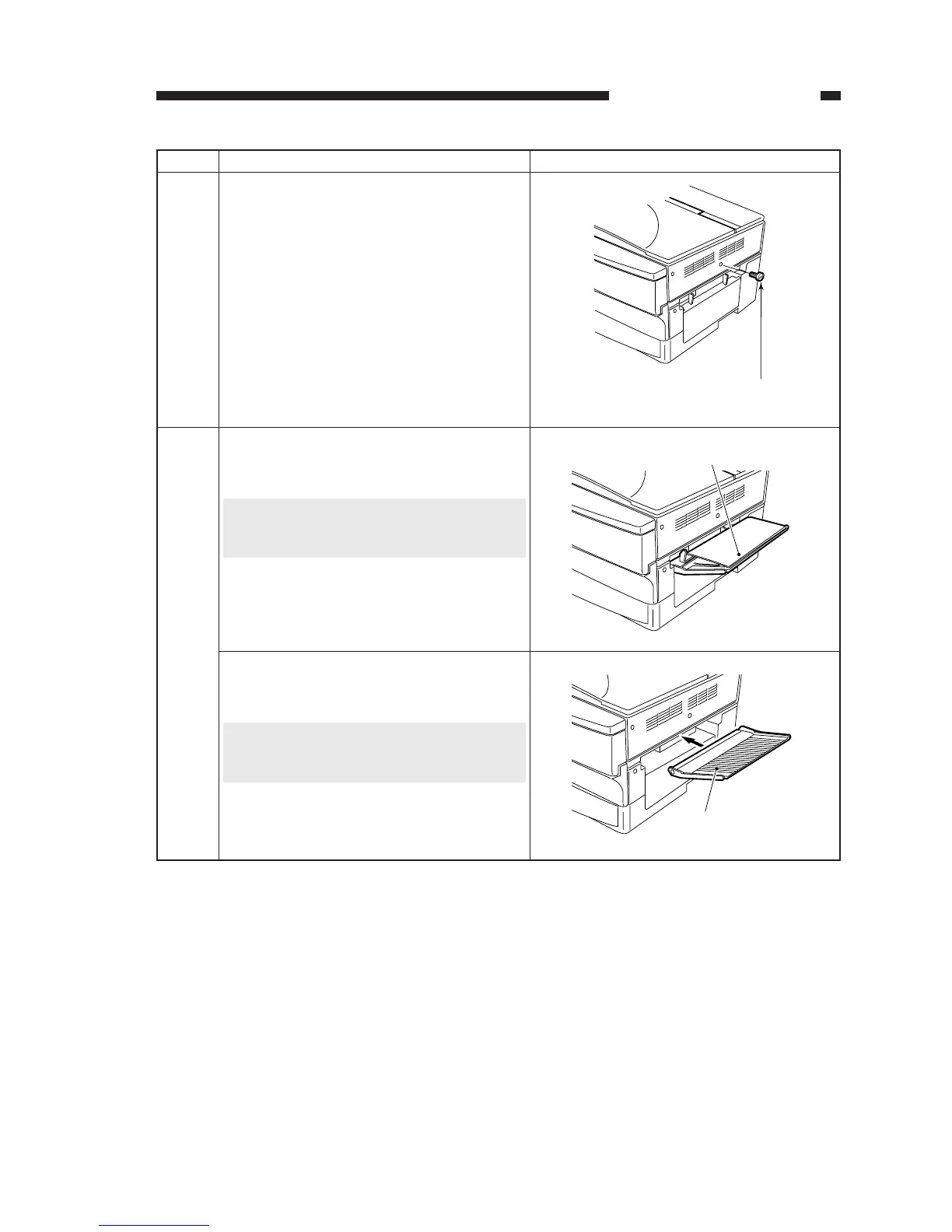
Remove the shipping attachment [2] (black
screw) from the right side of the machine.
4
You will be storing the shipping attachment
[2] inside the machine in step 10.
Take out the protective member from the
manual feed tray.
5
Protective member
Attach the manual feed tray that comes with
the machine.
Manual feed tray
Caution:
This step applies only if the manual feed tray
is attached.
Caution:
This applies only if the manual feed tray
comes packaged with the machine.








 To Next Page