CHAPTER 3 EXPOSURE SYSTEM
COPYRIGHT
©
1999 CANON INC. CANON NP6512/6612/7120/7130/7130F REV.0 AUG. 1999 PRINTED IN JAPAN (IMPRIME AU JAPON)
3-36
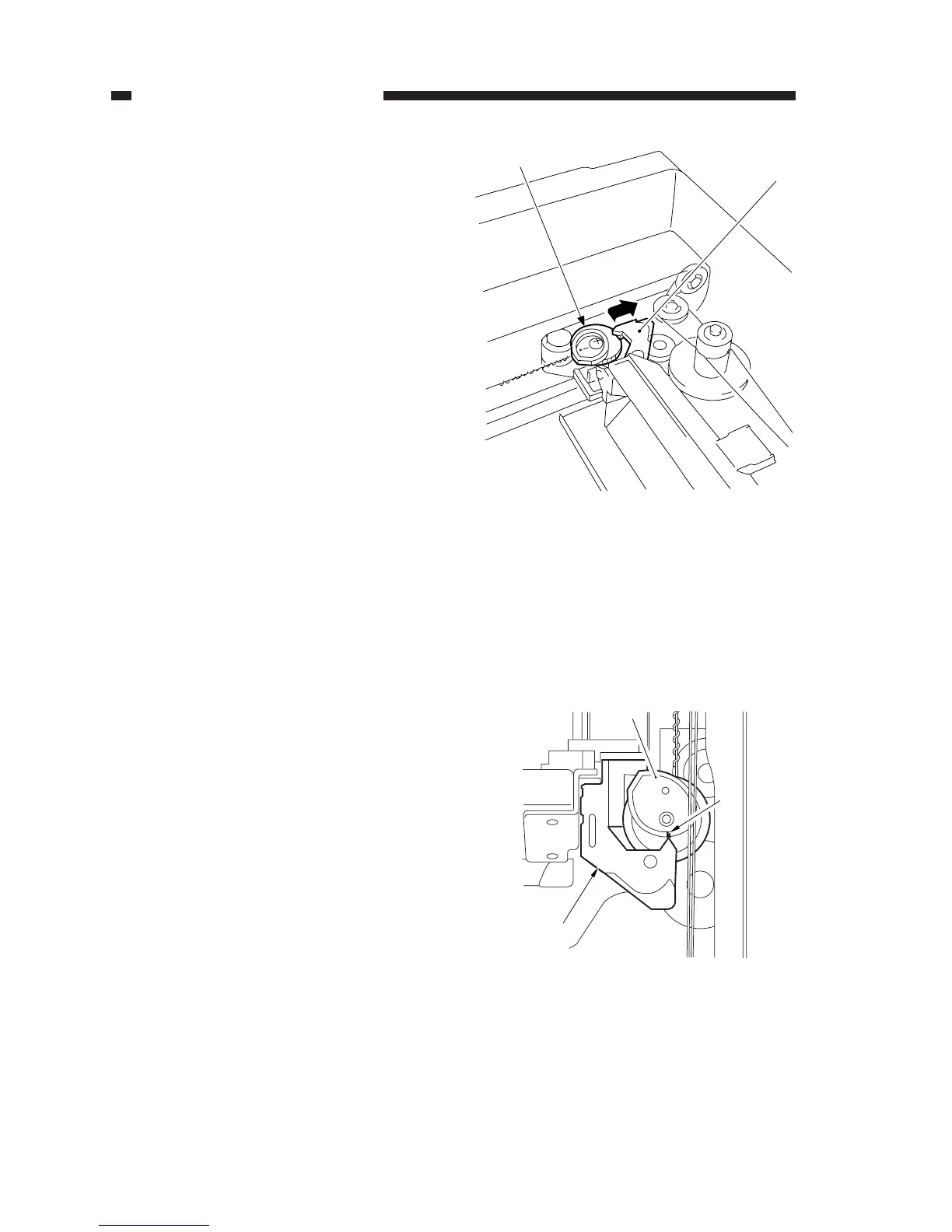
Figure 3-344
Figure 3-345
[2]
[1]
[1]
[2]
[3]
2. Routing the Lens Cable
1) After routing the lens cable, keep the lever
[1] of the No. 4/5 mirror mount disen-
gaged from the cam gear [2] (so that the
lever will not come into contact when the
cam gear rotates).
2) While keeping the condition in step 1),
turn on the power; when the No. 1 mirror
mount and the lens stopped moving, turn
off the power.
• The lens will move to the Direct posi-
tion.
3) Check to make sure that the tip of the le-
ver [1] of the No. 4/5 mirror mount and
the marking [3] on the top face of the cam
gear [2] match; then, engage the lever [1]
and the cam gear [2].








 To Next Page