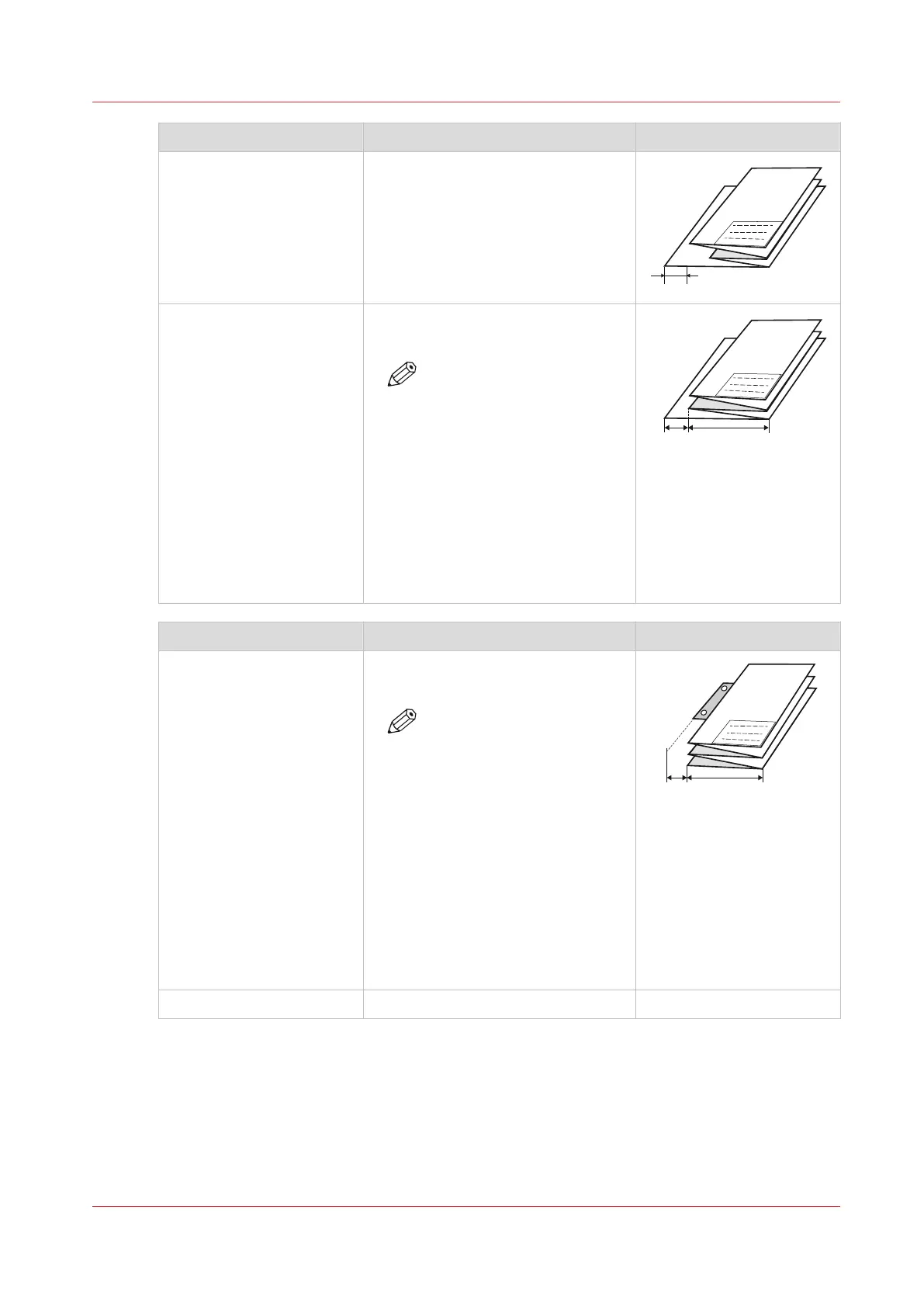
[Folding method] Description Example
[With binding edge] (DIN-
A).
Folded package, but the last fold
(rear) has additional width.
The previous fold could be shorter.
[Binding edge size] Defines how much the binding is
outside the package.
NOTE
• The package width size
(B) excludes the [Bind-
ing edge size] (A). So
the back panel consists
of the package width
size plus the binding
edge size (A+B).
• Only visible when the
selection in [Folding
method] is set to [With
binding edge].
[Reinforcement] Description Example
[Enabled] Glues the pre-punched strips to the
rear of the folded package.
NOTE
• The reinforcement strip
uses a binding size of
12mm (A).
• The package width size
(B) excludes the [Bind-
ing edge size] (A). So
the back panel consists
of the package width
size plus the binding
edge size (A+B).
• Only possible when
[Folding method] is
[With same size back].
[Disabled]
No glued strip.
Fold settings
Chapter 3 - Define your Workflow with Océ Express WebTools
105









 To Next Page