Unpacking Procedure
Unpacking Procedure
NOTE:
POD Deck Lite is secured with packaging tapes and
cushioning materials to protect it against vibration and
shock during transportation. Remove all packaging tapes
and cushioning materials following the unpacking
procedure.
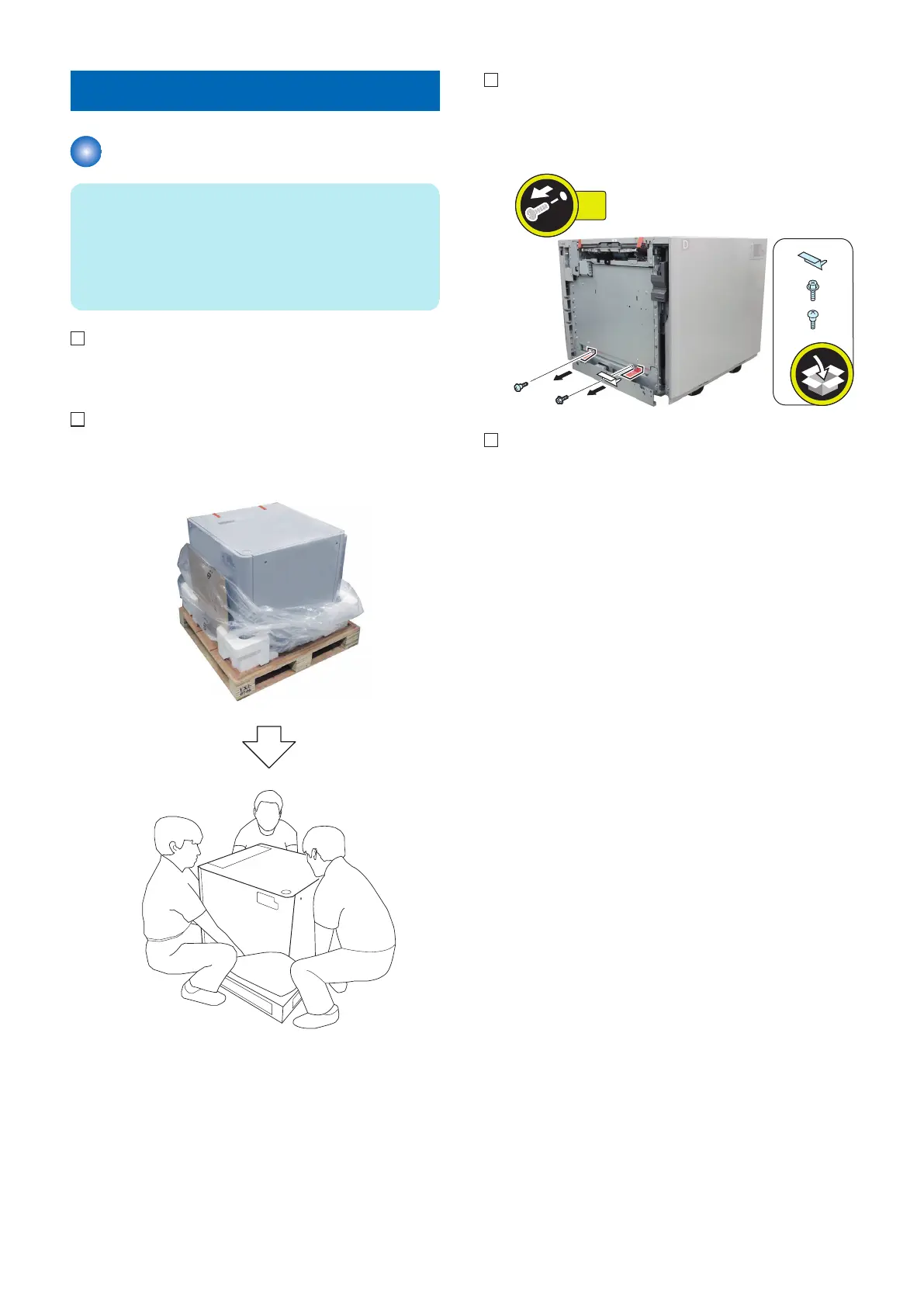
1. Open the box and remove the accessory box and
cushioning materials.
2. Open the plastic packing bag. Remove the POD Deck
Lite from the palette.
3. Remove the fixing plate and 2 tags (the removed
tags, fixing plate and screws are not used).
• 2 Screws
4. Remove all packaging tapes.
6. Installation
104









 To Next Page