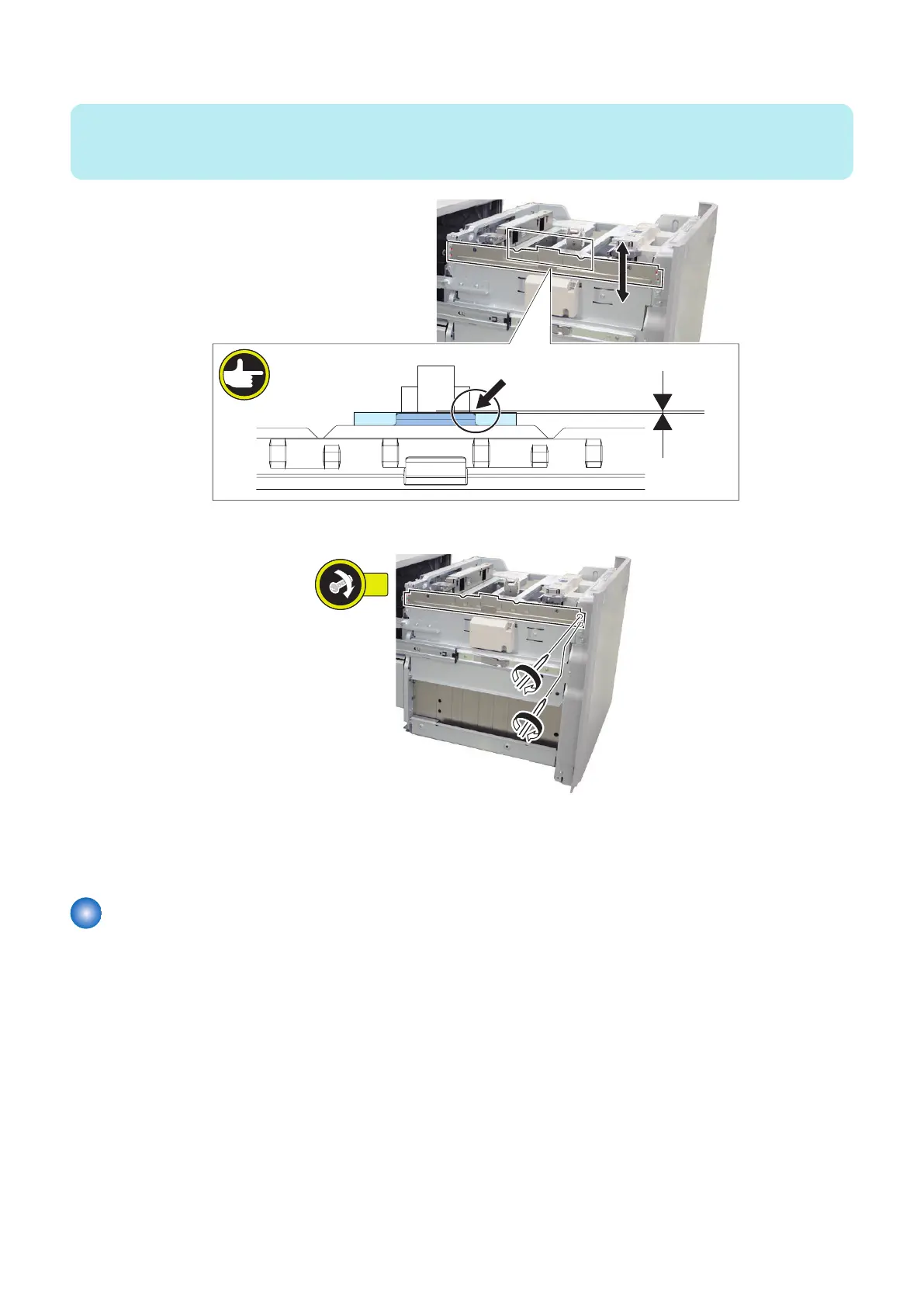
10. Slide up or down the right side of the Pre-Separation Plate with the same value as procedure 8.
NOTE:
• Check the position scale on the right edge of the Pre-Separation Plate to adjust it.
• Check that plain paper passes smoothly.
11. Fasten the 2 screws on the right loosened at procedure 7.
12. Enter the setting value (Adjustment of paper surface height: Deck) recorded at procedure 3 on the service mode.
Service Mode > COPIER > ADJUST > FEED-ADJ > DK1-PKLV
(LV1)
Compartment
■ Actions at Replacement
“Removing the Compartment” on page 56
■ Actions after Replacement
1. Remove all sheets of paper from the Compartment.
2. Execute the following item on the service mode.
• Initialization when replacing the parts
Service Mode > COPIER > FUNCTION > CST > DK1-INT1
(LV1)
5. Adjustment
93



 To Next Page