PCBs
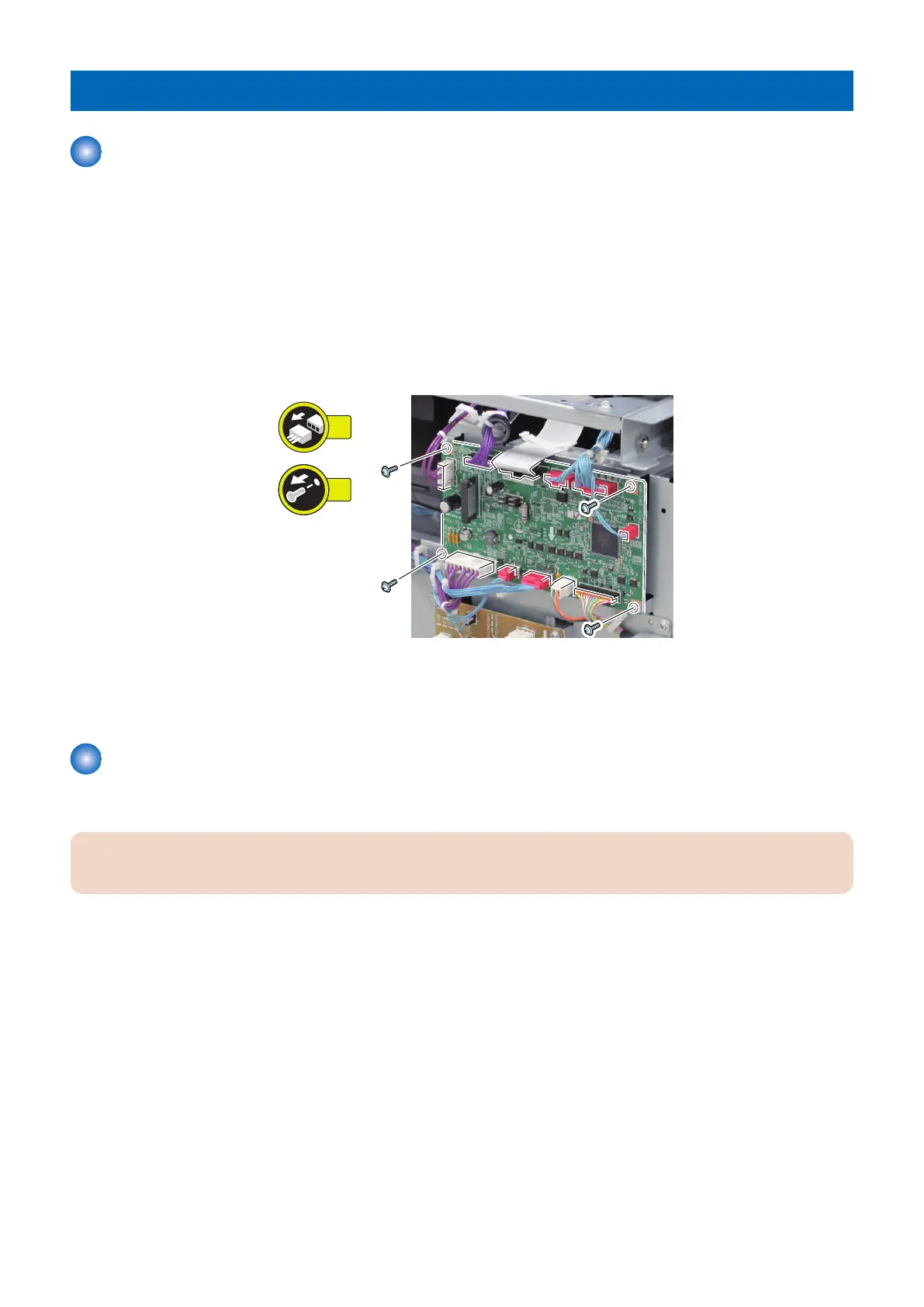
Removing the Deck Driver PCB
■ Preparation
1. Remove the Rear Cover.
“Removing the Rear Cover” on page 44
■ Procedure
1. Remove the Deck Driver PCB.
• 11 Connectors
• 4 Screws
■ Actions when Replacing the Parts
“Deck Driver PCB ” on page 94
Removing the Paper Width Detection PCB
■ Preparation
CAUTION:
The Lifter Plate must be moved to the top before removing the Paper Width Detection PCB.
1. Open the Compartment with the open button and then remove all sheets of paper from it.
2. Close the Compartment.
3. Turn OFF the host machine after the Lifter Plate is automatically moved to the top.
4. Remove the power cord.
4. Disassembly/Assembly
84



 To Next Page