Actions when Replacing the Parts
Front Cover
■ Actions at Replacement
“Removing the Front Cover” on page 42
■ Actions after Replacement
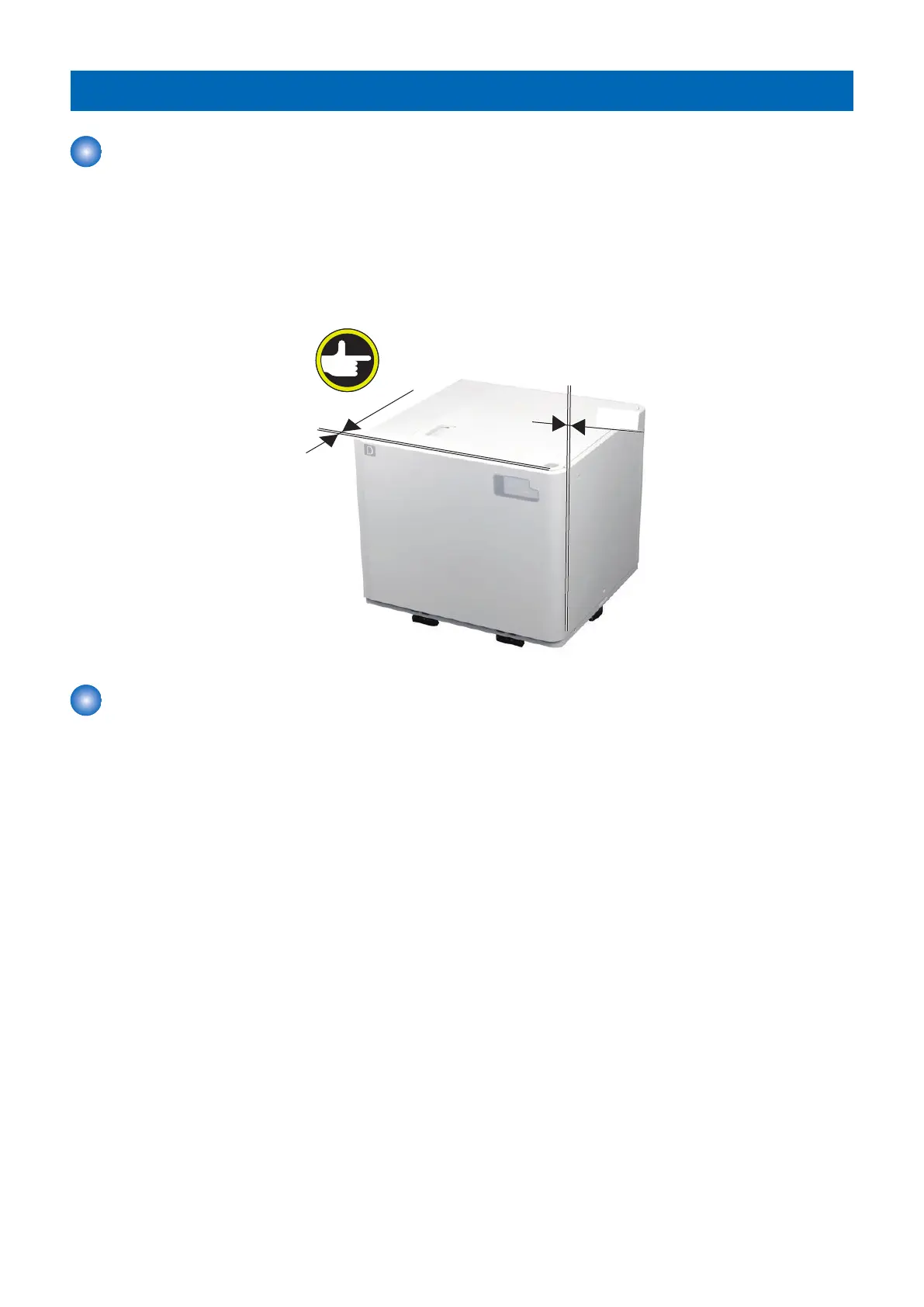
1. Adjust the gap in 4 +/- 1mm between the front cover and upper cover, the front cover and right cover.
Pickup Assembly
■ Actions at Replacement
“Removing the Pickup Assembly” on page 54
■ Actions after Replacement
1. Remove all sheets of paper from the Compartment and close the Compartment.
2. Turn ON the main power.
3. Record the setting value on the service mode.
Service Mode > COPIER > ADJUST > FEED-ADJ > DK1-PKLV
(LV1)
4. Execute the following item on the service mode.
• Adjustment of paper surface height: Deck
Service Mode > COPIER > ADJUST > FEED-ADJ > DK1-PKLV
(LV1)
DK1-PKLV = 0
5. Adjustment
90









 To Next Page