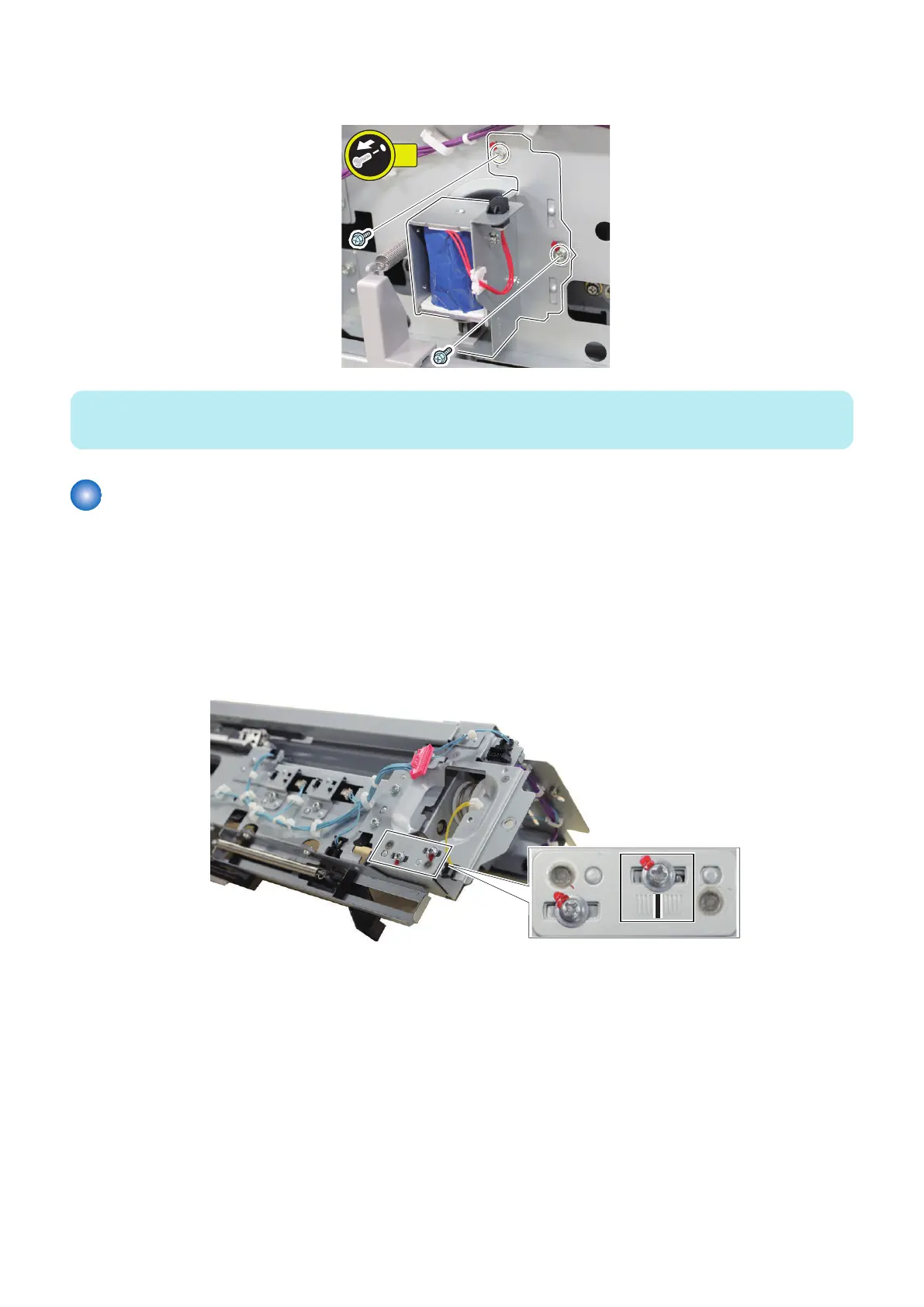
3. Remove the Compartment Open Solenoid.
• 2 Screws
NOTE:
Hook the Compartment Open Solenoid on the Release Lever at assembling.
Removing the Deck Pickup Release Solenoid
■ Preparation
1. Remove the Pickup Assembly.
“Removing the Pickup Assembly” on page 54
■ Procedure
1. Mark the line on the plate to reattach the Deck Pickup Release Solenoid onto the original position.
4. Disassembly/Assembly
65









 To Next Page