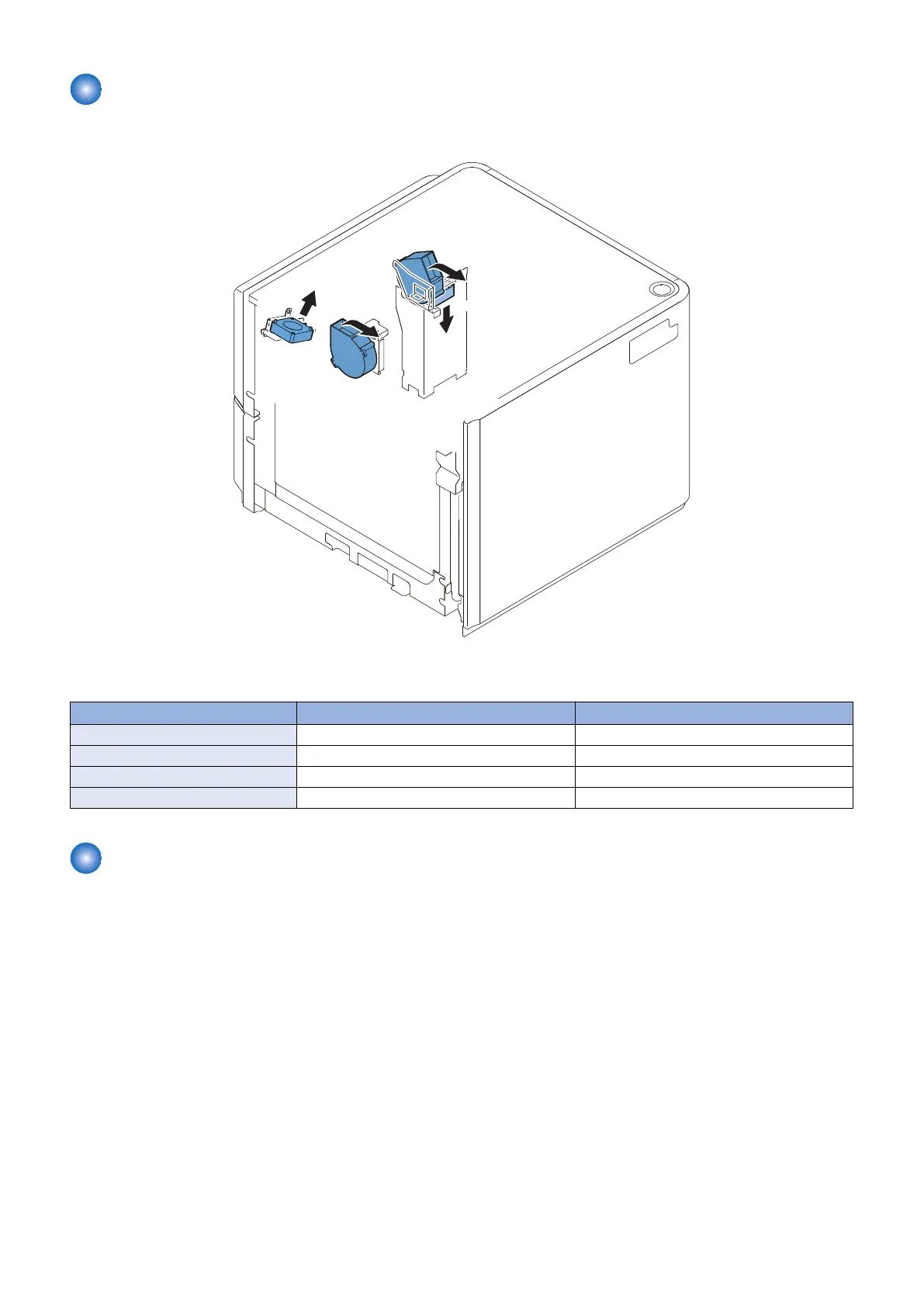
Fan
■ Location of Fans
■ Function of Fans
No. Name Function
FM1 Power supply cooling fan Cool the DC power supply PCB
FM2 Warming fan Improve separating performance of the paper
FM3 Cooling fan Improve separating performance of the paper
FM4 Pickup release solenoid cooling fan Cool the deck pickup release solenoid (SL2)
Jam Detection
The machine uses the following 2 sensors to make sure that paper moves smoothly inside it.The presence/absence of a jam is
checked using the signals coming from the host machine at such times as programmed in the host machine. When the host
machine detects a jam, the machine discharges all paper that has been picked up before the jam paper, and then stops the
operation. The host machine offers instructions on how to remove jams on its control panel display.
2. Technology
24









 To Next Page