Fans
Removing the Pickup Release Solenoid Cooling Fan
■ Preparation
1. Remove the Rear Cover.
“Removing the Rear Cover” on page 44
2. Remove the Pickup Assembly.
“Removing the Pickup Assembly” on page 54
■ Procedure
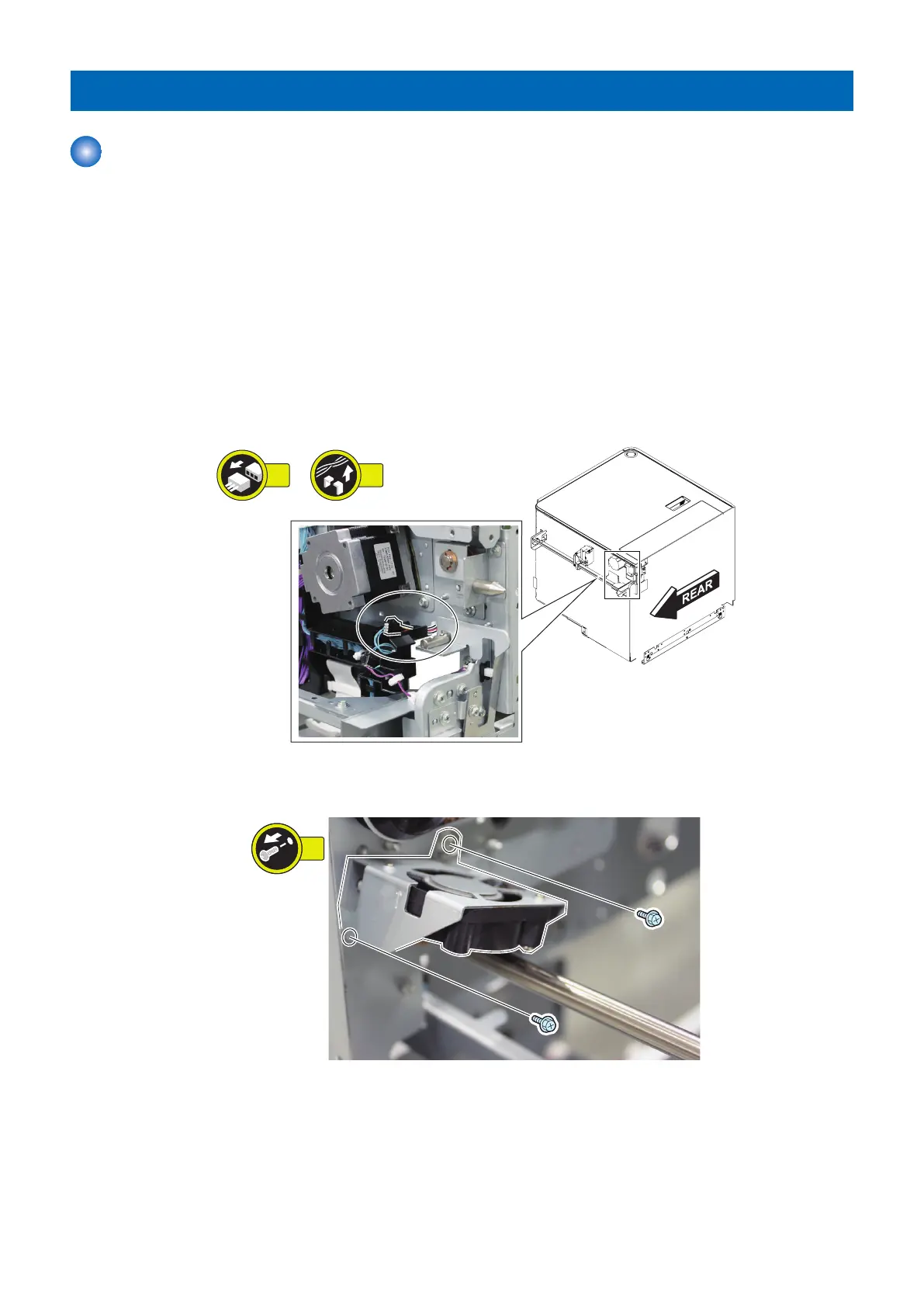
1. Disconnect the connector from rear and then remove the cable from the guide.
• 1 Connector
• 1 Guide
2. Remove the Pickup Release Solenoid Cooling Fan Assembly.
• 2 Screws
4. Disassembly/Assembly
69









 To Next Page