imagePRESS C10000VP /
C8000VP Series
■ Adjusting the Left Edge Margin(L1)
of the Image
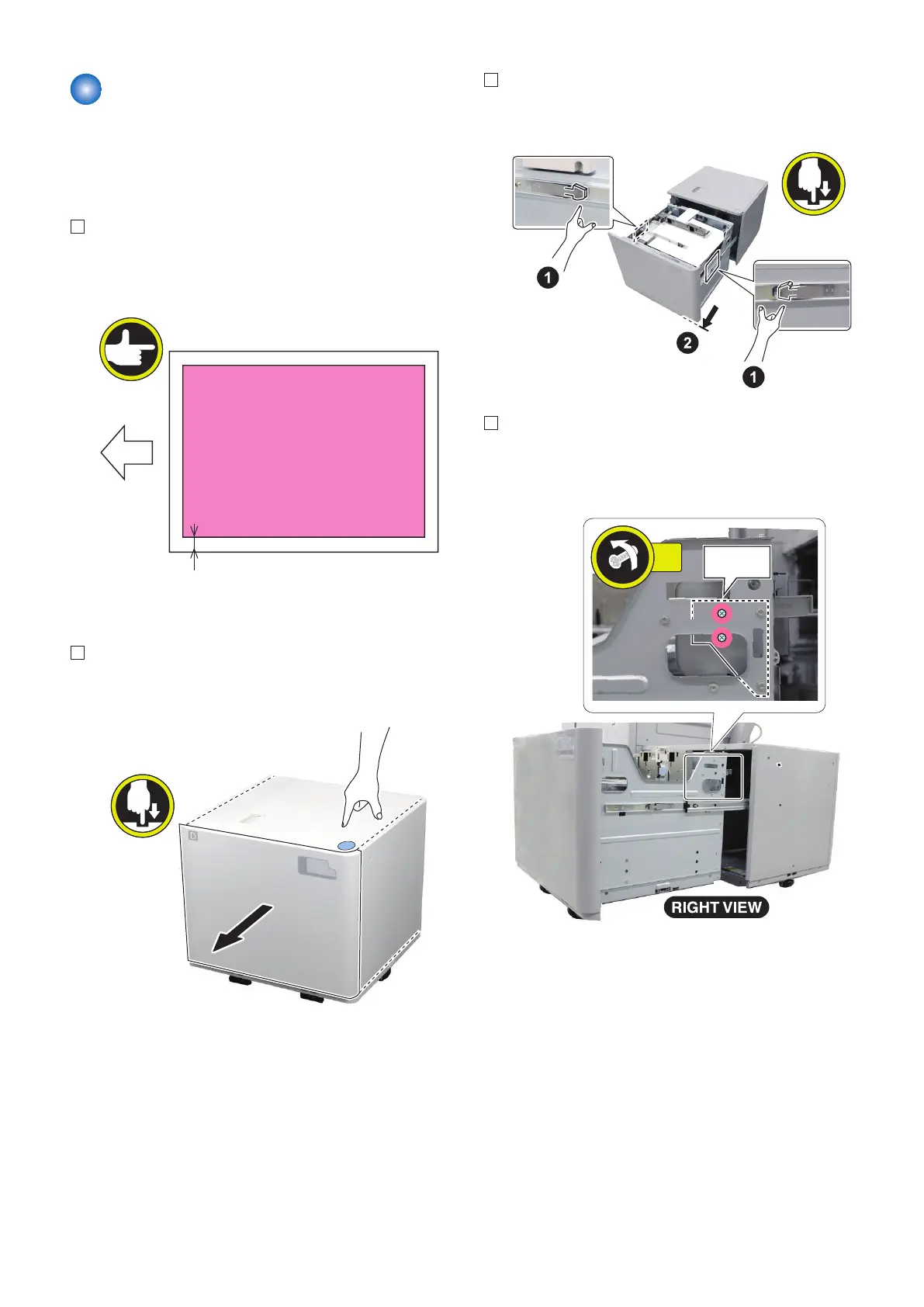
1. Print sheets of paper from the POD Deck Lite. Check
that L1 is 2.5+/-1.5mm. Execute adjustment as
follows when it is out of standard.
■ Adjustment Procedure (manual)
1. Press the open button of the POD Deck Lite to open
the compartment.
2. Open the compartment until it stops while releasing
stoppers with pressing left and right latches.
3. Loosen the 2 screws at the latch plate on the right
side of the compartment.
• 2 Screws
6. Installation
136









 To Next Page