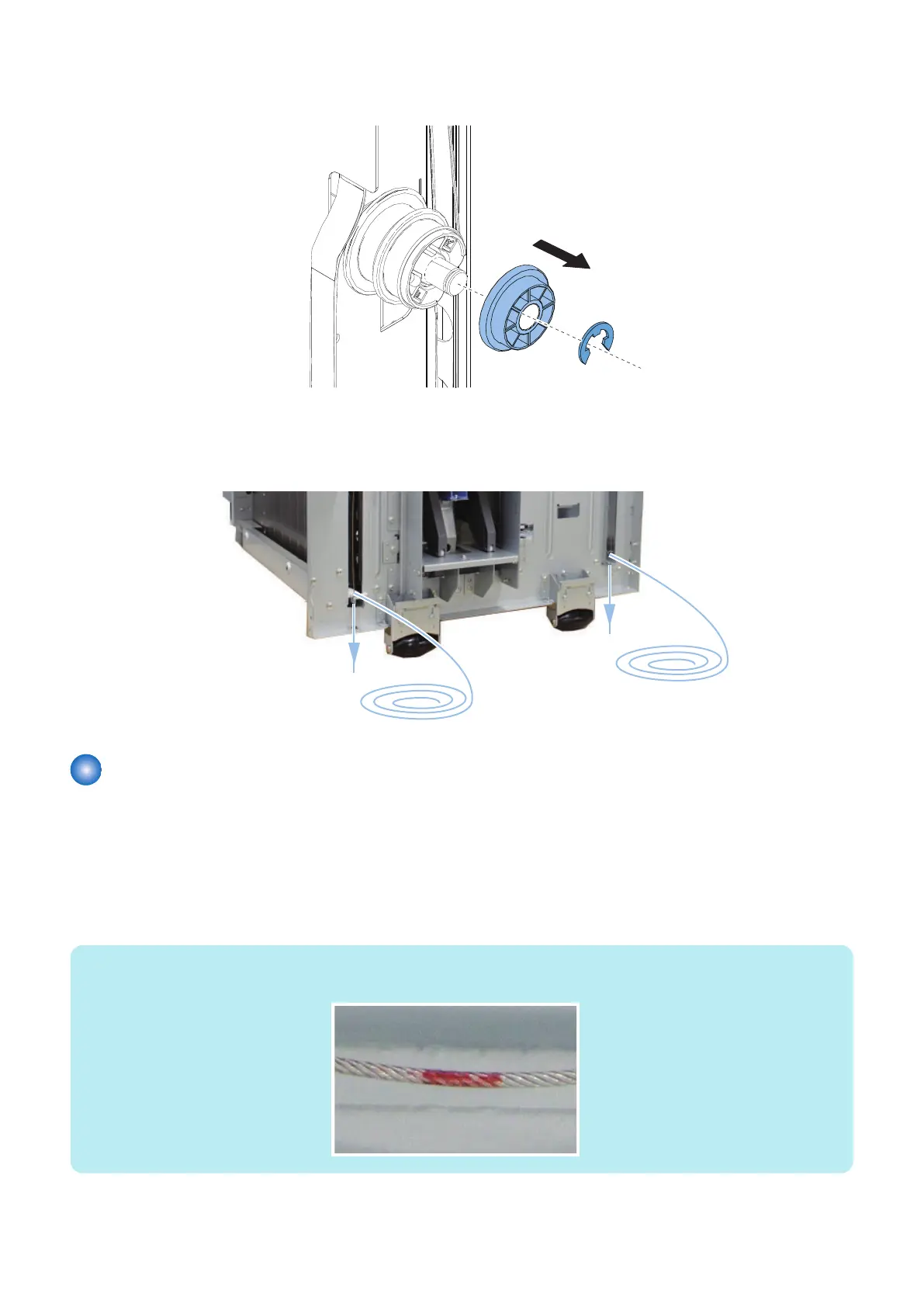
3. Remove the Pulley Fixing Plate.
• 1 E-ring
4. Remove the 2 Pulleys (small and large).
• 2 Parallel Pins
5. Remove the Lifter Wire.
Installation of the Lifter Wire
■ Rear
1. Slide the Side Guide Plate to the minimum paper size position.
2. Put the Lifter Wires through the right and the left lifter holes on the Lifter Plate.
• Long Lifter Wire: Put it through the left hole on the plate.
• Short Lifter Wire: Put it through the right hole on the plate.
NOTE:
Red dot is marked on the Long Lifter Wire.
4. Disassembly/Assembly
74









 To Next Page