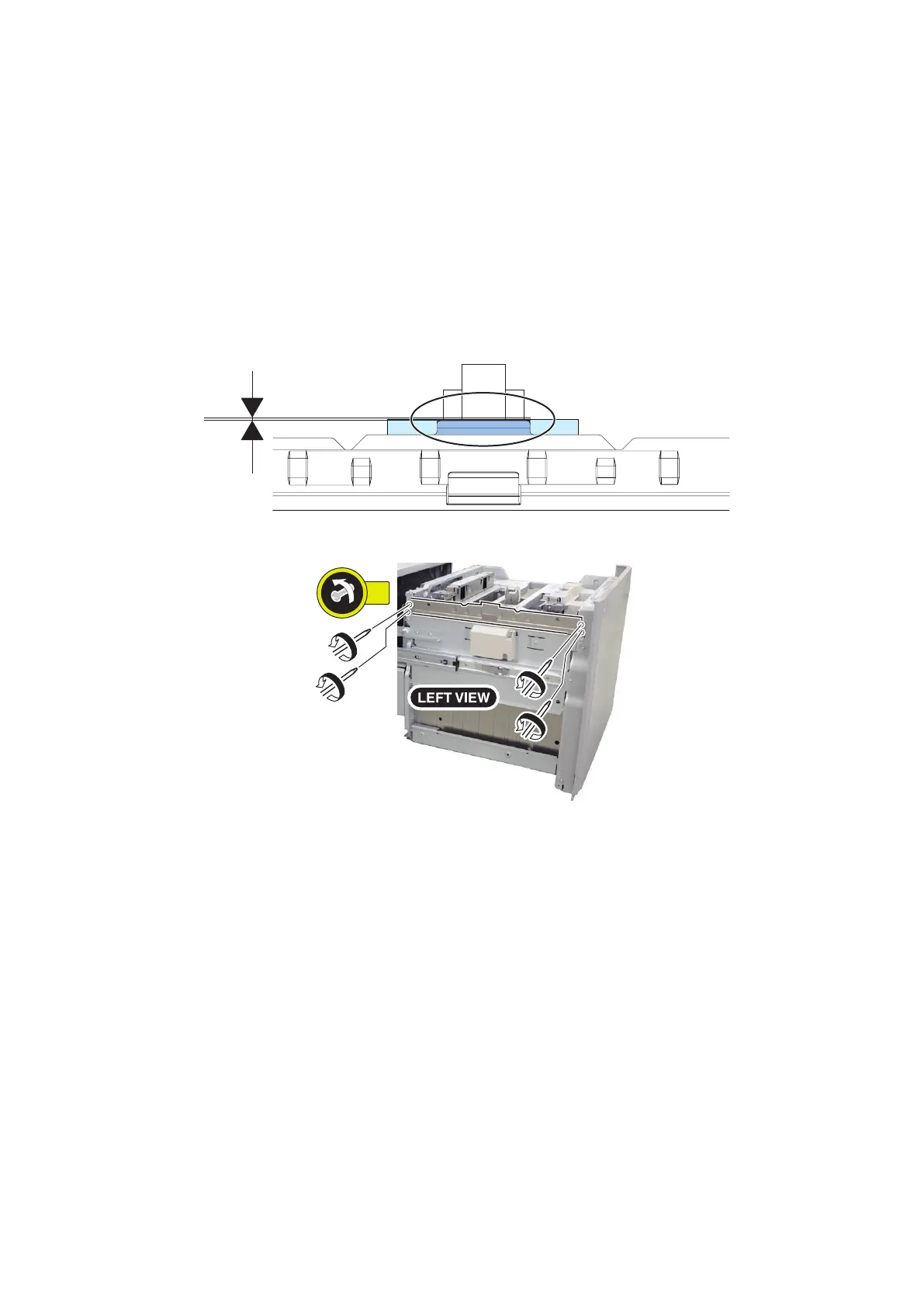
5. Execute the following item on the service mode.
• Initialization when replacing the parts
Service Mode > COPIER > FUNCTION > CST > DK1-INT1
(LV1)
• Setting of Deck Lifter stop position
Service Mode > COPIER > FUNCTION > CST > DK1-SPAD
(LV1)
DK1-SPAD = 1
*Even DK1-SPAD is set to 1, the value is returned to 0 when the Compartment is opened.
6. Check that the position between the Pre-Separation Plate and the Lifter Plate is within L=+/-0.5 mm. Adjust it on the
following procedure in case that it is out of standard.
7. Loosen the 4 screws on the Pre-Separation Plate.
5. Adjustment
91









 To Next Page