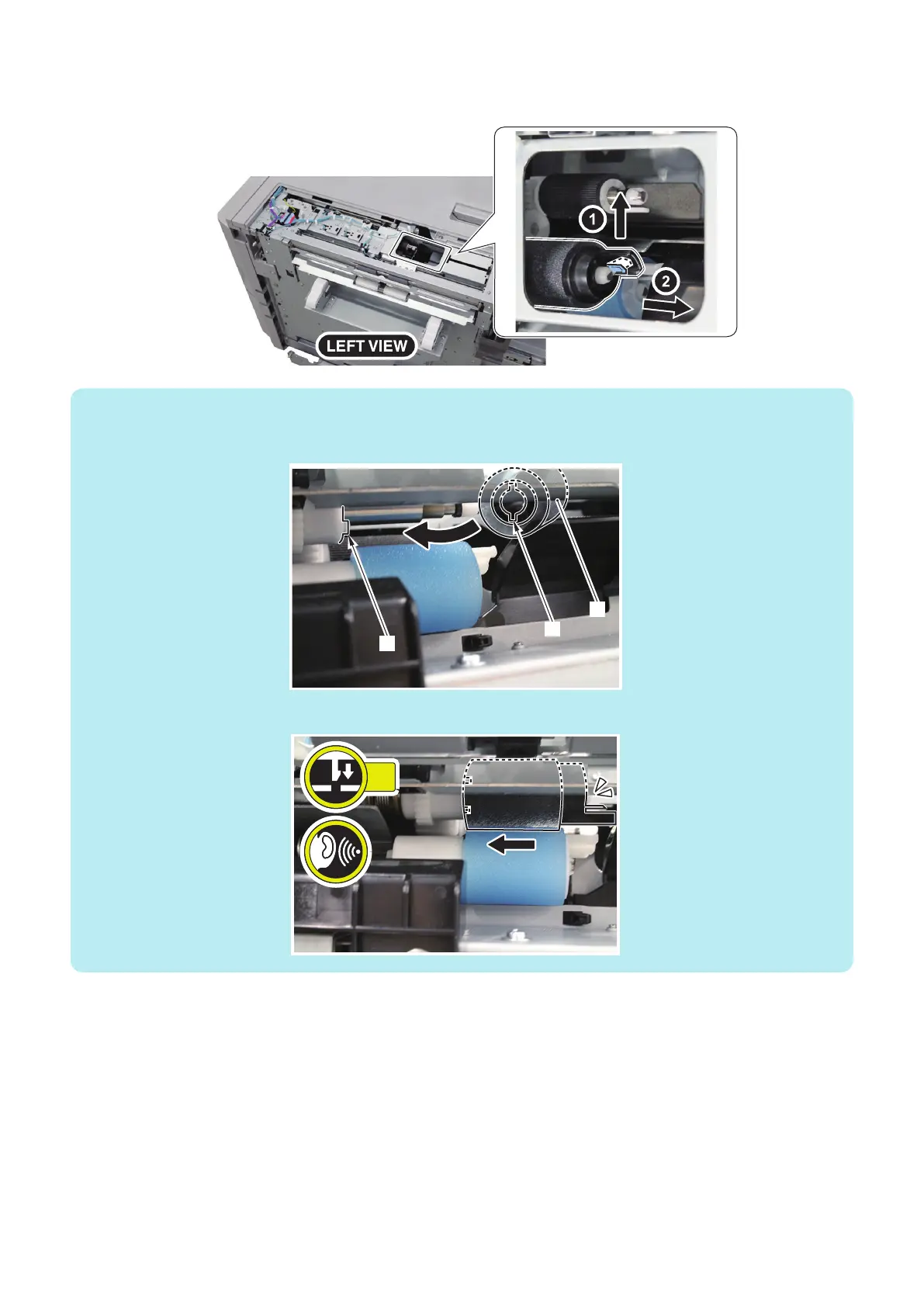
2. Remove the Deck Feed Roller.
• 1 Claw
NOTE:
How to install the Deck Feed Roller
Be sure to align the groove [2] of the Deck Feed Roller [1] with the protrusion [3] of the Torque Limiter to install the roller.
Be sure to insert the Deck Feed Roller [1] until the claw [2] is hooked.
■ Actions when Replacing the Parts
1. Clear the parts counter.
Service Mode > COPIER > COUNTER > DRBL-2 > PD-FD-RL
(LV1)
4. Disassembly/Assembly
50



 To Next Page