Insert the memory card into the printer so that you can print images stored on the
memory card.
o Make sure that the camera or computer is not connected to the printer.
Clearer printing results can be obtained when printing from a memory card by optimizing the
information stored
in
the camera when the photo was taken.
To
turn image optimization off, press and hold the
DATE
button and then press the PRINT/
STOP button to start printing
(p.
35).
•
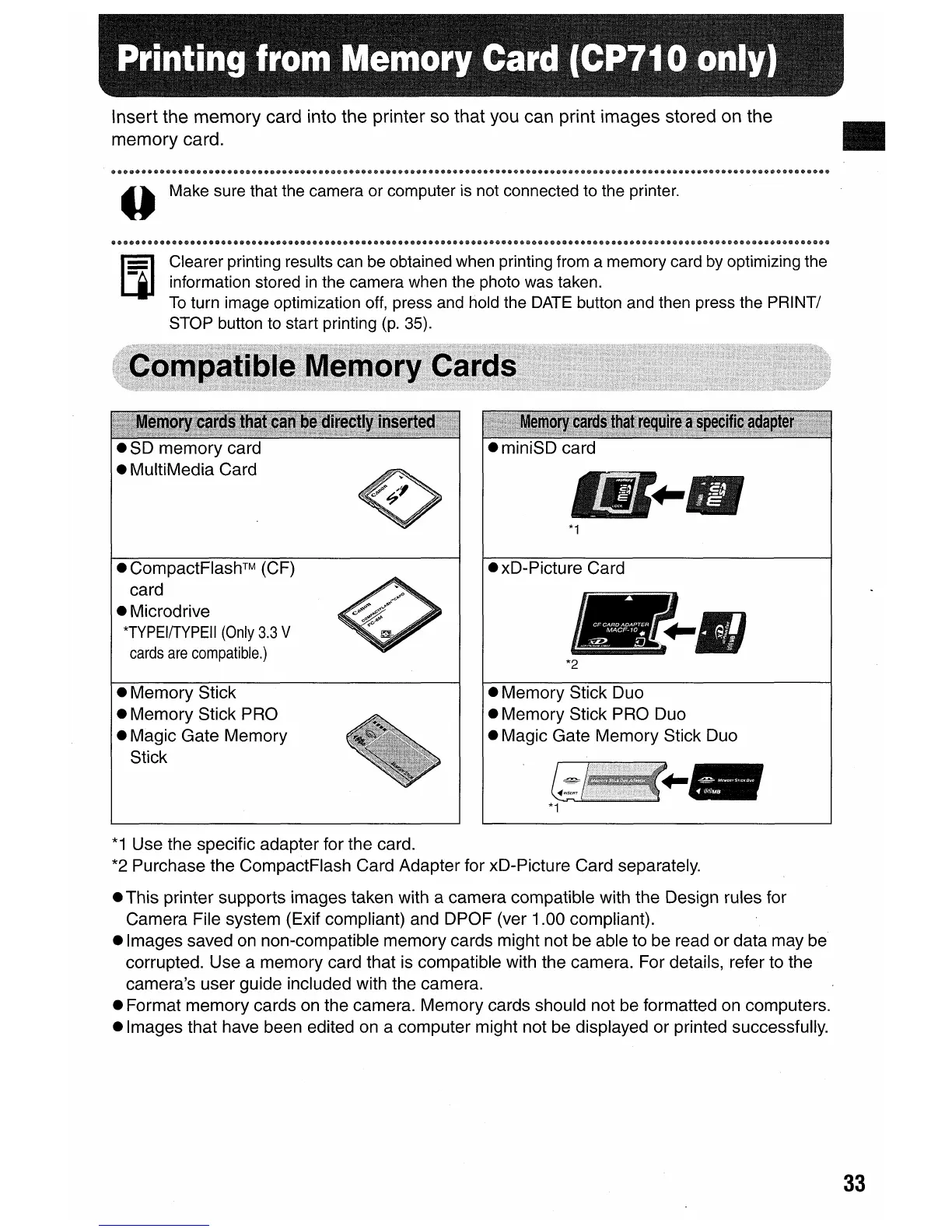
• miniSD card
*1
• CompactFlash™ (CF)
card
• Microdrive
*TYPEIITYPEII
(Only
3.3
V
cards
are
compatible.)
• Memory Stick
• Memory Stick PRO
• Magic Gate Memory
Stick
• xD-Picture Card
...
*2
• Memory Stick Duo
• Memory Stick PRO Duo
• Magic Gate Memory Stick Duo
*1
Use the specific adapter for the card.
*2
Purchase the CompactFlash Card Adapter for xD-Picture Card separately.
• This printer supports images taken with a camera compatible with the Design rules for
Camera File system (Exif compliant) and DPOF (ver 1.00 compliant).
• Images saved
on
non-compatible memory cards might not be able to be read or data may be
corrupted. Use a memory card that is compatible with the camera. For details, refer to the
camera's user guide included with the camera.
• Format memory cards
on
the camera. Memory cards should not be formatted on computers.
• Images that have been edited on a computer might not be displayed or printed successfully.
33















 To Next Page