~CD
Monitor
----------,
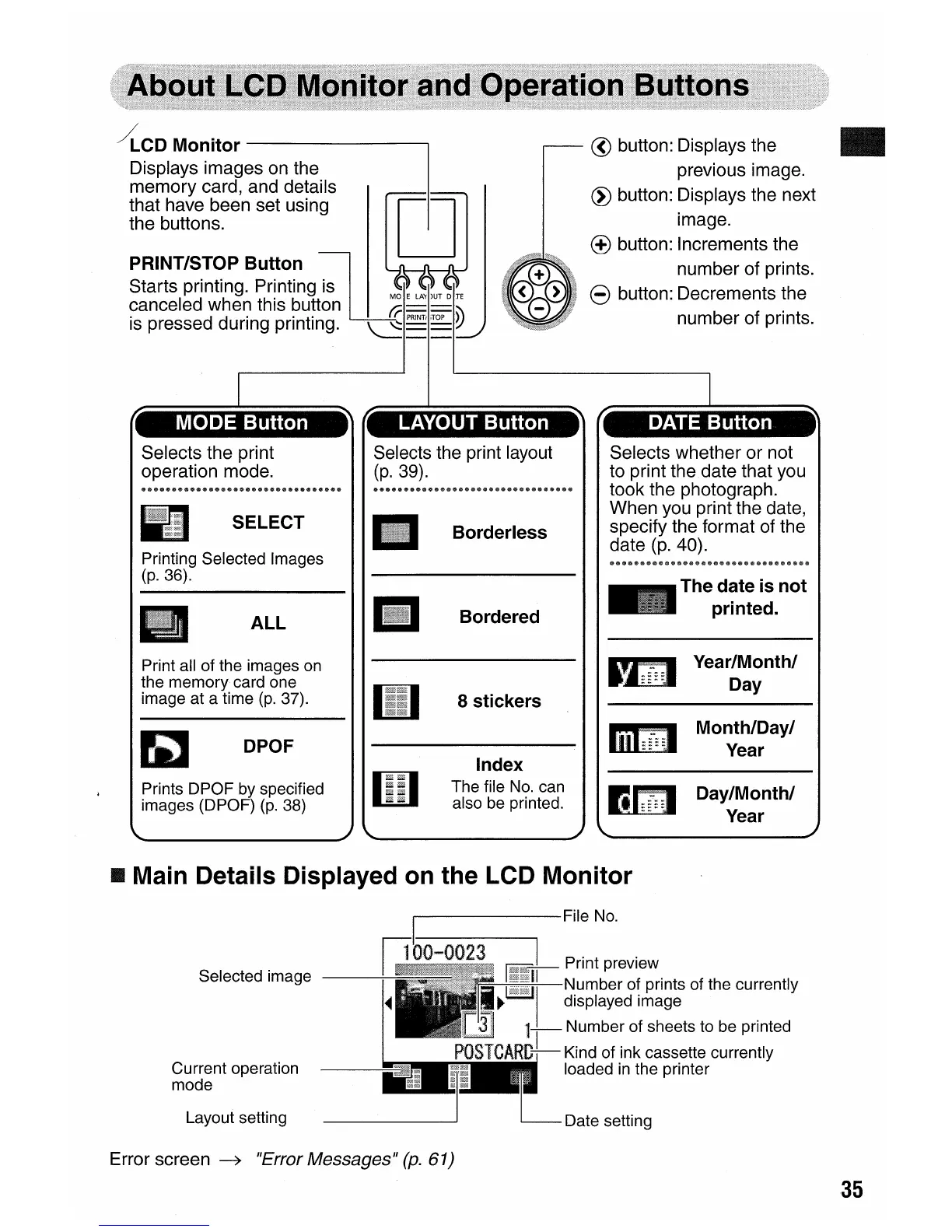
Displays images on the
memory card, and details
that have been set using
C
the buttons.
PRINT/STOP Button
;w
Starts printing. Pr!nting is
M~~
LA~
)UT
D JE
canceled when this button
fi-
=
=="
is pressed during printing.
~
PRINT!
,TOP
~
@ button: Displays the
previous image.
~
button: Displays the next
image.
(±)
button: Increments the
number of prints.
8 button: Decrements the
number of prints.
MODE Button LAYOUT Button
Borderless
Bordered
DATE Button
Selects whether or not
to print the date that you
took the photograph.
When you print the date,
specify the format of the
date
(p.
40).
The date is not
printed.
Print all of the images
on
the memory card one
image at a time
(p.
37).
DPOF
Prints DPOF by specified
images (DPOF)
(p.
38)
iii
8 stickers
Index
The file
No.
can
also
be
printed.
~
,::.n:.
~~
Year/Month/
Day
Month/Day/
Year
Day/Month/
Year
• Main Details Displayed
on
the LCD Monitor
Date setting
I File
No.
Selected image
__
---:-~---=1
00-0023
r;--J-
Print preview
~
~~I
~i~~~~~g~~~~:s
of the currently
1-,
- Number of sheets to be printed
POSTCARD--
Kind of ink cassette currently
loaded
in
the printer
Layout setting
Current operation
mode
Error screen
~
"Error Messages"
(p.
61)
35















 To Next Page