The power button of the printer lights or blinks red if any error occurs during printing.
If
a •
problem occurs while the printer is connected to the camera, the camera's LCD monitor
may display an error message.
On
the CP710:
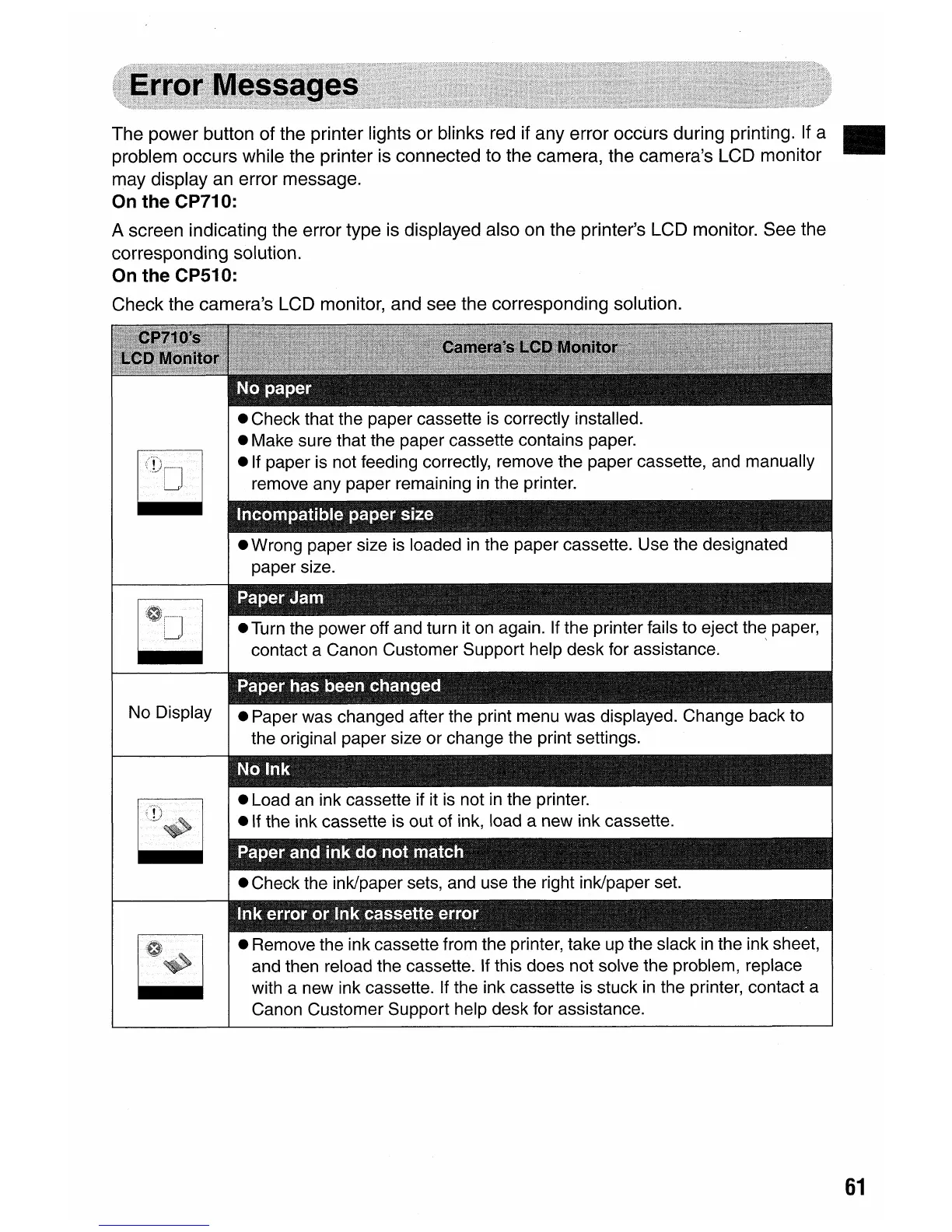
A screen indicating the error type is displayed also on the printer's LCD monitor. See the
corresponding solution.
On
the CP510:
Check the camera's LCD monitor, and see the corresponding solution.
No Display
• Remove the ink cassette from the printer, take up the slack
in
the ink sheet,
and then reload the cassette. If this does not solve the problem, replace
with a new ink cassette. If the ink cassette is stuck
in
the printer, contact a
Canon Customer Support help desk for assistance.
61















 To Next Page