62
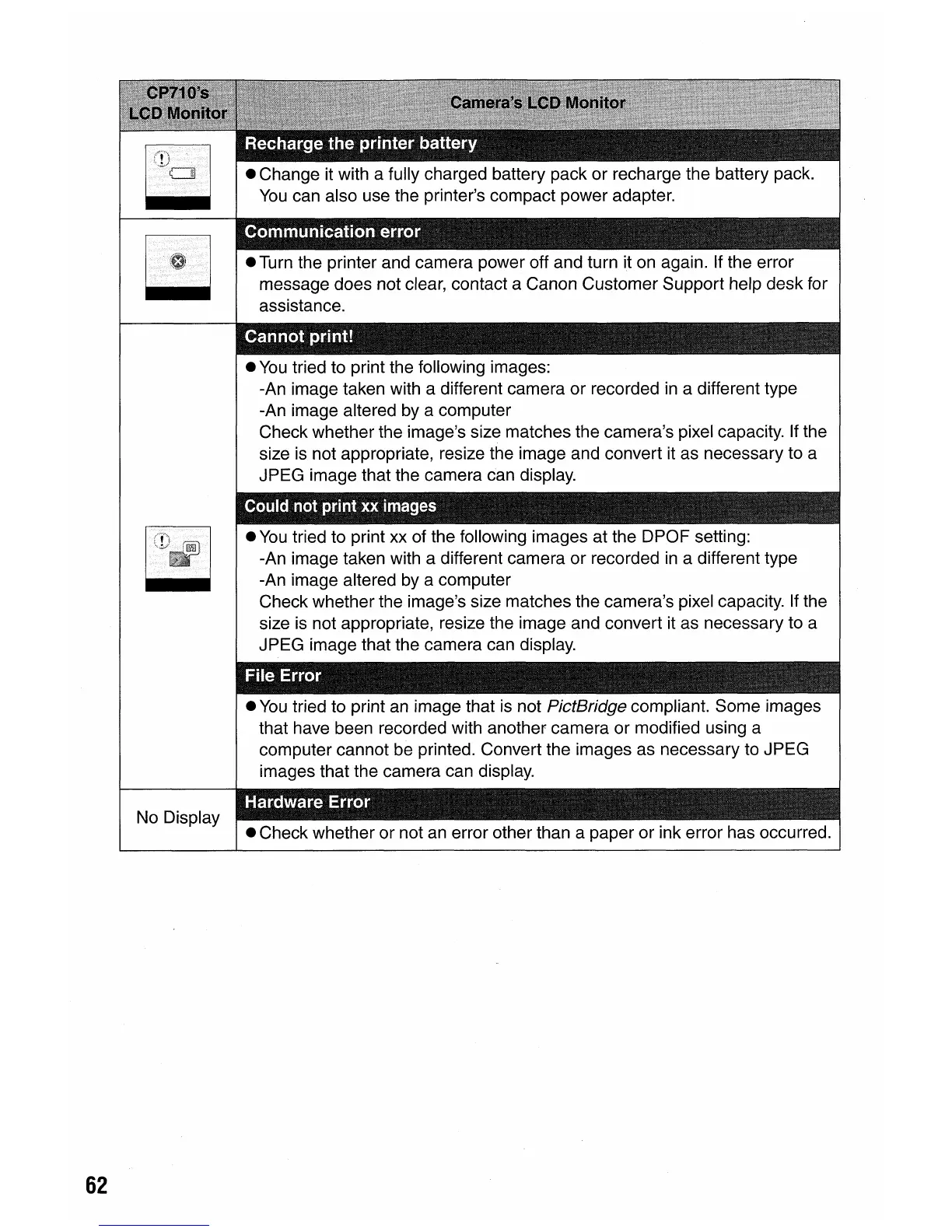
No Display
• Turn the printer and camera power off and turn it on again. If the error
message does not clear, contact a Canon Customer Support help desk for
assistance.
•
You
tried to print the following images:
-An image taken with a different camera or recorded
in
a different type
-An image altered by a computer
Check whether the image's size matches the camera's pixel capacity. If the
size is not appropriate, resize the image and convert it as necessary to a
JPEG image that the camera can display.
laulCi net Il1int xx
images
•
You
tried to print xx of the following images at the DPOF setting:
-An image taken with a different camera or recorded
in
a different type
-An image altered by a computer
Check whether the image's size matches the camera's pixel capacity.
If
the
size is not appropriate, resize the image and convert it as necessary to a
JPEG image that the camera can display.
•
You
tried to print
an
image that is not PictBridge compliant. Some images
that have been recorded with another camera or modified using a
computer cannot be printed. Convert the images as necessary to JPEG
images that the camera can display.
".
" -
• Check whether or not
an
error other than a paper or ink error has occurred.















 To Next Page