2-28
Step 4 Install the Camera
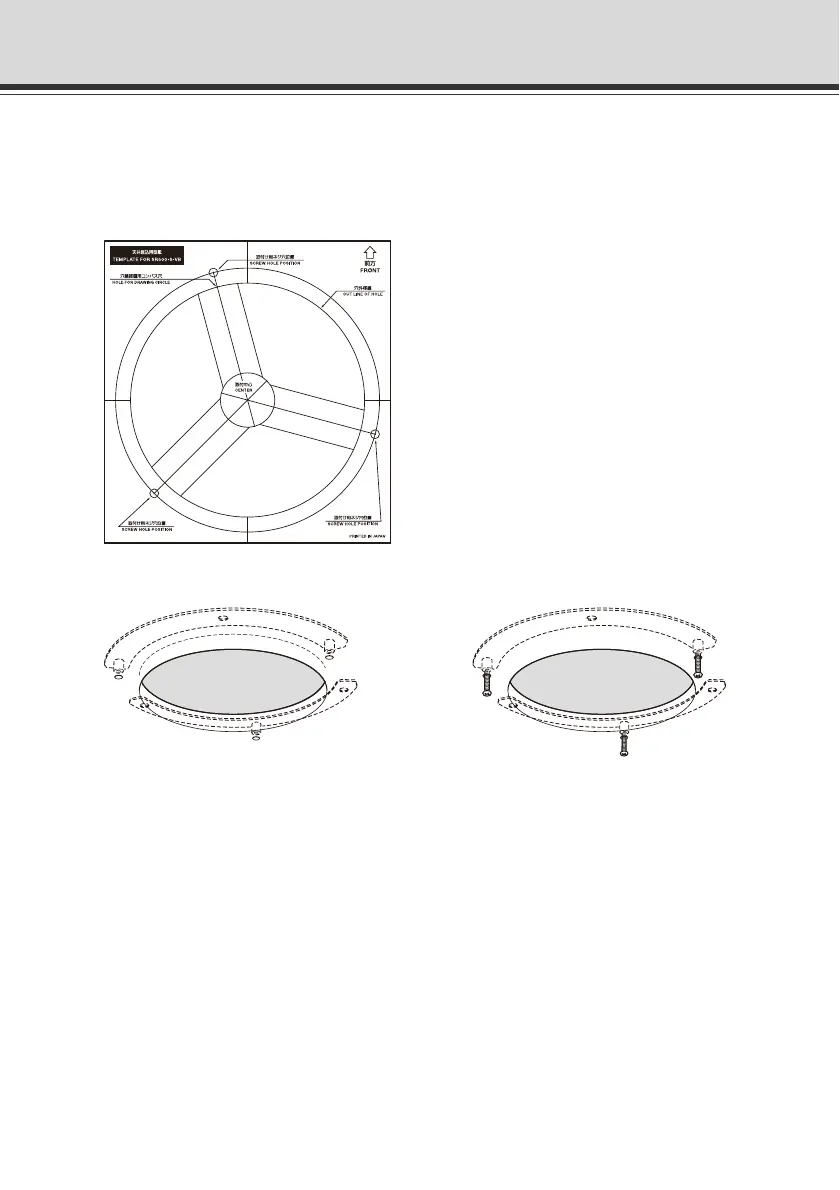
2. Use the In-Ceiling Template supplied with the Recessed Mounting Kit to determine the
installation position of the camera.
Confirm the camera angle, and then use the supplied template to open screw holes for the
Backside Ceiling Bracket and in-ceiling bracket.
3. Install the Backside Ceiling Brackets at the back of the ceiling/wall and secure it with screws.
4. Connect the Safety Wire, necessary interface cables and LAN cable, and also connect each
external device with a cable, by following steps 4 to 6 of "Installation Procedure for Direct
Mounting on a Ceiling/Wall".



 To Next Page