2-29
Step 4 Install the Camera
Initial Setting and Installation of Camera
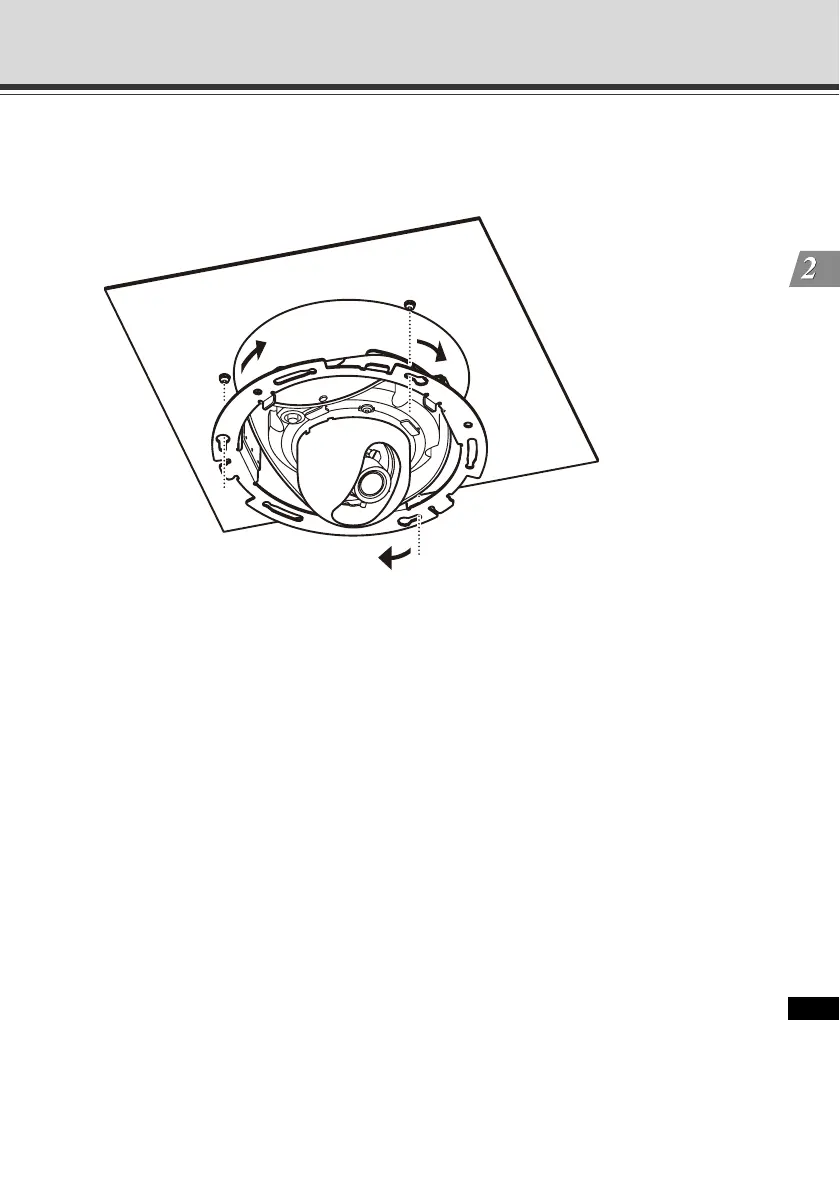
5. Affix the assembled in-ceiling bracket assembled with the camera, on the installation surface.
Hook the assembled in-ceiling bracket on the screws that were loosely secured in step 3, turn
the bracket clockwise, and securely tighten (affix) the screws.
* The figure shows VB-C500D.
6. Adjust the camera angle and focus in the same manner as in steps 8 to 12 of "Installation
Procedure for Direct Mounting on a Ceiling/Wall", and install the dome case.
VB-C500VD
Remove the damper lock plate before installing the dome case.



 To Next Page