6 Chapter 3 CS 1200 Software Overview
CS 1200 Acquisition Interface Overview
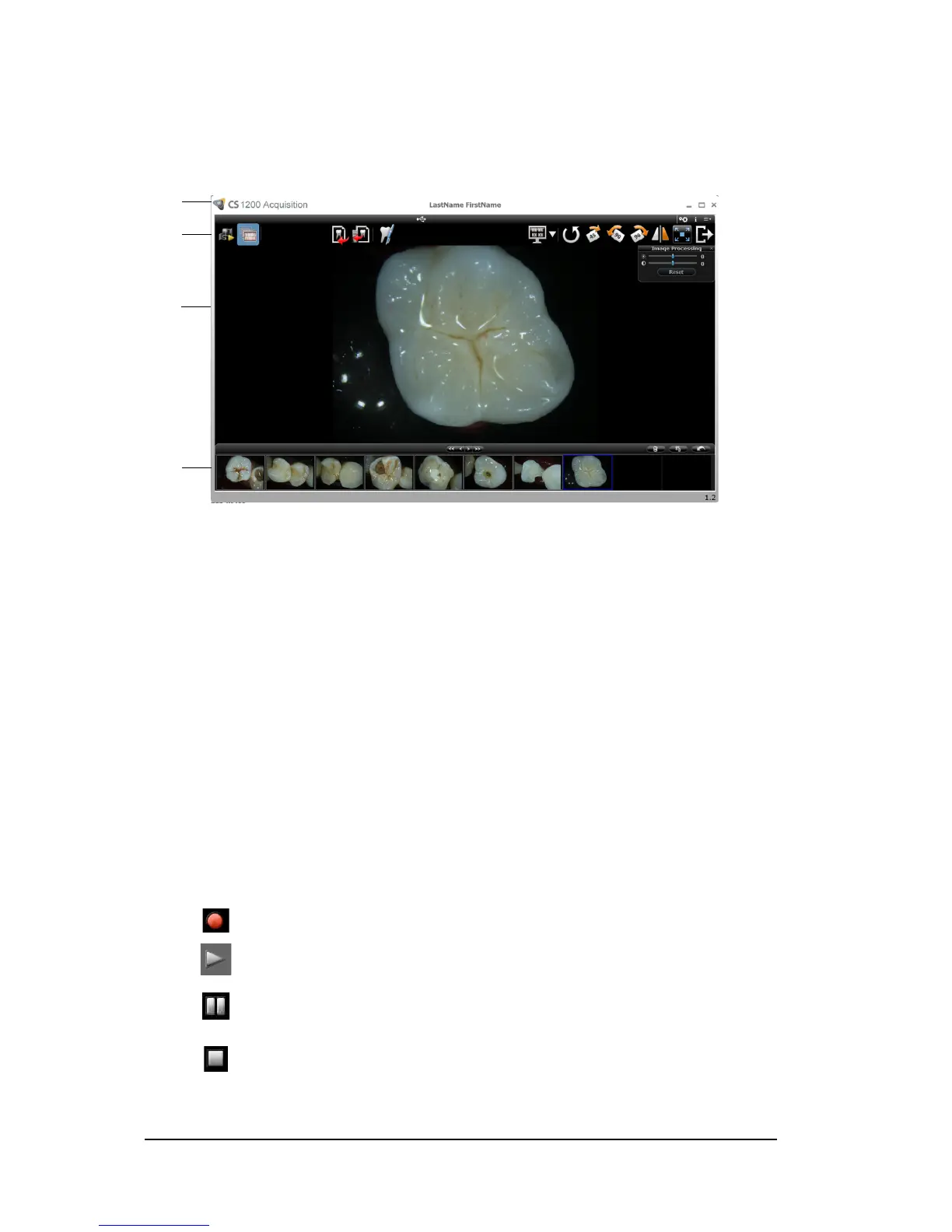
The CS 1200 Acquisition interface can acquire, review, and store videos and images of the oral cavity.
Figure 2 Acquisition Interface Overview
Toolbar Overview
The Toolbar enables you to manage the following features:
Live video recording, viewing, and managing features.
Image capturing, viewing, and managing features.
Video Toolbar
The video toolbar enables you to launch, record, and play a live or recorded video.
1 Title Bar: Displays the patient’s name.
2 Toolbar:
See “Toolbar Overview” on page 6.
3 View Screen: Displays live video, selected captured image, or recorded video.
4Image Gallery: Displays thumbnails of all captured images and recorded videos.
Video record button: Records a live video.
Play button: Plays a recorded video.
Pause button: Pauses a recorded video.
Stop button: Stops a recorded video.



 To Next Page