CS 1200 Intraoral Camera User and Installation Guide (9H1809)_Ed04 9
Dialog Boxes Overview
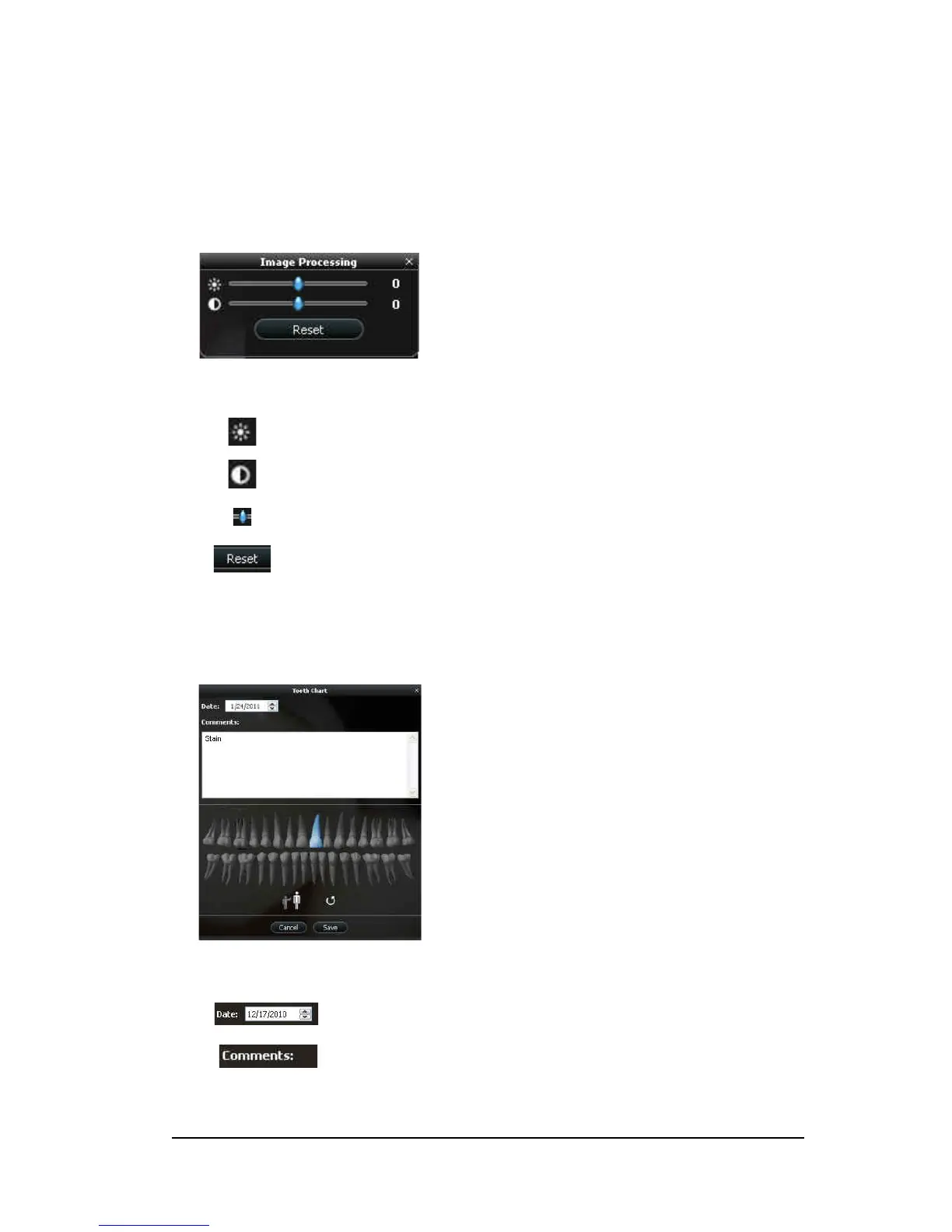
Image Processing Dialog Box
The image processing dialog box enables you to manage the image contrast and brightness.
Figure 4 Image Processing Dialog Box
Tooth Chart Dialog Box
The tooth chart dialog box enables you to select tooth numbers associated with the image or video.
Figure 5
Tooth Chart
Brightness button: Adjusts the brightness of the image.
Contrast button: Adjusts the contrast of the image.
Scroll button: Increases or decreases the brightness and contrast of the image.
Reset button: Clears all brightness and contrast changes made to the image.
Date field: Displays the current date.
Comments field: Enables comments to be associated with an image or video.



 To Next Page