CS 1200 Intraoral Camera User and Installation Guide (9H1809)_Ed04 3
2 CS 1200 Intraoral Camera Overview
The CS 1200 intraoral camera is an easy-to-use, simple-to-share, and high quality imaging system. It
has three connection configurations based on which model you purchased:
USB
S-Video
AV
When connected to a computer, it has the following functions:
Recording videos
Capturing images
Reviewing recorded videos and captured images
When connected to a monitor, it has the following functions:
Capturing Images
Reviewing images.
Camera Overview
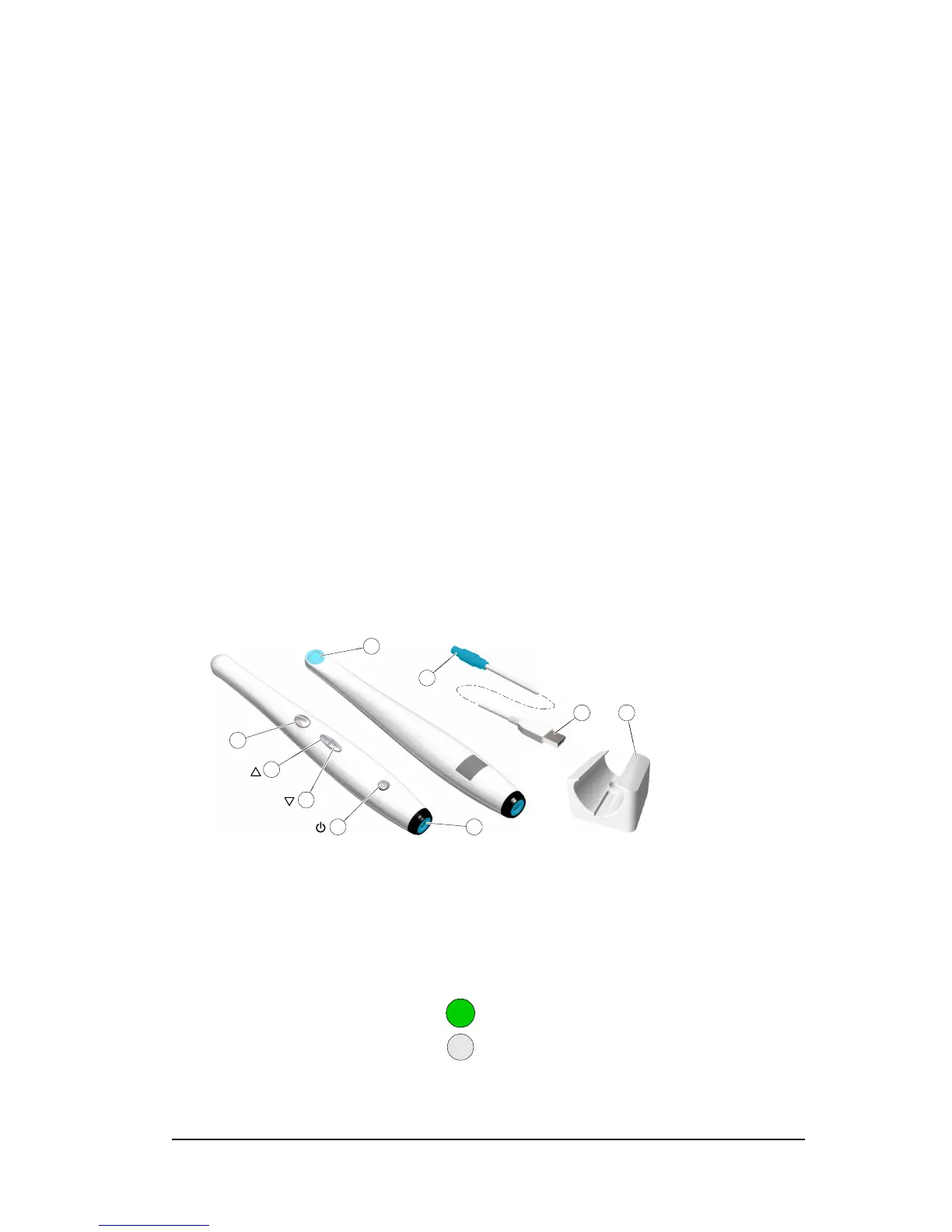
Figure 1 Camera Components Overview
1
Capture button
Press to capture an image.
2
Review button (backward)
Press to view the previous image.
3
Review button (forward)
Press to view the next image.
4 Power button (LED indicator) Press 3 seconds to power ON.
Press 3seconds to power OFF.
Press 1 second to turn OFF the LED of the lens window.
indicates the power is ON.
indicates the power is OFF.



 To Next Page