CS 1200 Intraoral Camera User and Installation Guide (9H1809)_Ed04 13
4 Setting Up the CS 1200 Intraoral
Camera
Connecting the Camera to a Computer and Installing the Software
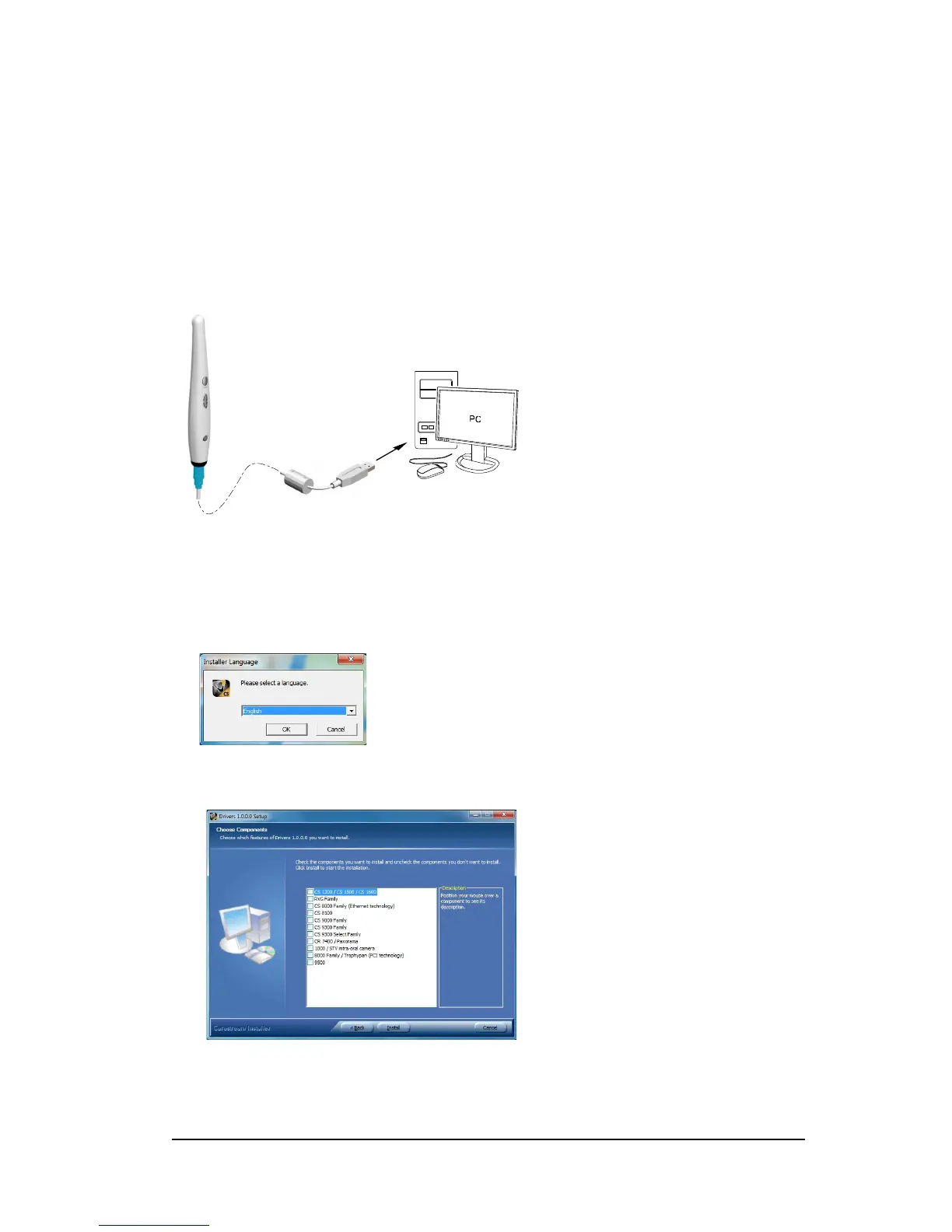
To connect the camera to a computer, follow these steps:
1 Connect the camera to the computer.
2 Insert Carestream's Dental Imaging Software Suite DVD to install the Dental Imaging Software
(see the Dental Imaging Software installation guide).
To install the imaging software using TWAIN interface, see your imaging software user guide.
3 Insert the Drivers DVD to install the Intraoral Camera driver. The Choose Setup Language dialog
box is displayed. Select the installation language and click OK.
When you are prompted with the Choose Components screen, select CS 1200/ CS1500/ CS
1600.



 To Next Page