CS 1200 Intraoral Camera User and Installation Guide (9H1809)_Ed04 11
Preferences Dialog Boxes Overview
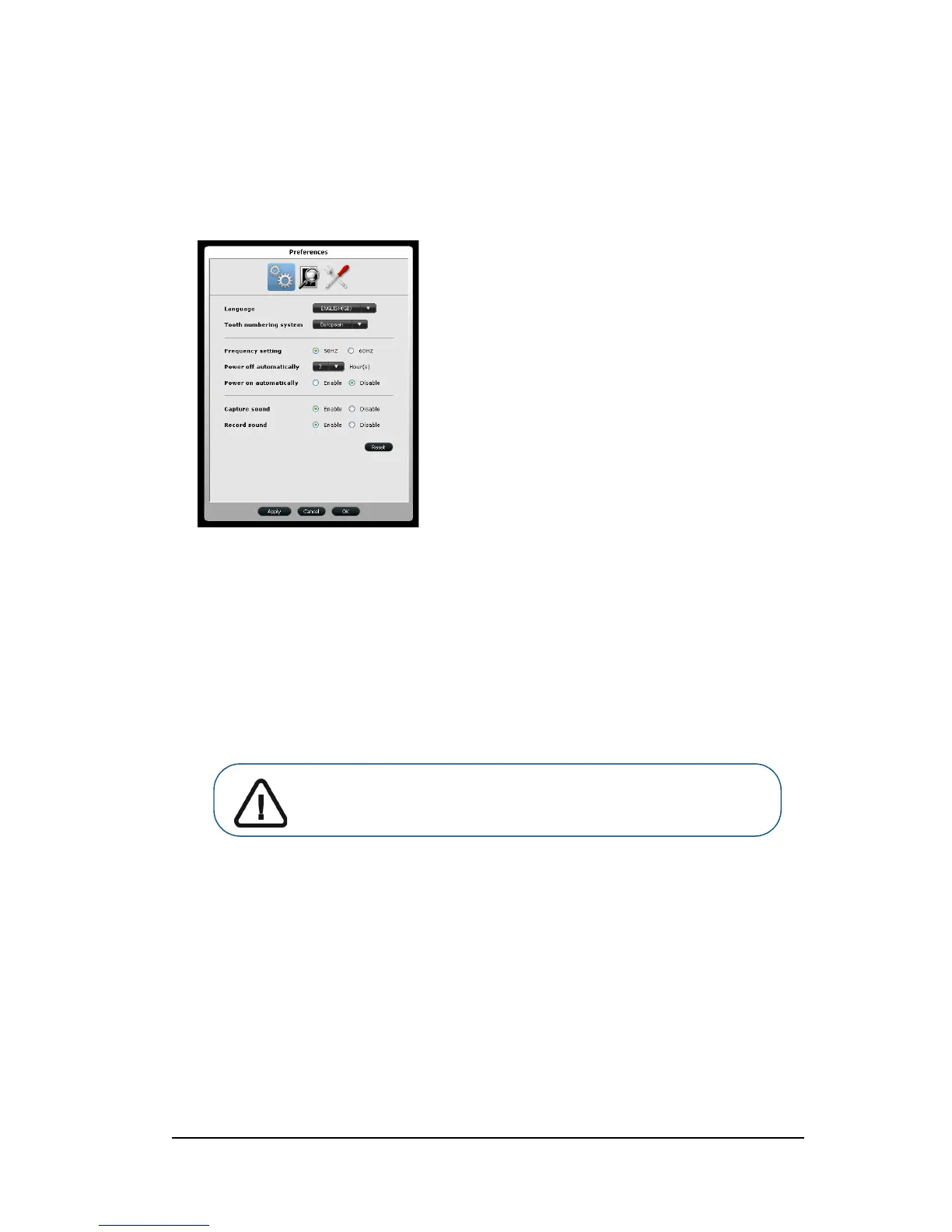
The preference dialog boxes enable you to select the camera and acquisition software settings. Set up
your preferences before using the camera.
General Preferences
Figure 7 General Preferences
General Preferences enable you to:
Language: Select the menu language.
Tooth numbering system: Select the tooth numbering system.
Frequency setting: Select the local electric frequency.
Power off automatically: Select the camera's automatic power off time, from 1-9 hours.
Power on automatically: Enable/Disable the camera’s automatically power on feature for
the cameras support monitor connection.
Capture sound: Enable/disable the audio sound when an image is captured.
Record sound: Enable/disable the audio sound when a video is recorded.
Important: Ensure that the proper frequency setting is selected for
your region. The wrong setting can negatively impact image quality.



 To Next Page