16 Chapter 4 Setting Up the CS 1200 Intraoral Camera
Installing the Camera Holder
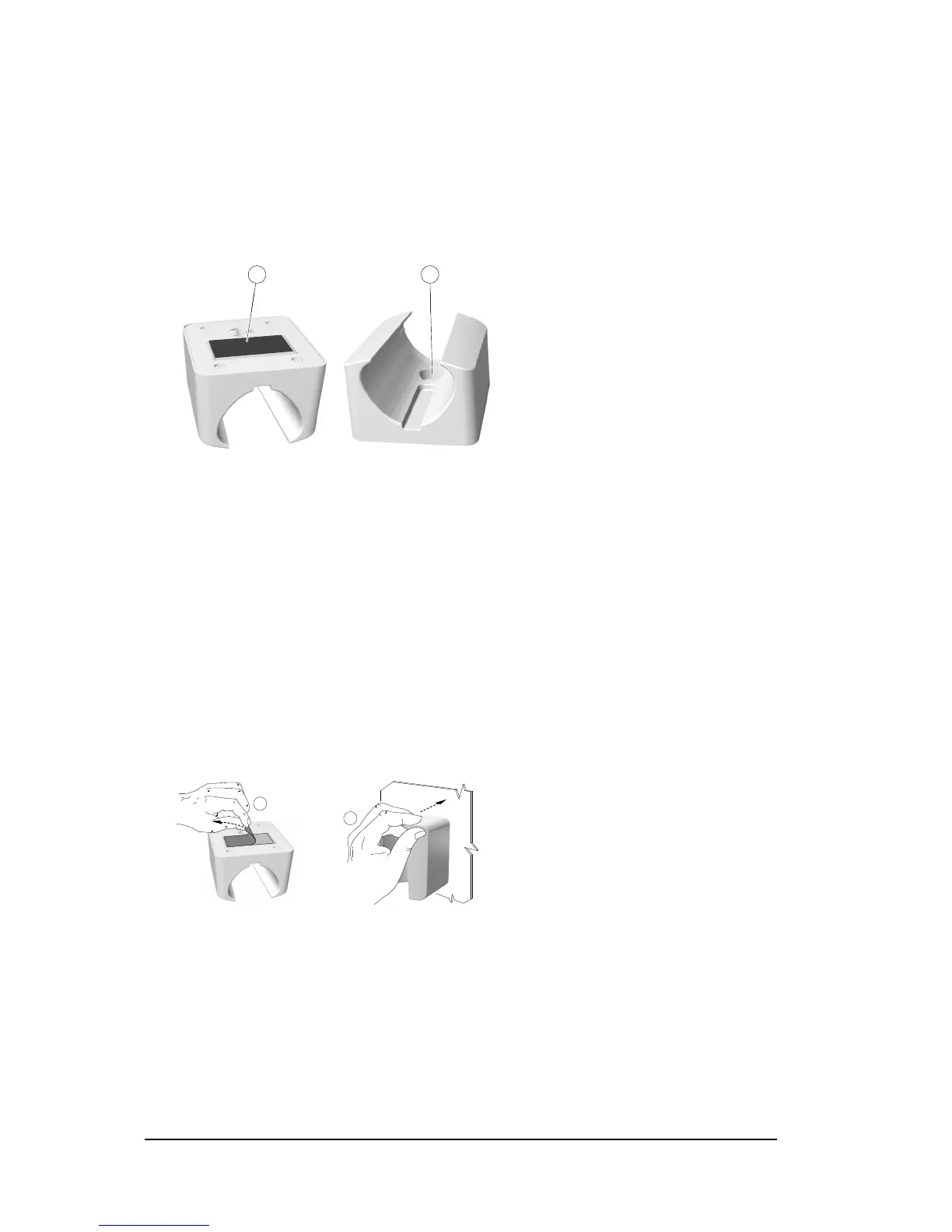
Camera Holder Components Overview
Place the camera in the holder when you are not using the camera.
Figure 10 Camera Holder Components Overview
Installing the Camera Holder
To install the camera holder, follow these steps:
1 Choose a clean area on the wall that you can access easily.
2 Clean the surface on which you are going to fasten the camera holder.
3 Remove the adhesive tape protection from the support (A).
4 Place the taped side of the camera holder on the clean surface (B) and press firmly several times
for correct adherence. The maximum adherence is obtained after two hours.
1 Adhesive tape
2 Opening to fasten the holder securely to the mounting surface using a screw



 To Next Page