CS 1200 Intraoral Camera User and Installation Guide (9H1809)_Ed04 17
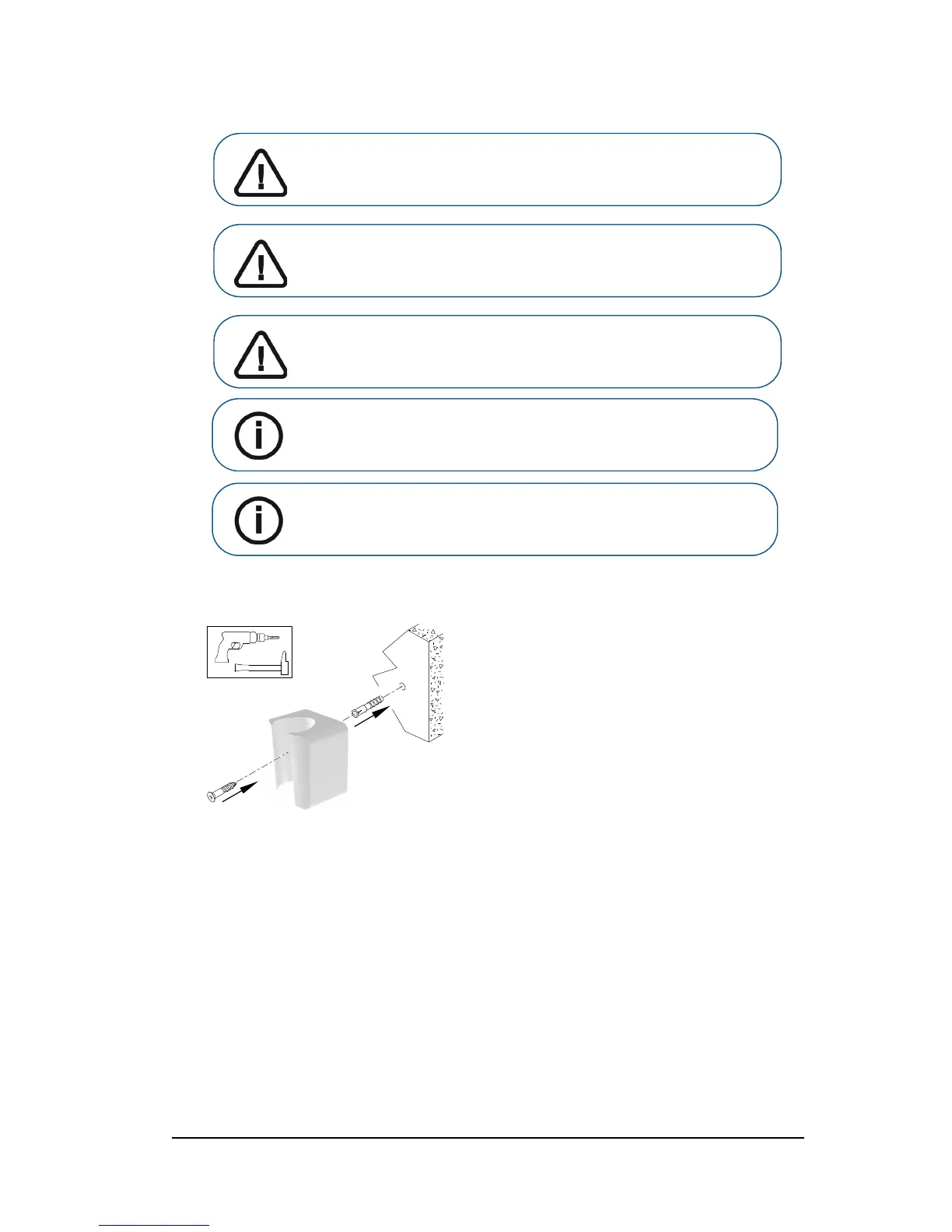
5 For places on which you cannot use the adhesive tape, insert a screw through the appropriate hole
in the camera holder to fix it to a solid surface.
Important: You must avoid all stress on the camera holder during
the first 2 hours.
Important: If you use the adhesive tape to fix the camera holder, it
may lose its adherence capability due to environmental and other
factors. Check the adherence regularly to ensure that it is secure.
Important: Carestream Health is not responsible for accidents
involving the camera dropping due to loosening of the adhesive
tape.
Note: The camera automatically goes into sleep mode when inserted into
the camera holder or left idle for 1.5 minutes. To use it again, pick it up or
press the Capture button.
Note: When the camera is idle for more than 3 hours(default), it powers
off. To change the default automatic power-off time, see “General
Preferences” on page 11.



 To Next Page