3-CONTROLSANDINSTRUMENTS
USBplayer
(9)USBfunction
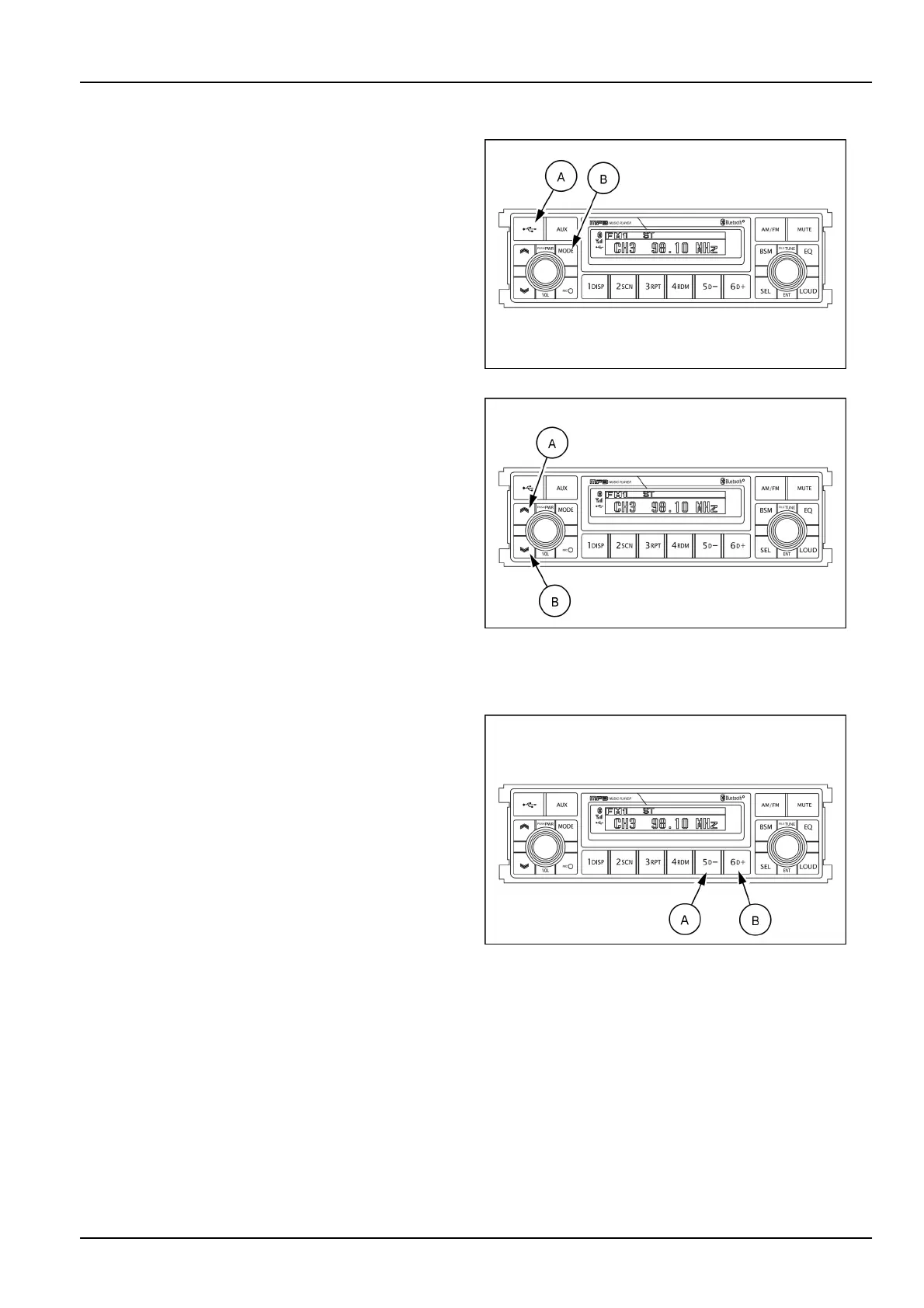
Openthecover(A)oftheUSBport,connectaUSBdevice
andpushtheMODEbutton(B)toswitchtheUSBmode
ifyouwanttolistentoMP3lesstoredinaUSBdevice.
TheradiowillplayautomaticallyMP3lesintheUSBde-
vicewhiletheLCDscreenwillshow“READINGUSB”.
IftherearenolesintheUSBdevice,playbackwillrevert
backtothepreviousmodeafterdisplaying“NOFILE”.
SMIL16MEX3084AA13
Fileselectionandcue/reviewbutton
Fileselectionfunction
Thisbuttonisusedtoselectleup/down.
Eachtimetheforwardleselect(A)ispressed,le
numberisincreased.
Eachtimethebackwardleselect(B)ispressed,le
numberisdecreased.
Cue/reviewfunctions
High-speedaudiblesearchofleonaUSBcanbe
madebythisbutton(thecueandreviewfunctions).
Pressandholdthecuebutton(A)toadvancerapidly
intheforwarddirectionorthereviewbutton(B)toad-
vancerapidlyinthebackwarddirection.
SMIL16MEX3084AA14
MP3directory/lesearching
TheD-button(A)andtheD+button(B)areusedto
selectaparticulardirectoryandle.
Pressandholdformorethan3swhileplayingMP3le.
Turnright-hand/left-handtheselectionknobtosearch
thedirectory.Pressthebuttonwhenyoundthe
wanteddirectory.
Forexample,thedirectorysearchgenerallychanges
intwomethodsdependingontheorderofwritingas
follows.
Method1:ROOT,Dir01,Dir02,Dir03,Dir04,Dir05,
Dir06,Dir07,ROOT
Method2:ROOT,Dir01,Dir02,Dir05,Dir03,Dir06,
Dir04,Dir07,ROOT
Ifyouwanttosearchtheleinthelocateddirectory,turn
right-hand/left-handtheselectionknobconsecutively.
Pressthebuttonwhenyoundthewantedle.Theunit
willthenplaytheselectedle.
Forinstance,thelesearchchangesinDir01asfol-
lows.
File01,File02,File03,File04,File01
MP3directory/leconguration
SMIL16MEX3084AA15
3-39













 To Next Page