3-CONTROLSANDINSTRUMENTS
ROOT
Directory01
File01File02File03File04Dir02Dir03Dir04
File05File06Dir05File07File08Dir06File09File10Dir07
ID3v2display
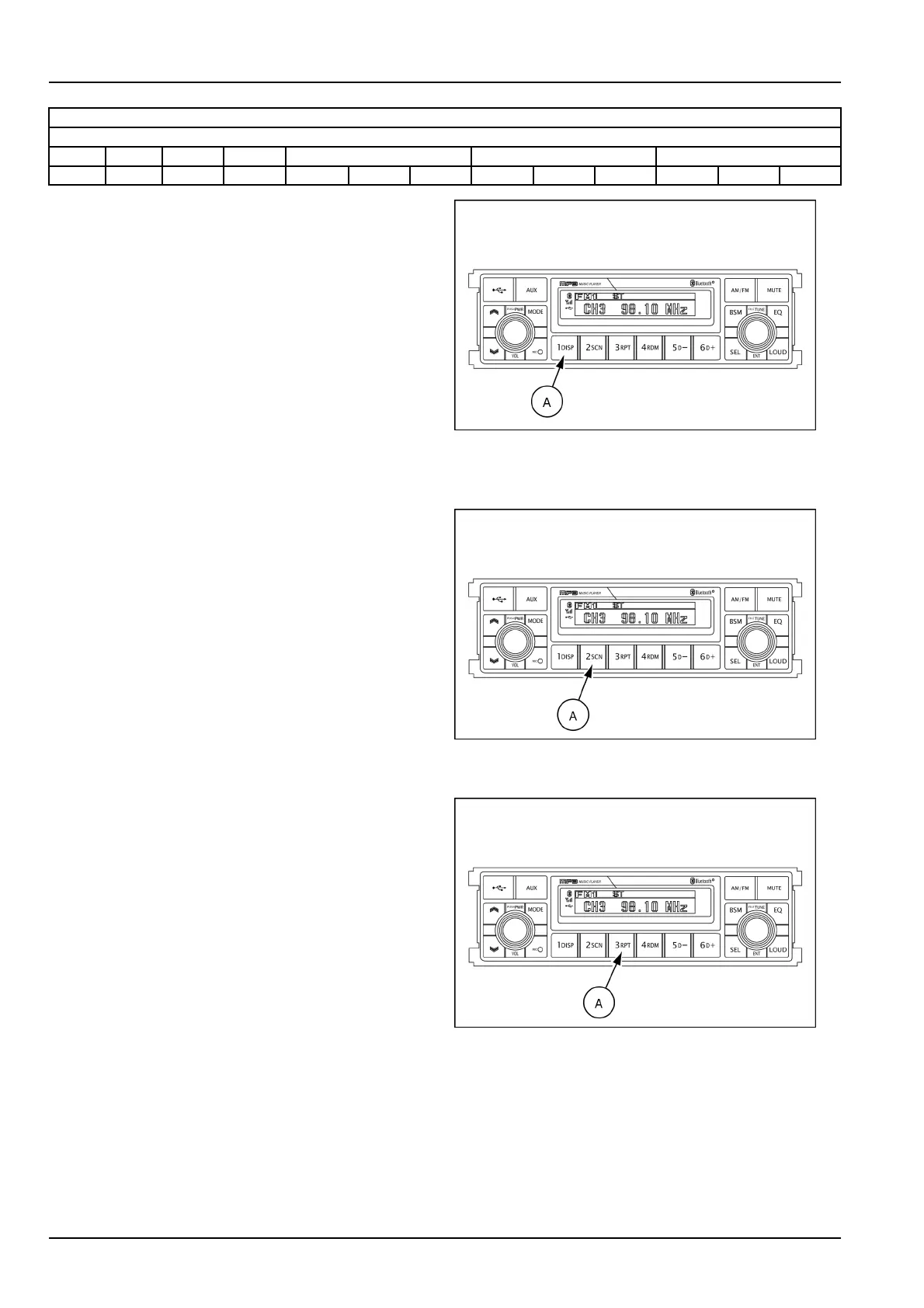
Dispbutton(A)isusedtochangethedisplayinformation.
WhileplayinganMP3le,youcanchangethelein-
formationshownontheLCDscreen.
EachtimeyoupressDISP(display)(A),thedisplay
changestoshowthefollowing.
NOTE:iftheMP3discdoesnothaveanyID3information,
thedisplaywillshowNOID3onLCDscreen.
Directoryname/lename(normalmode)
Albumname/performer/title
Filenumber/elapsedtime
Directoryname/lename(normalmode)
SMIL16MEX3084AA16
Filescan(SCN)
DuringUSBplay,pressSCNbutton(A)toplaytherst
10sofeachleonthewholeleontheUSB(SCNmark
willappearontheLCDscreen).
Whenadesiredleisreached,presstheSCNbutton
(A)againtocancelthefunction.
Theunitwillthenplaytheselectedle.
NOTE:incaseofplayingMP3le,whentheSCN(scan)
buttonispressedandheldforlongerthan2s,theSCN
markwillblinkontheLCDscreenandalllesinthese-
lecteddirectorywillbeintroduceduntilthelescanmode
iscancelledbypressingtheSCNbutton(A)againorby
activatingtherandomorrepeatfunctions.
SMIL16MEX3084AA17
Repeatplayselector(RPT)
DuringUSBplay,pressRPTbutton(A)toplaythe
selectedlerepeatedly(RPTwillappearontheLCD
screen).
Playofthelewillcontinuetorepeatuntilthisbutton
(A)ispressedagainandtheRPTdisappearsfromthe
LCDscreen.
NOTE:ifyoupresstheRPTbuttonandholdthebutton
formorethan2swhileyouplayanMP3le,"RPT"will
ashonthedisplay.Thesystemwillplayallthelesinthe
selecteddirectoryonrepeatuntilyoucancelrepeatmode.
Tocancelrepeatmode,presstheRPTbuttonagain,or
activatethescanorrandommodes."RPT"willnolonger
ashonthedisplay.
SMIL16MEX3084AA18
3-40













 To Next Page