3-CONTROLSANDINSTRUMENTS
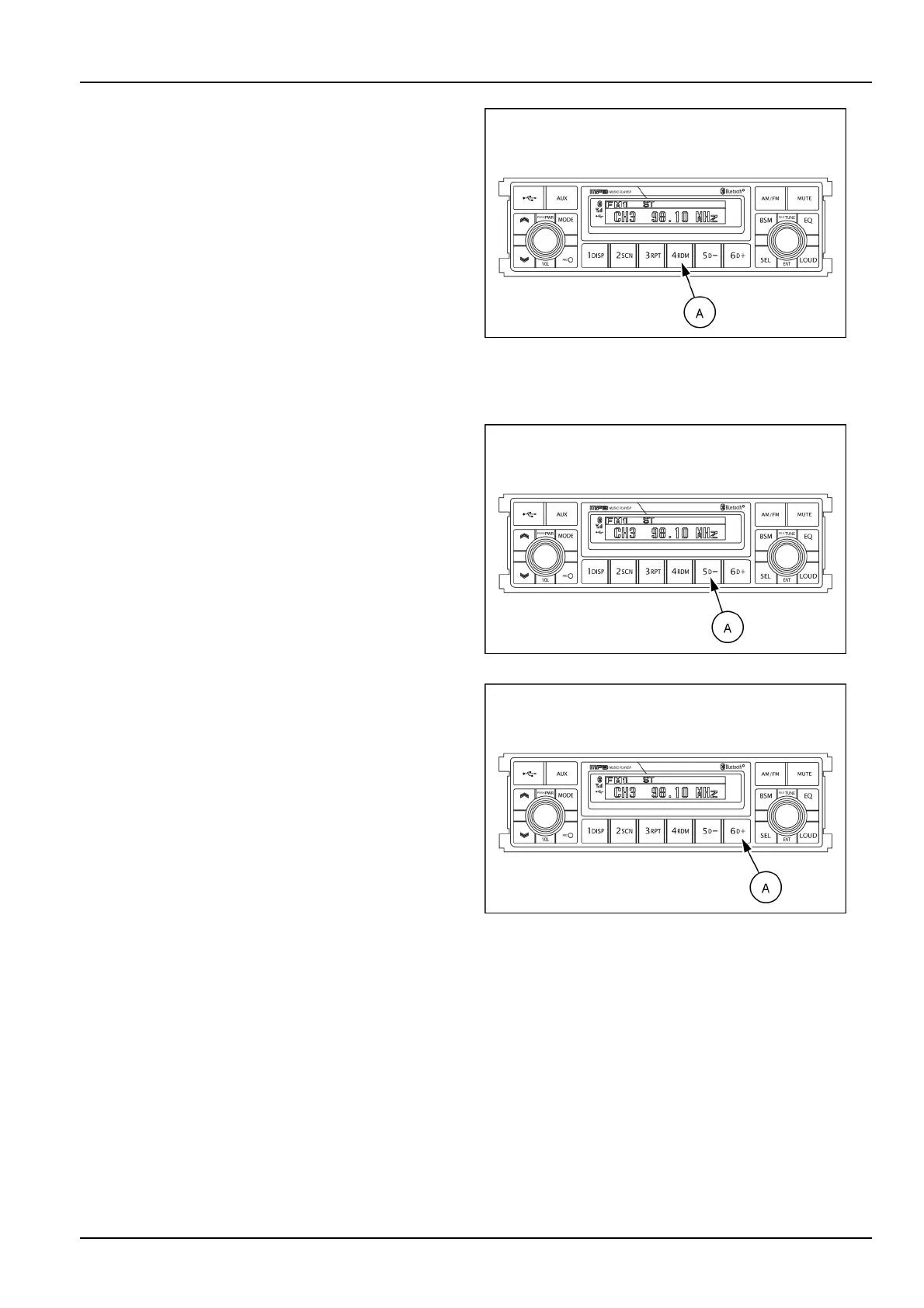
Randomplayselector(RDM)
DuringUSBplay,pressRDMbutton(A)toplaytheles
ontheUSBinarandomshufedorder(RDMwillappear
ontheLCDscreen).Theleselectfunctionwillalso
selectleintherandomorderinsteadofthenormal
process.
Tocancelrandomplaymode,presstheRDMbutton(A)
again.
NOTE:incaseofMP3le,whentherandombuttonis
pressedandheldlongerthan2s,theRDMmarkwillblink
ontheLCDscreenandplayalllesindirectoryrandomly
untilthedirectoryrandommodeiscancelledbypress-
ingtherandombuttonagainorbyactivatingthescan
orrepeatfunctions(RDMmarkwilldisappearfromLCD
screen).
SMIL16MEX3084AA19
Directorydown
PressD-button(A)brieywhileplayingMP3.Theprevi-
ousdirectoryislocatedeachtimeyoupressthisbutton.
SMIL16MEX3084AA20
Directoryup
PressD+button(A)brieywhileplayingMP3.Thenext
directoryislocatedeachtimeyoupressthisbutton.
NOTE:iftheMP3ledoesnothaveadirectory,theunit
playMP3at10-leintervals.
IfanyMP3ledoesnotexistinUSB,thisbuttoncannot
operate.
SMIL16MEX3084AA21
3-41













 To Next Page