CASE IH PRO VISION OPERATING SYSTEM GUIDE
40
AFS Pro 1200
™
Display
TRANSMISSION CALIBRATION SCREEN (continued)
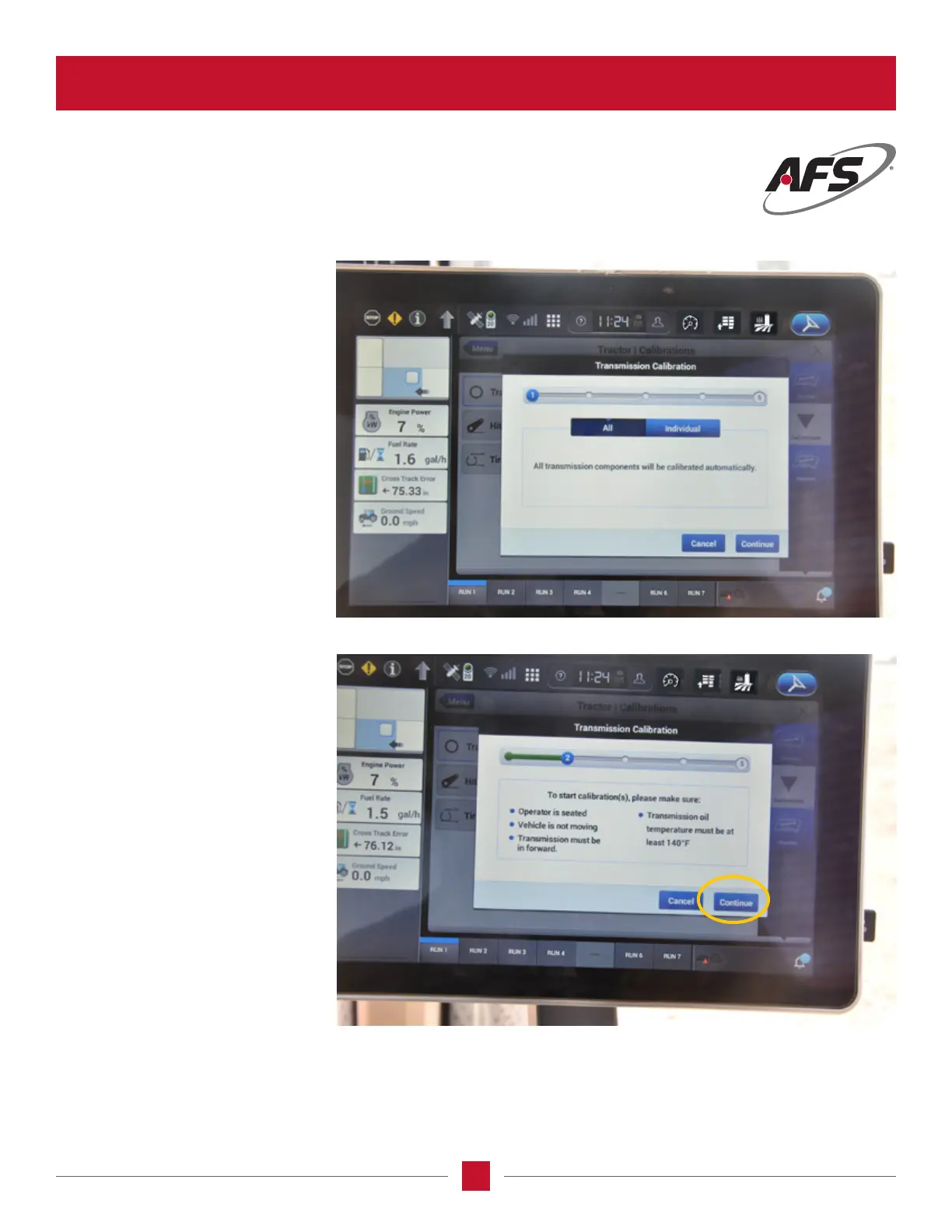
Transmission Calibration –
Step 1
Once the calibration begins, this will
be the rst screen in the calibration
process once the start screen is
displayed. It gives you the choice
of either calibrating an individual
clutch or all of them.Push the
Continue button to go to the next
screen.From here forward follow the
instructions in the screen.
Transmission Calibration –
Step 2
Follow the instruction on the screen,
and hit Continue to go to the next
page.
NOTE: The best time to calibrate the
transmission is in the middle of the
day. This will allow the transmission
oil and the box to be at the highest
temperature for the calibration
process to be successful.








 To Next Page