41
AFS Pro 1200
™
Display
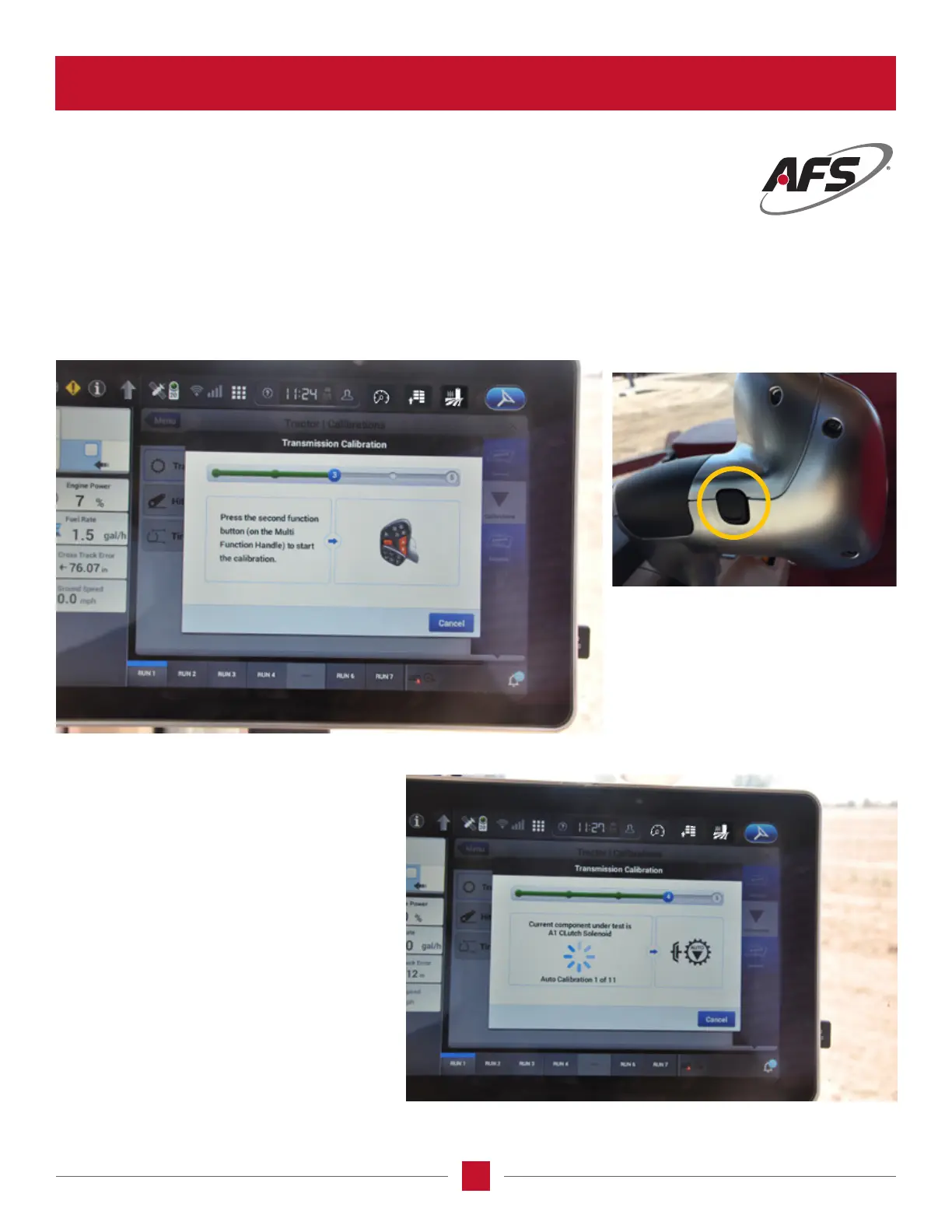
Transmission Calibration – Step 3
Follow the instructions on the screen – Second Function Button is the BLACK BUTTON on the front of the MultiFunction
handle and it will start the calibration. At this point it will tell the operator to put the tractor in FORWARD.When the
tractor is in forward the system will raise the engine RPM to the proper level and start the actual process.
Transmission Calibration – Step 4
At this point the tractor will go through each
clutch and calibrate.If ALL is selected in
the calibration, the title of the clutch will be
displayed.Like in the prior calibration process
within the AFS Pro 700, the system will go
to the next clutch when it has completed the
current one.If a specic clutch is selected, the
system will only calibrate the selection.
Once the calibration process is completed, the
engine will go back to idle RPM level.
NOTE: Once the calibration is completed, put the
tractor into the park position.
TRANSMISSION CALIBRATION SCREEN (continued)








 To Next Page