49
AFS Pro 1200
™
Display
Draft Controls and Hitch Adjustments
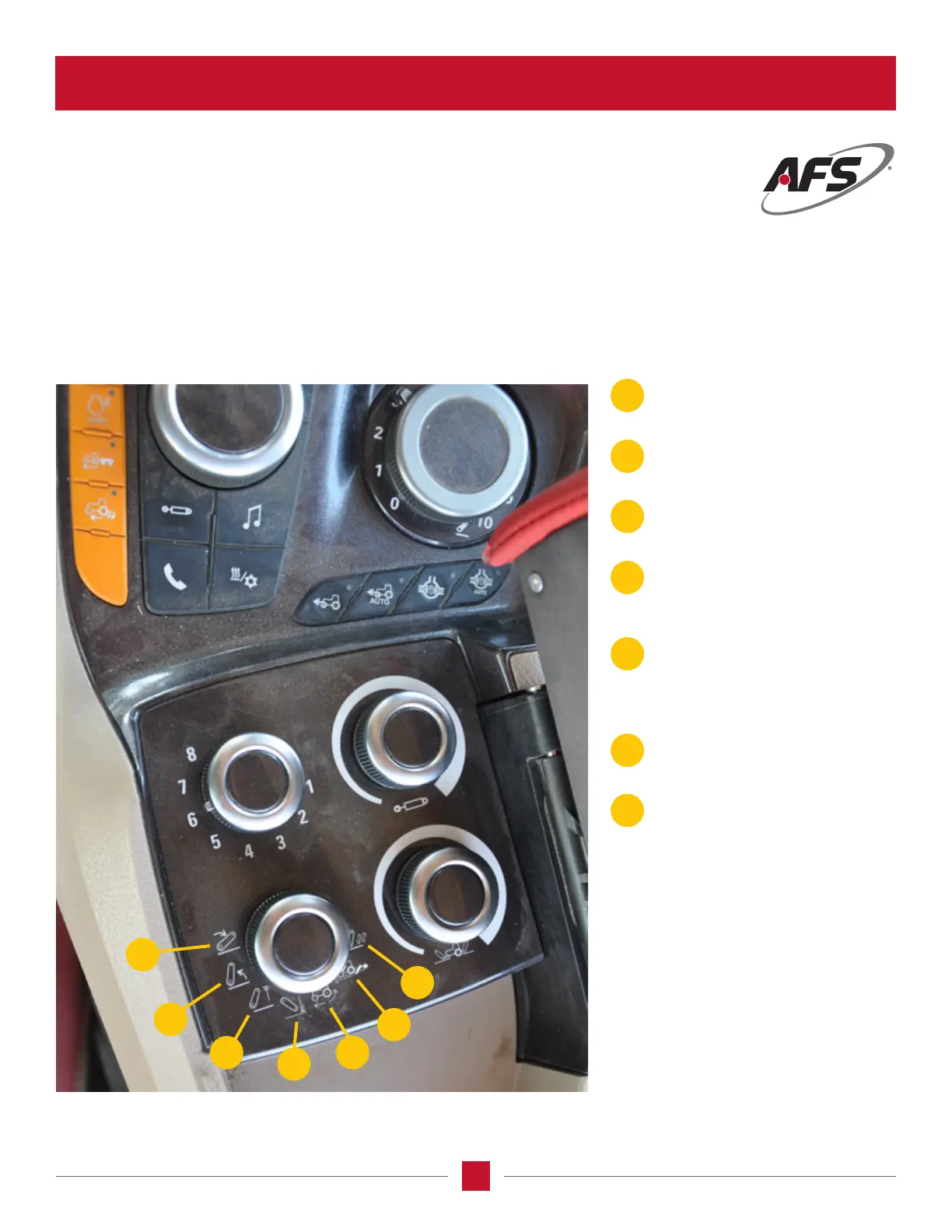
The hitch controls are found on 2 knobs under the armrest pad and they are the bottom buttons.
The left knob has 7 positions identied by individual icons, and is the Hitch Setting Selection.
For our purpose we are going to identify each one as they appear in a counterclockwise direction.
A
B
C
D
E
F
G
C
D
E
F
G
A
B
Lower Hitch Rate – Set how fast the
hitch will go down when the hitch
lower button on the MFH is pressed.
Raise Hitch Rate – Set how fast the
hitch will go down when the hitch raise
button on the MFH is pressed.
Hitch Upper Limit – Set the limit the
hitch will go up when the hitch raise
button on the MFH is pressed.
Hitch Lower Limit – Set the limit the
hitch will lower when the hitch lower
button on the MFH is pressed and
during draft sensing.
Slip Limit – Set the maximum amount
of wheel slippage allowed before the
hitch is commanded to raise.
NOTE: The hitch will lower when the
slippage goes below the set limit.
Draft Load – Set the amount of
horizontal load desired on the lower
hitch links.
Draft Sensitivity – Set the draft load
reaction rate. The less sensitive the
draft load sensing is, the longer it will
take the hitch to react when it hits the
draft load limit. The more sensitive
the draft load sensing is, the sooner
the draft load control will sense a draft
load change.
HITCH / DRAFT CONTROL (continued)








 To Next Page