53
AFS Pro 1200
™
Display
Hitch Operation Information
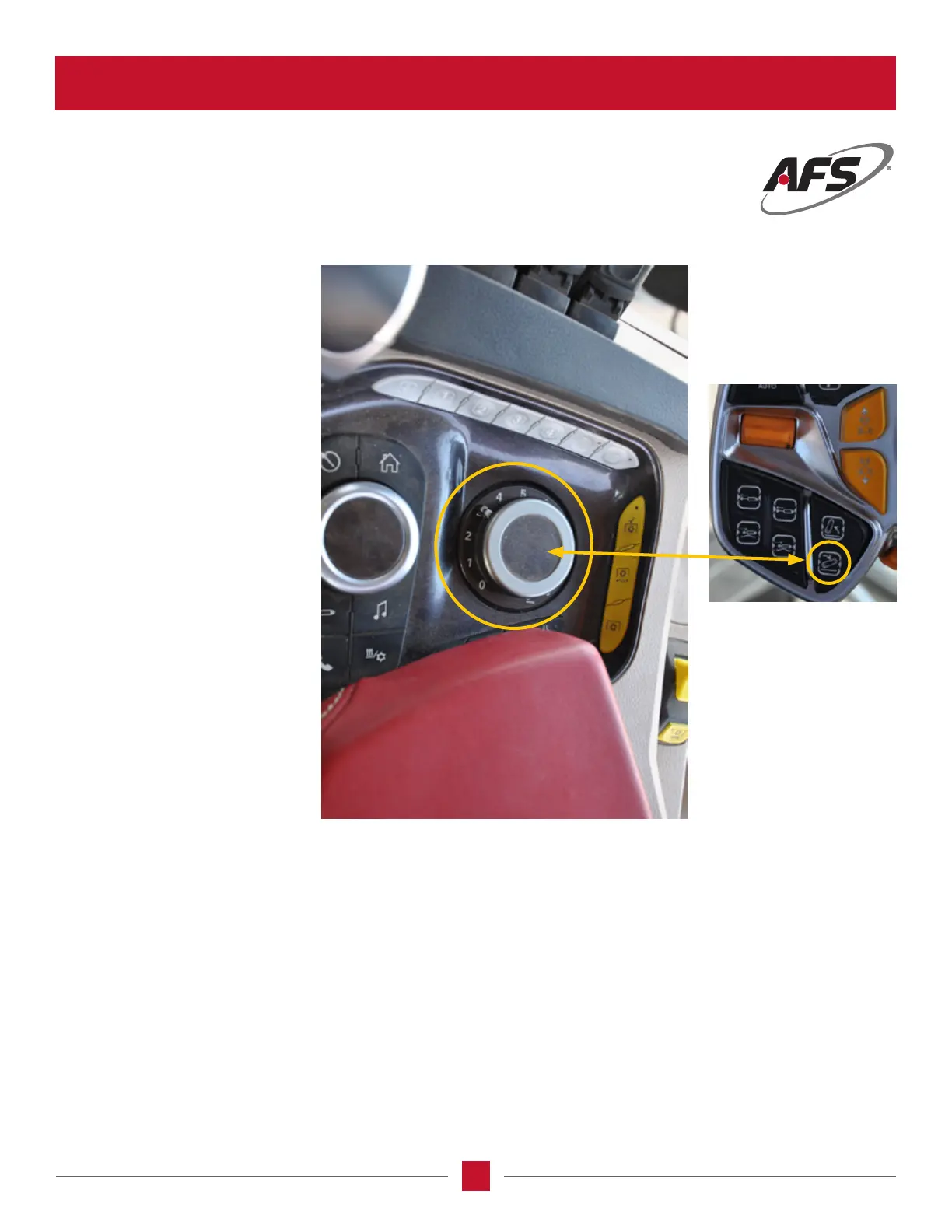
The knob on the right side of the
console is used to set and control
the working depth of the hitch.
The hitch lower limit is set with
this knob when you push the lower
button on the MFH, and will also
allow for ne tuning of the lower
limit or depth on-the-go.This
control does not interfere with the
limitations of the implement or
the implement tool depth, only
the limits placed on the 3-point
hitch. The software determines
the absolute limits of up and down
which makes this portion more of a
setting than a control.
Hooking Up a Trailing Implement to the Tractor
After connecting the implement to the tractor drawbar, install the hydraulic hoses to the couplers on the tractor.
• The MultiFunction handle has 2 remote buttons connected to the rst 2 remote circuits. If there is more than 2 circuits
required to operate the implement the 2 most often used remotes are to be connected to the Multifunction handle.
• The remote handles on the front of the armrest can be used as desired or required.
• The remotes are best set on a “Timer” basis as making them work only requires pushing the remote handle or pressing
the appropriate button on the multifunction handle.
• Go to the setup screen for the tractor and set the ow rate and the remote valve timer for the remotes used or the motor
function for remotes that are going to run all the time.
HITCH / DRAFT CONTROL (continued)








 To Next Page