3-CONTROLSANDINSTRUMENTS
8.Displaymodeselectorbutton
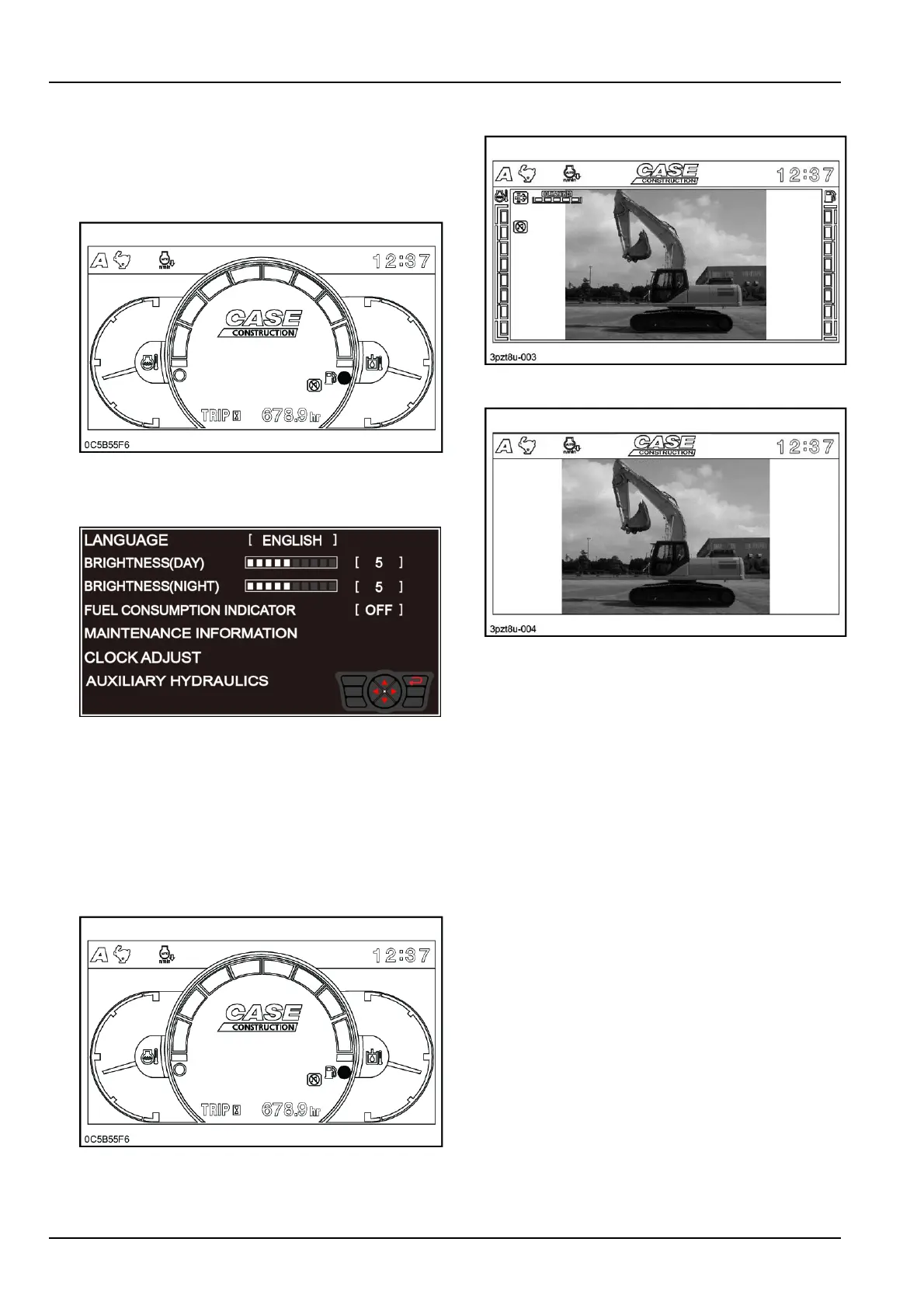
Pressthedisplaymodeselectorbuttontoselectthe
setofinformationvisualizedonthedisplay:
Theoperatingmodeshowsgauges,icons,warning
andmessagesrelatedtothefunctioningofthema-
chine.
0C5B55F67
Theuserinformationmodeprovidesaccesstothe
congurationtabsforthesetupofthemainfunction-
alitiesofthemachine.
SMIL16CEX1658AA8
Themodeofthedisplaytoggleseverytimethese-
lectorbuttonispressed.
NOTICE:Duringmachineoperation,makesureto
selecttheoperatingmodeofthedisplay.
9.Cameraviewselectorbutton
Iftherearcameraisequipped,pressthecamera
viewselectorbuttontoselecttheoperatingmodeof
thedisplaybetweenthefollowingmodes:
MODE-1:Indicators+Machineinformation
0C5B55F69
MODE-2:Cameraimage+Machineinformation
3PZT8U-003Z10
MODE-3:Cameraimages+icons
3PZT8U-004Z11
Theoperatingmodeofthedisplaytoggleseverytime
theselectorbuttonispressed.
10.Hourmeter/Tripmeterbutton
Theinformationisshownonthebottomofthedisplay
intheoperatingMODE-1.Thehourmeterindicates
thetotalengineoperatinghoursinunitsof0.1h(
6min).Thehourmetercannotbereset.Thetrip
meterallowstosetapartialoperatinghourcounter,
whichcanberesetto0hatanytime.Thehours
areindicatedinunitsof0.1h(6min).T oresetthe
tripmeterpressandholdthehourmeterbuttonwhile
thetripmeterisdisplayed.Thedisplayedengine
operatinghourswillberesetto0h.Thehourmeter
isdisplayedbydefault.T odisplaythetripmeter,
pressthehourmeterbutton:thetripmeterwillbe
thusdisplayedforapproximately1min,afterwhich
thehourmeterwillbedisplayedagain.
NOTE:Thedisplaydisappearswhenthestarterkey
isturnedtoOFFposition.Thehourmetercanbe
anywaydisplayedfor20sbypressingthehourmeter
button.
NOTE:Thehourmeterisnotdisplayedintheoper-
atingMODE-2orMODE-3.
3-36



 To Next Page