11-3
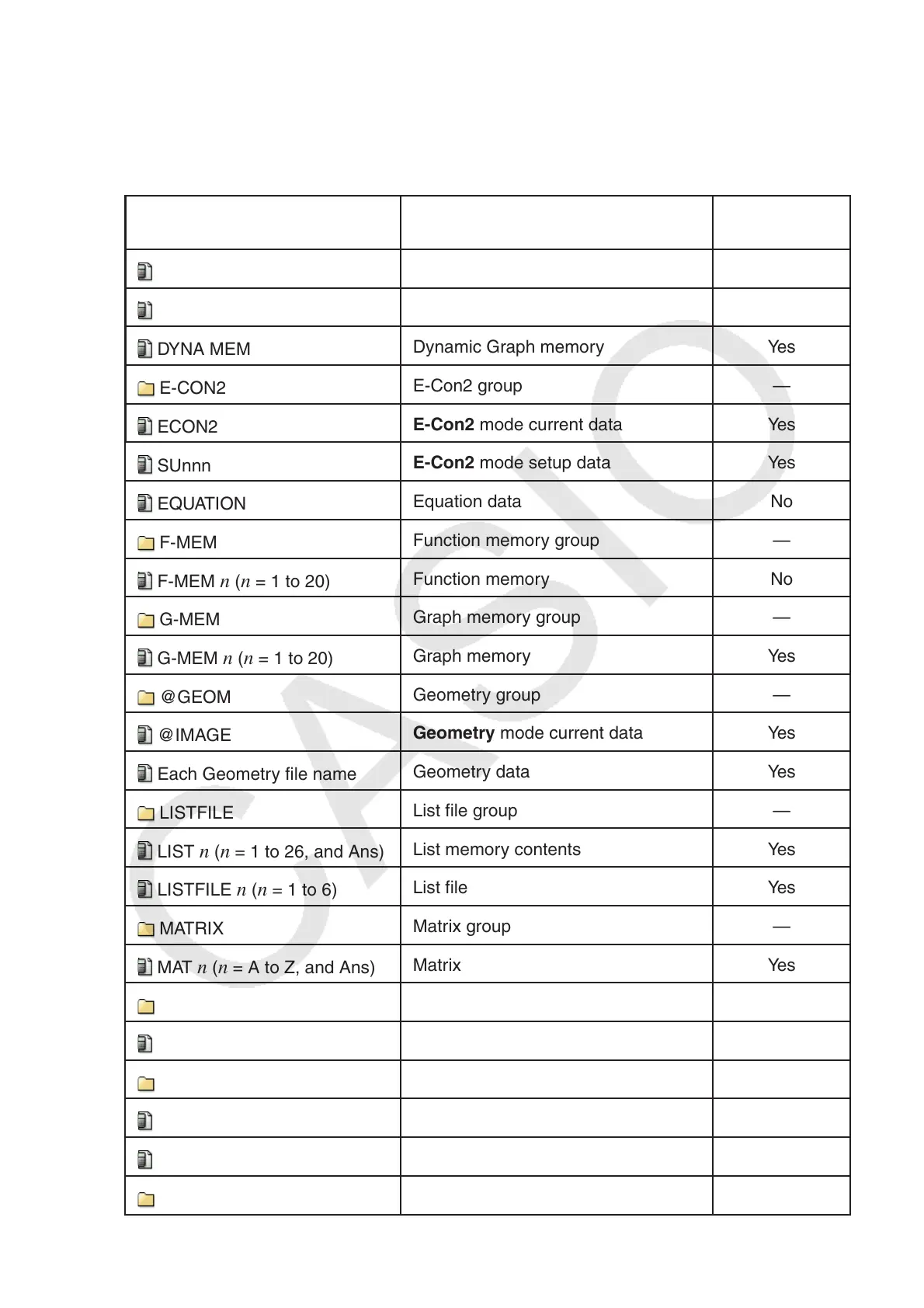
The following data can be checked.
Main Memory
Note
For information about the “Overwrite Check” column in the table below, see “To execute a
send operation” (page 13-12) and “Error Checks During Data Copy” (page 11-9).
Icon/Data Name Contents
Overwrite
Check
ALPHA MEM
Alpha letter variables No
CONICS
Conics setting data No
DYNA MEM
Dynamic Graph memory Yes
E-CON2
E-Con2 group —
ECON2
E-Con2 mode current data Yes
SUnnn
E-Con2 mode setup data Yes
EQUATION
Equation data No
F-MEM
Function memory group —
F-MEM n (n = 1 to 20)
Function memory No
G-MEM
Graph memory group —
G-MEM n (n = 1 to 20)
Graph memory Yes
@GEOM
Geometry group —
@IMAGE
Geometry mode current data Yes
Each Geometry file name
Geometry data Yes
LISTFILE
List file group —
LIST n (n = 1 to 26, and Ans)
List memory contents Yes
LISTFILE n (n = 1 to 6)
List file Yes
MATRIX
Matrix group —
MAT n (n = A to Z, and Ans)
Matrix Yes
@PICTPLT
Picture Plot group —
PICTPLOT
Picture Plot data Yes
PROGRAM
Program group —
Each program name
Programs Yes
RECURSION
Recursion data No
S-SHEET
Spreadsheet group —















 To Next Page