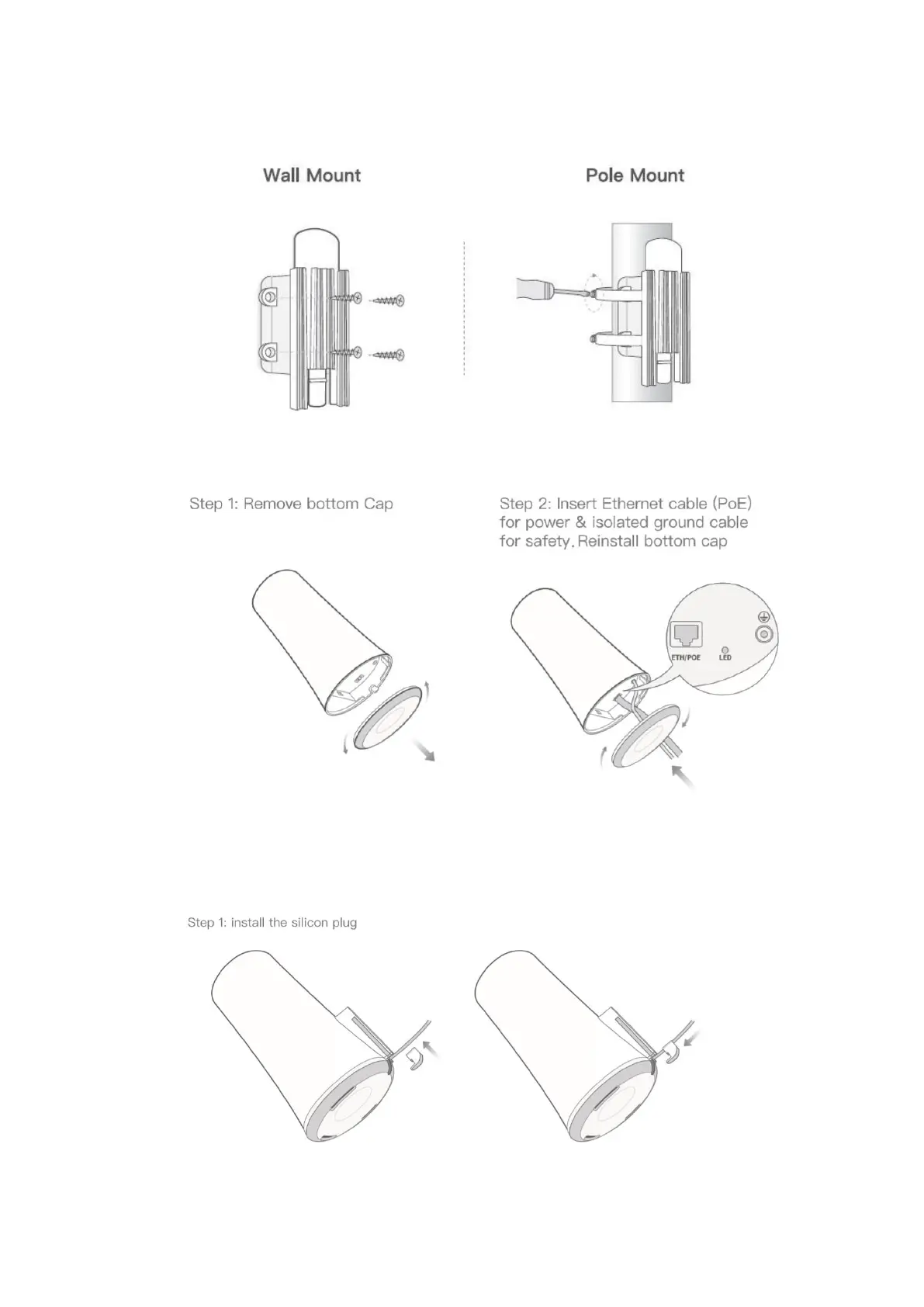
Mounting
1. Mount the X1000 mounting bracket in a vertical orientation onto a wall or pole with
the supplied mounting kit;
2. Connect the X1000 to Ethernet cable and ground cable;
Grounding is suggested, especially when X1000 is installed outdoors.
3. Install silicon plugs (please skip this step if the ground cable is installed);



 To Next Page