5.
Cassia Bluetooth Gateway Configurations
NOTE: The Google Chrome browser is preferred as results may vary with other browsers.
To configure the gateway, please open the Cassia Bluetooth gateway’s local console by
entering its local IP address or access it from the gateway’s Wi-Fi hotspot. The user can also
configure the gateways by gateway auto configuration feature (chapter 6.6), or configure the
gateways in batch from AC console (chapter 6.7).
The gateway’s local console account will be frozen for 1 minute after 5 failed attempts. The
login password will expire in 180 days if “Change Password Every 180 days” is switched on in
Other tab.
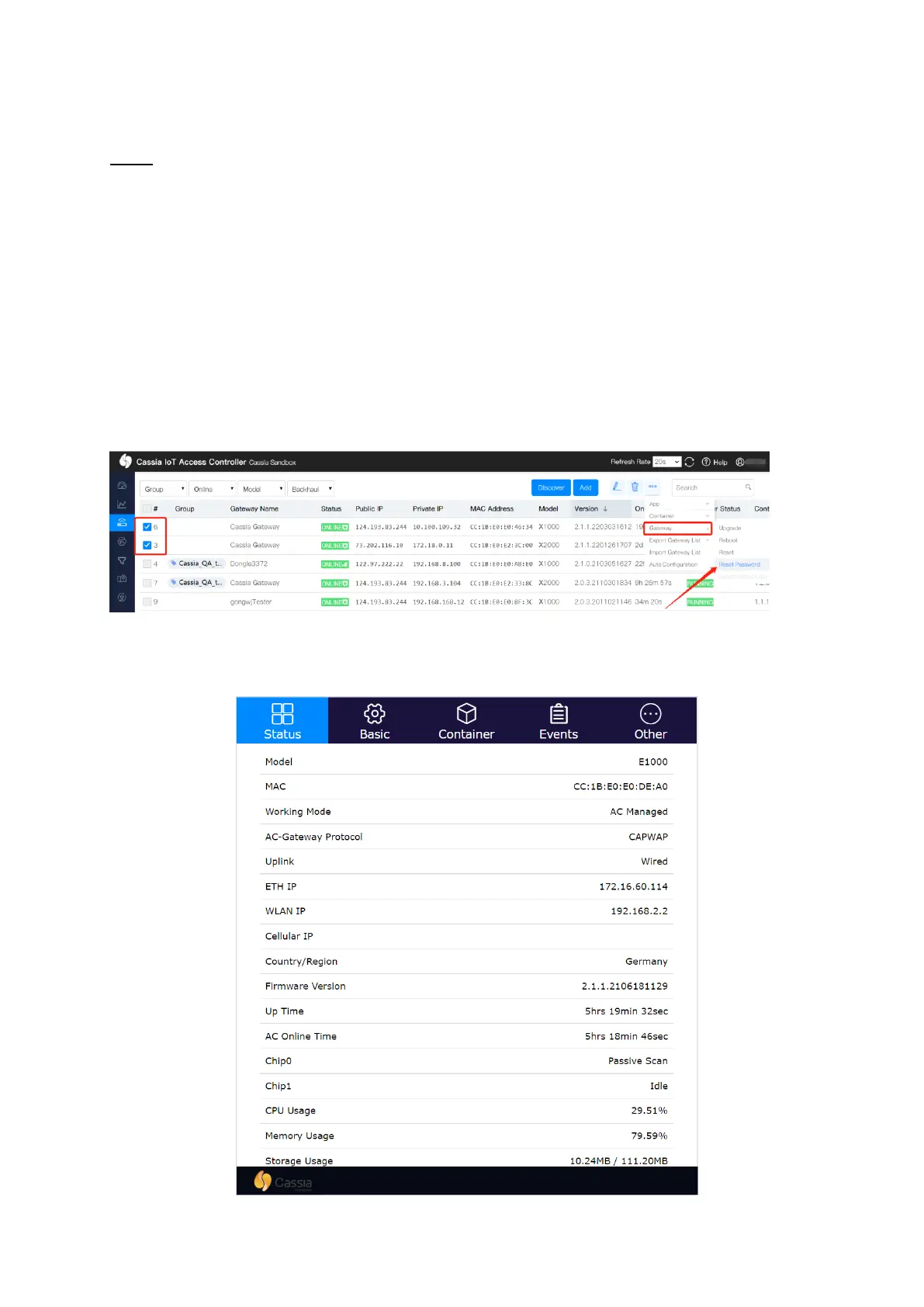
If you forget the gateway’s login password, you can reset it through the AC. The read only AC
account doesn’t have the permission to reset the gateway’s login password.
5.1.
Status Tab
The Status tab displays the gateway’s current configuration:
Cassia gateway configuration page – Status



 To Next Page