6.8.
Bluetooth Debug Tool
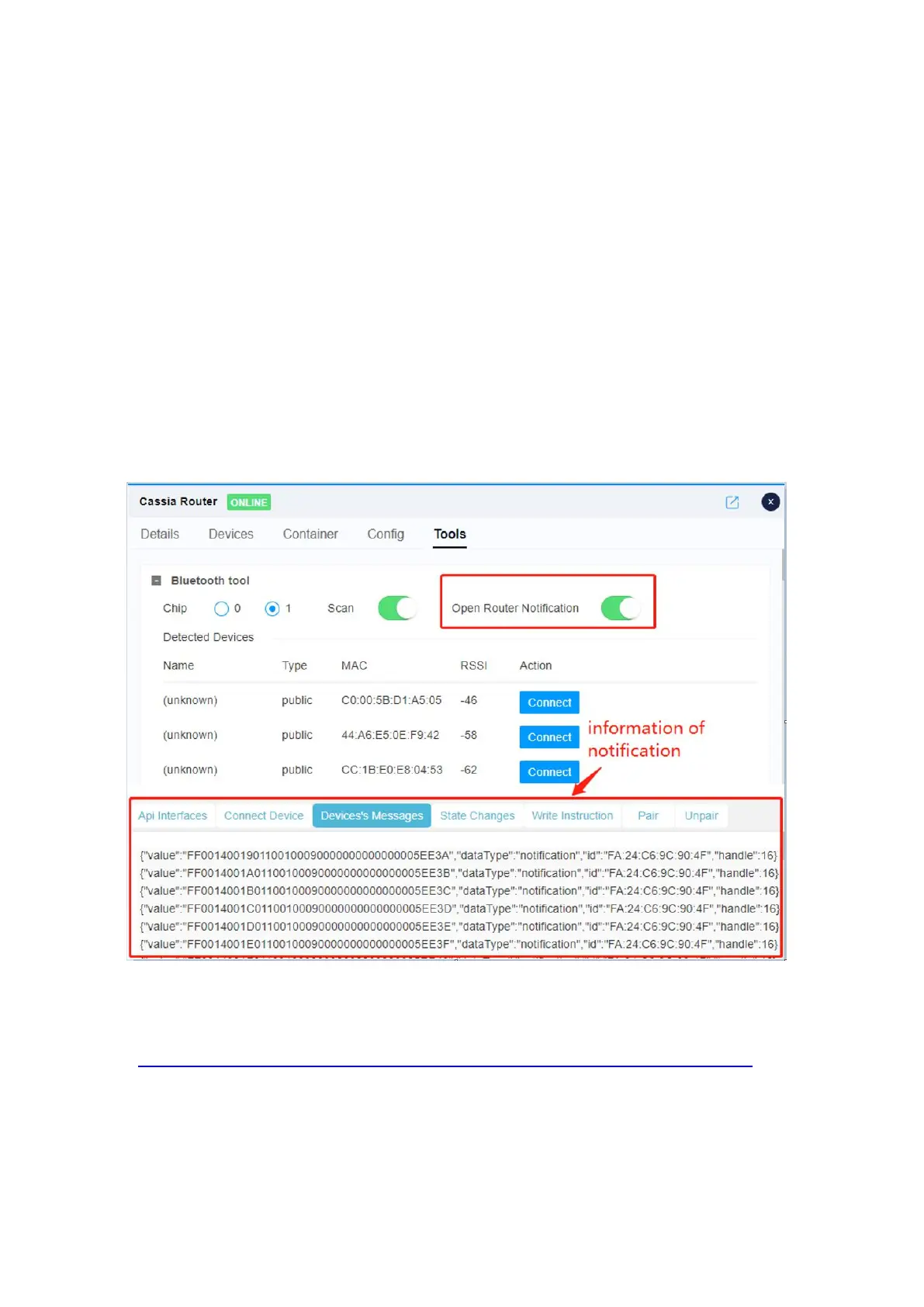
From firmware 1.4, Cassia AC provides a simplified Bluetooth debug tool with UI (read
only user doesn’t have the permission). This debug tool simplifies the integration of the
Bluetooth Low Energy devices and the user application with the Cassia AC and Bluetooth
gateway.
The user can use this simplified Bluetooth debug tool to select a chip, start and stop the
scan, connect and disconnect, pair and unpair, get services, write by the handle, and
receive notifications and indications. The user can also check the RESTful API, API
response messages and the Bluetooth Low Energy data on the debug tool.
Please connect a Cassia gateway to the Cassia AC, power on the Bluetooth devices, and
place them near the Cassia gateway. Please click the gateway from the Gateway list, and
click the Tools tab. See the screenshot of the simplified Bluetooth debug tool below.
Simplified Bluetooth Debug Tool in Cassia AC
For more information, please check the Cassia AC Bluetooth Debug Tool User Guide here:
https://www.cassianetworks.com/support/knowledge-base/general-documents/.
Cassia AC also offers a full version Bluetooth debug tool like below.



 To Next Page