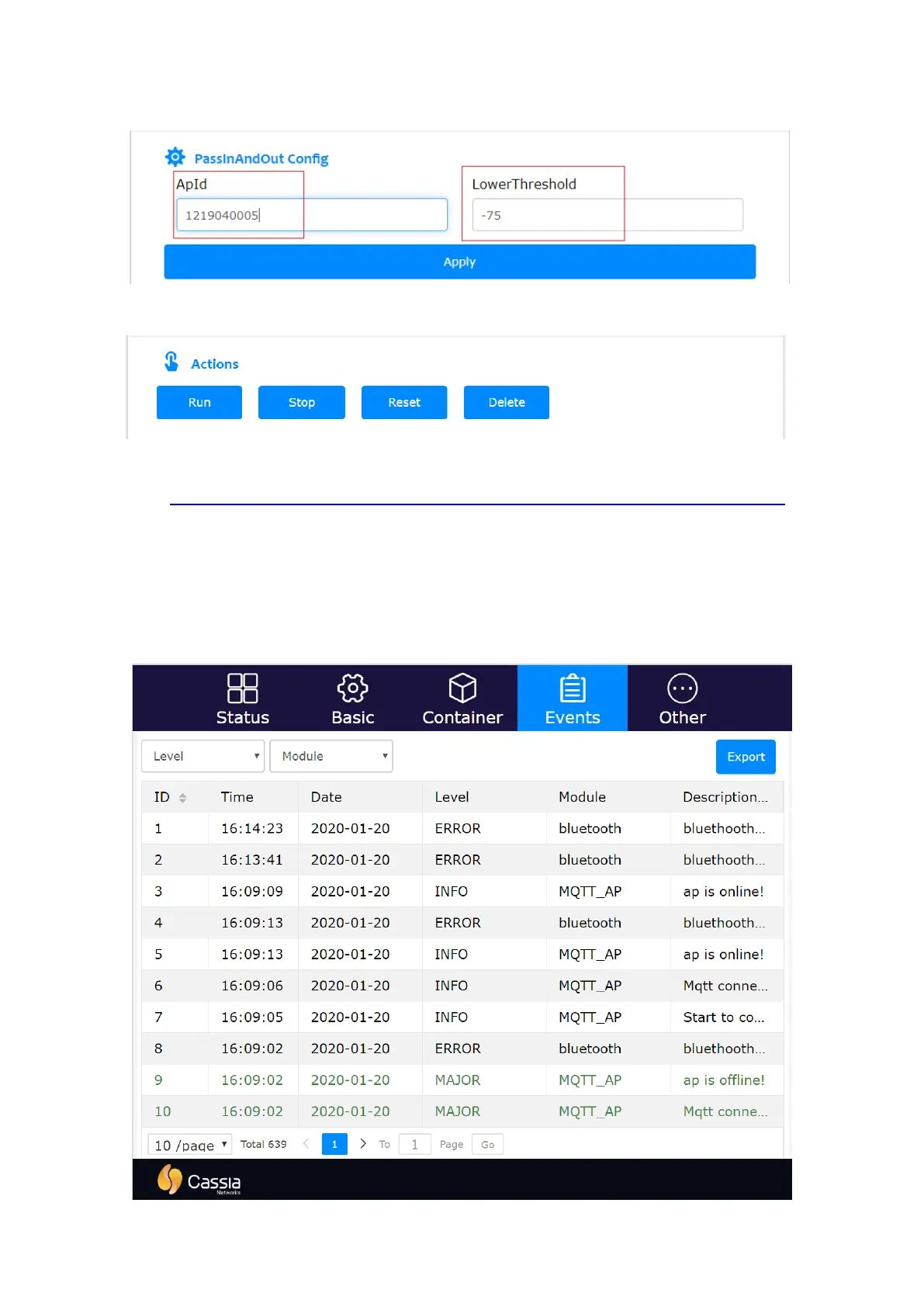
console. After the configuration, the gateway will generate file config.json under folder
/root/config/<app_name>/.
The user can also Run, Stop, Reset or Delete the container by clicking the buttons.
For more information, please check Cassia Custom Application Deployment Instructions
here: https://www.cassianetworks.com/support/knowledge-base/general-documents/.
5.4.
Events Tab
The Events tab page displays events of different Level (Info, Major, etc.) and different
Module (Web, Bluetooth, MQTT, WTP, Network, etc.). The user can click the Export button
to export the logs for further analysis.
Cassia gateway configuration page – Event



 To Next Page