5.5.
Other Tab
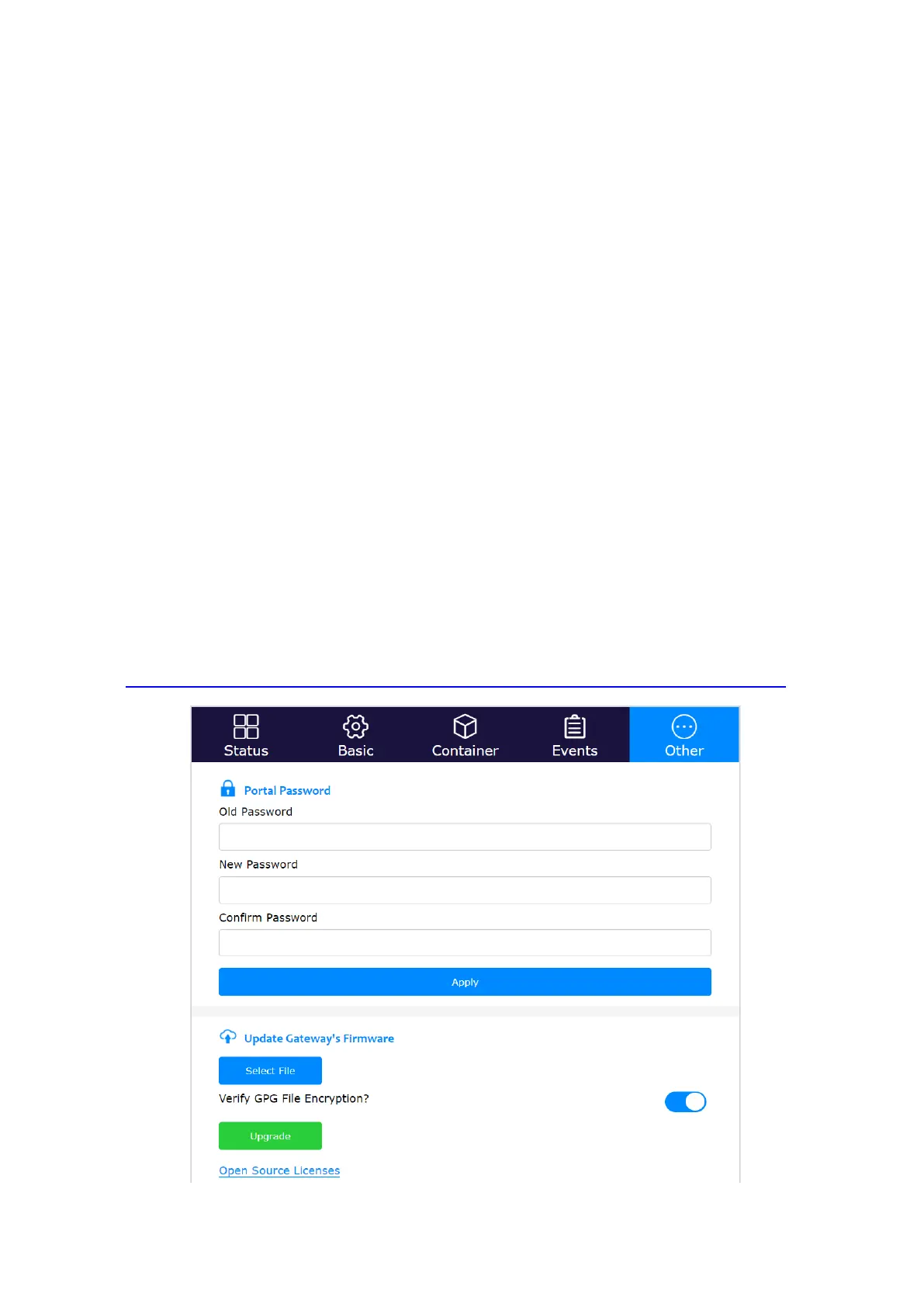
The Status tab page displays the gateway’s login password (Portal Password). When logging
in for the first time, the gateway’s console will require the user to set the login password,
which should include numbers, letters, and special characters. The password length should
be between 8-20. If the user forgets the gateway login password, they can reset it through
the AC. The read only AC account doesn’t have the permission to reset the gateway’s login
password.
The user can update the gateway’s firmware from AC or gateway local console by clicking
the “Select File and Upgrade” button. From firmware 2.1.0, gateway firmware can be
continuously downloaded after being disrupted.
If the firmware image is encrypted with *.gpg, please switch on “Verify GPG File
Encryption?”. Please turn it off, if the firmware image is *.gz file format. From 2022 May 1
st
,
Cassia will only deliver gpg format firmware for Cassia Bluetooth gateway types, except for
S2000.
From firmware 1.4.2 and above, the user can update the gateway’s firmware from a
smartphone locally. Please download the gateway firmware onto your smartphone in
advance and log into the gateway’s local console from the Wi-Fi hotspot (2.4GHz only) or
the gateway’s private IP.
The latest firmware download is available here (this page is password protected, please get
in touch with your Cassia sales representative for assistance):
https://www.cassianetworks.com/support/knowledge-base/router-gateway-firmware/.
Cassia gateway configuration page – Other



 To Next Page