5.6.
Service Tab
The Cassia gateway can send scanned data directly from the gateway to a third-party
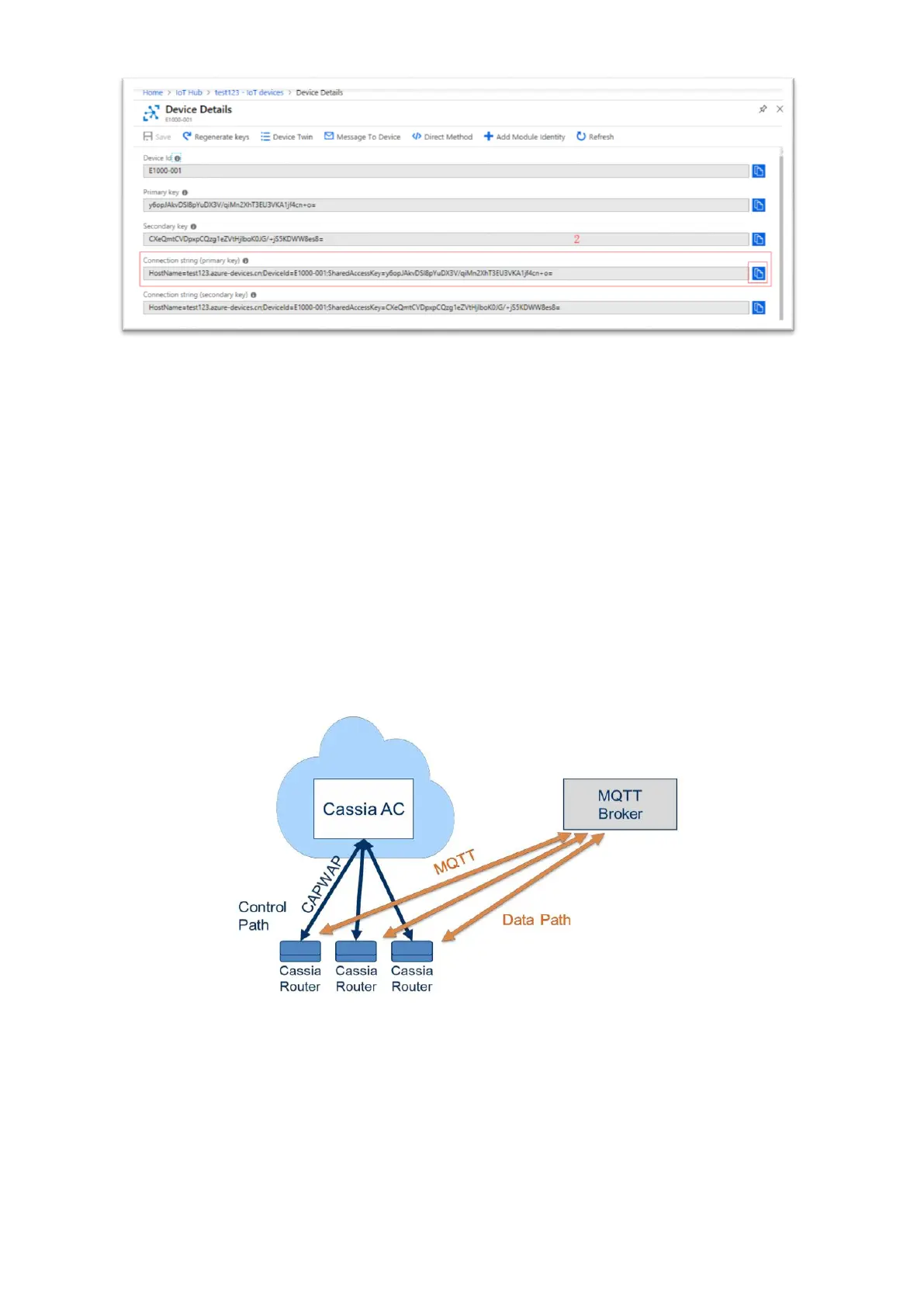
server while keeping the control path to the AC. We call this function “bypass” mode.
MQTT (MQ Telemetry Transport) is described on the mqtt.org site as a machine-to-
machine (M2M) / IoT connectivity protocol. It is a publish/subscribe messaging transport
protocol, designed for constrained devices and low-bandwidth, high-latency, or unreliable
networks.
Since release 1.2, Cassia gateway supports MQTT protocol on the bypass traffic which
means that the Cassia gateway can publish advertisement messages it receives from the
Bluetooth Low Energy sensors to an MQTT server/broker. Other clients, such as web
applications on your laptop and smartphone device can subscribe to the topics from the
MQTT-Broker.
Cassia MQTT Bypass Architecture
When the gateway is running in AC Managed mode (configured by Gateway Mode in Basic
tab), the user can only configure the gateway’s MQTT in the AC console (see the
configuration in AC->Gateway->Config->Bypass). When the gateway is running in
Standalone mode, the user can configure the MQTT function in the gateway console
Service tab. The user can set up data push and data cache configuration, MQTT
configurations, and scan settings.



 To Next Page