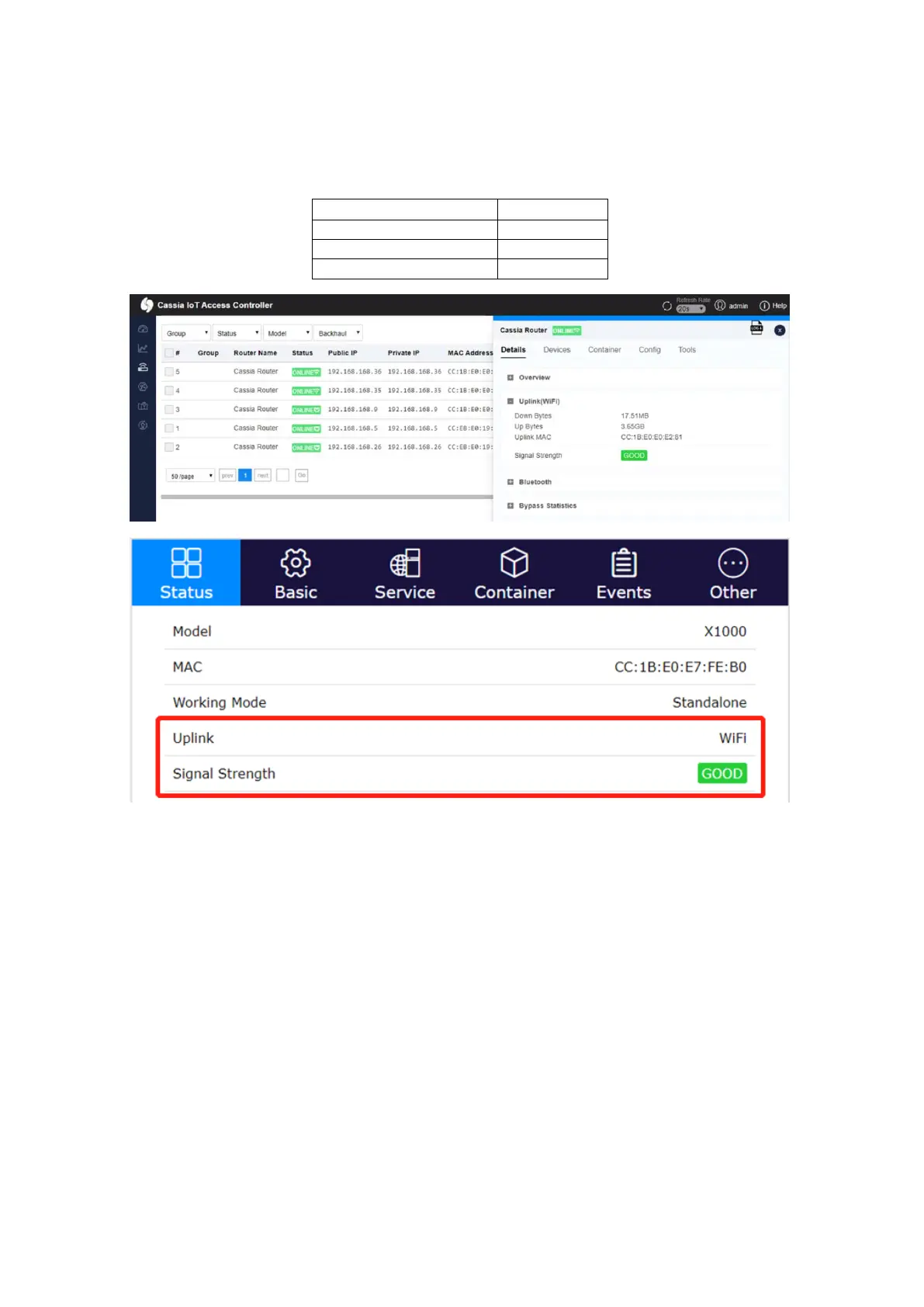
From firmware 2.0, the Cassia Bluetooth gateway will measure the Wi-Fi signal strength
and show it on AC (AC->Gateway->Details->Uplink) and gateway console (Status tab) as
GOOD, MEDIUM, or POOR. If the signal strength is POOR, please try other Wi-Fi SSID,
try 5G Wi-Fi, or try other uplink solutions.
5.2.3.
USB Cellular Modem
Cassia’s gateway supports USB cellular modem as the network uplink. You will have to
purchase a supported USB cellular modem and a SIM card with an active data plan that
works with the USB cellular modem.
Before using any USB cellular modem, please connect it to your laptop/desktop to
ensure the internet can be accessed with the USB cellular modem. After testing the
connection to the internet, please connect the USB cellular modem to the USB port on
the Cassia Bluetooth gateway, select the right modem type and configure the
parameters, if needed.
Cassia’s Bluetooth gateway also supports the use of any USB-powered Wi-Fi modems. In
this case, the gateway can connect to the Wi-Fi modem by Wi-Fi uplink (chapter 5.2.2).



 To Next Page