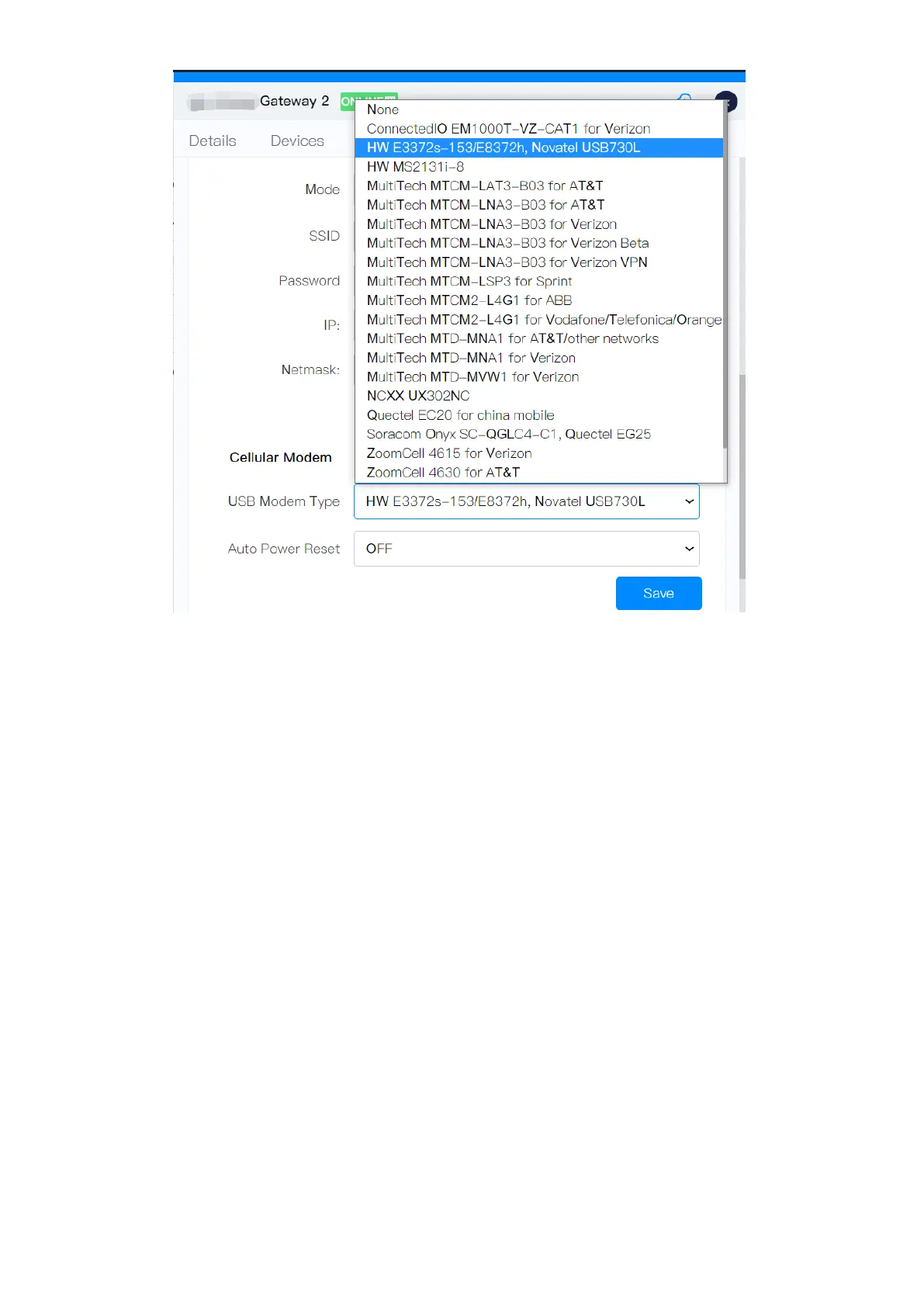
Cassia gateway configuration page – USB cellular modem
The USB cellular modem with RNDIS Driver Ethernet Type 1 & Type 2 is supported.
•
Type 1: An APN needs to be specified. For example, wyleslte.gw7.vzwentp
and 10569.mcs are KORE Wireless APN. If you are using a SIM card from
another cellular operator, please contact the cellular operator for the right
APN.
•
Type 2: It applies the settings automatically and shows the LAN connection.
e.g. HW E3372s-153 modem.
Below are the USB cellular modems that can be selected by default:
•
HW MS2131i-8
•
HW E3372s-153
•
HW E3372h-153
•
HW E8372h-153 (Europe, support 2G)
•
HW E8372h-155 (China, doesn’t support 2G)
•
HW E8372h-320 (Europe, added in firmware v2.1.1, doesn’t support 2G)
•
HW E8372h-820 (China, added in firmware v2.1.1, doesn’t support 2G)
•
Novatel USB730L (for Verizon)
•
MultiTech MTD-MVW1 (for Verizon)
•
MultiTech MTD-MNA1 (for Verizon, AT&T, and other Cellular operators)
•
MultiTech MTCM-LAT3-B03 (for AT&T, T-Mobile, and other Cellular operators)
•
MultiTech MTCM-LNA3-B03 (for AT&T, Verizon and Verizon VPN)
•
MultiTech MTCM-LSP3-B03 (for Sprint)
•
MultiTech MTCM2-L4G1 (for Vodafone, Telefonica and Orange)
•
Zoom 4615 (for Verizon)



 To Next Page