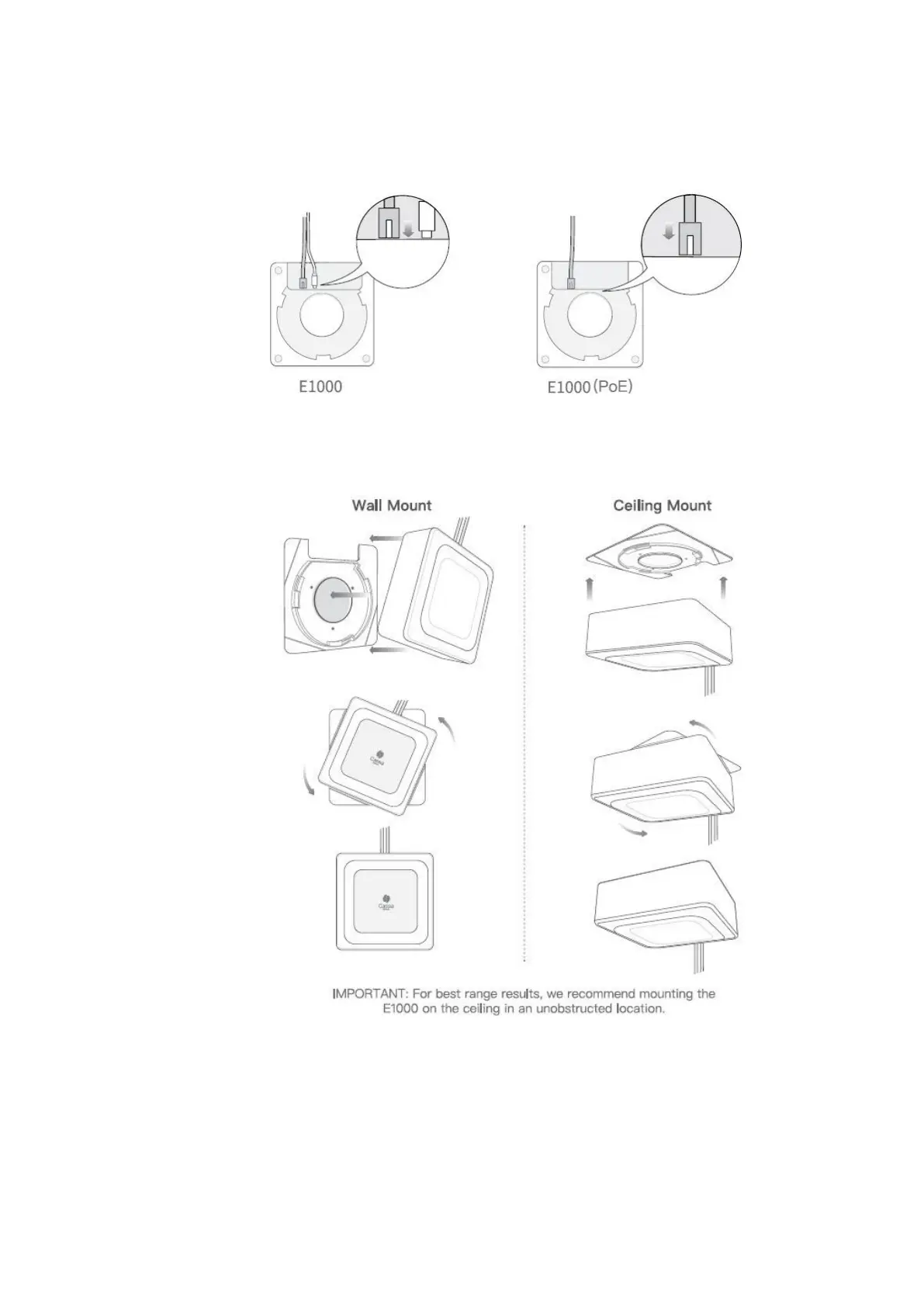
3. Connect the E1000 to power with the supplied Micro USB cable and power adapter
and to a Wi-Fi Access Point via Ethernet or Wi-Fi (2.4GHz or 5GHz). The E1000 can also
connect to a Power-over-Ethernet (PoE) connection;
4. Place the E1000 gateway at a slight angle against the mounting plate and twist into
place (turn clockwise);
2.4.
S2000
Hardware
Cassia S2000 Gateway
Power-over-Ethernet (PoE) 802.3af/at compliant source, or PoE injector if PoE network
is not available
CAT5 Ethernet cable with standard RJ45 connector (Patch cord): 1 unit if PoE available,
or 2 units if used with PoE injector



 To Next Page