CAT5 Ethernet cable with standard RJ45 connector (Patch cord): 1 unit if PoE available,
or 2 units if used with PoE injector
Micro USB power cable and universal plugs (if not using PoE)
Computer System (Desktop/Laptop/Smart Phone/Tablet) with Wi-Fi connectivity
USB cellular modem: required only if set up over a SIM-based Internet connection is
required
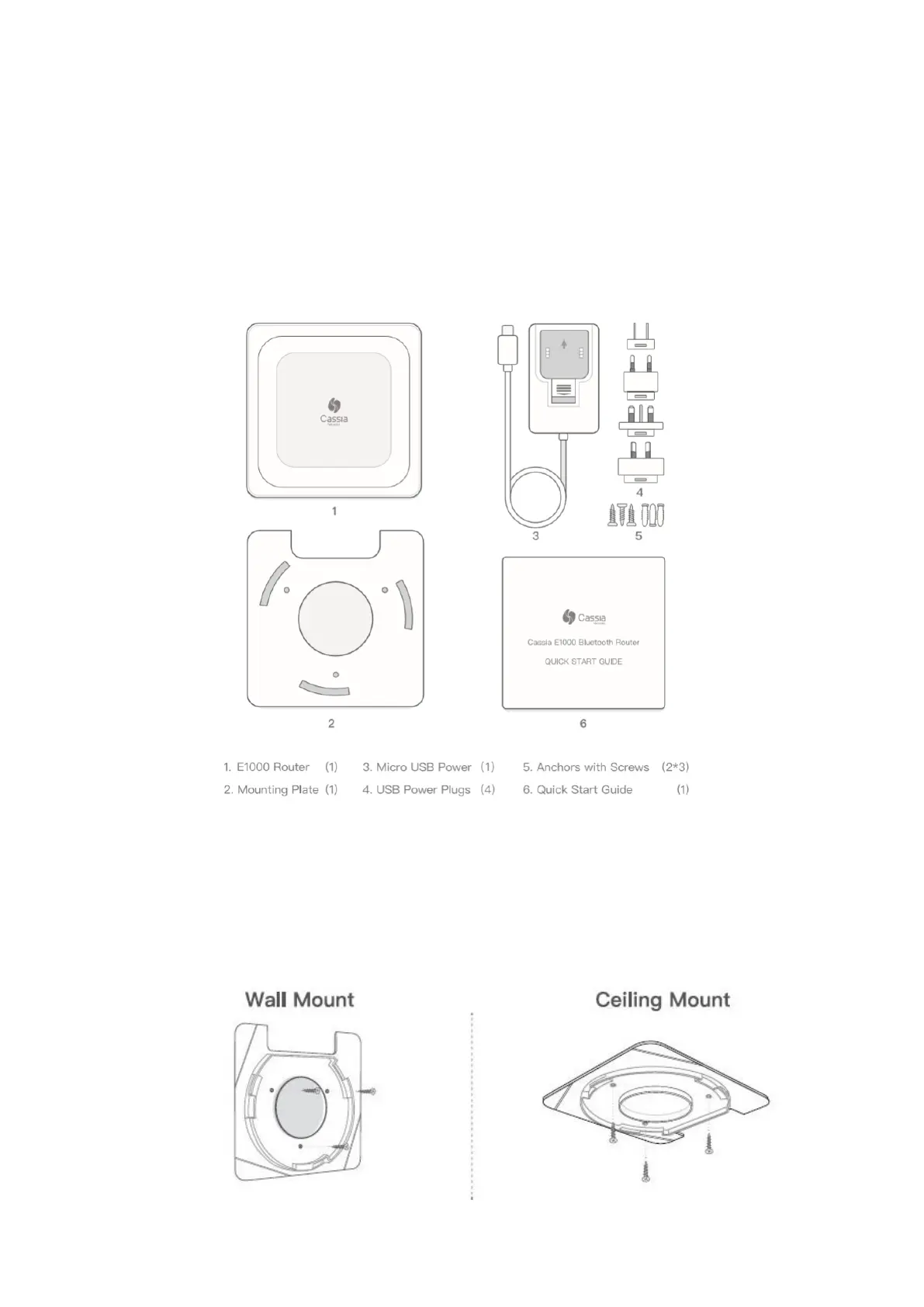
Included in Package
Mounting
1. Place the E1000 on a flat, unobstructed surface or mount it using the supplied
mounting kit in a vertical or horizontal orientation;
2. If mounting, first screw the mounting plate onto wall or ceiling;



 To Next Page